
In 2026, coding is no longer the barrier between you and a professional website. AI is. Creating a professional website without coding used to take weeks of back-and-forth with a developer, a budget of several thousand dollars, and enough technical patience to outlast anyone without a computer science degree.
That reality is gone. AI-powered website builders can now generate a complete, publish-ready professional site from a single text prompt in under 60 seconds, with the layout, pages, color scheme, and copy already in place.
This guide walks you through every step of the process, from choosing the right no-code builder to launching a site that looks like a professional designer built it because with the right AI tool, it practically does.
What Is a Professional Website? (And What It Looks Like in 2026)
A professional website earns visitor trust immediately, not through flashy animations or a five-figure design budget, but through fast loading, clear navigation, consistent branding, and content that tells visitors exactly what you do and why they should care within the first five seconds of arriving.
What a professional website is not in 2026: expensive, complex, or code-dependent. Professional quality is no longer a function of budget; it’s a function of platform choice and the decisions you make inside it.
The 5-Second Test: Can a first-time visitor understand what your site is about within 5 seconds of landing on your homepage?
If yes, it passes the professional threshold. If they have to scroll, click around, or read three paragraphs to figure out what you do, it doesn’t.
Here’s what separates a professional website from an amateur one in 2026:
| Element | Amateur Website | Professional Website |
|---|---|---|
| Load speed | 5+ seconds | Under 3 seconds |
| Mobile experience | Broken or squished | Fully responsive |
| Branding | Inconsistent fonts/colors | Cohesive visual identity |
| Navigation | Confusing or cluttered | 3-click rule to any page |
| Content | Generic, keyword-stuffed | Clear, audience-specific |
| SEO | No meta titles or descriptions | Optimized from launch |
| Trust signals | Missing | Reviews, SSL, About page |
A professional website in 2026 doesn’t need to look expensive; it needs to look intentional. Every element on the page should be there for a reason, and that reason should always be the visitor.
Why You Don’t Need to Code to Build a Professional Website Anymore
Ten years ago, building a professional website meant writing HTML and CSS by hand, hiring a developer, or both.
Five years ago, drag-and-drop builders made it accessible to non-coders willing to invest a weekend of their time learning the interface.
In 2026, AI has removed the last friction point entirely.
Here’s what AI website builders actually do when you use them:
- Generate a full site layout from a text description of your business
- Populate your pages with relevant placeholder content based on your niche
- Suggest color palettes and font pairings that fit your industry and audience
- Build a fully mobile-responsive version of your site automatically
- Write first-draft page copy using your inputs , which you then refine and personalize
The 2026 AI builder landscape has actually split into two distinct categories.
Traditional marketing site builders like Wix, Squarespace, Hostinger, and Framer are designed to create complete, hosted websites with no technical involvement.
Full-stack application builders like Bolt, Lovable, and v0 generate actual code you own and deploy yourself. For bloggers, freelancers, service businesses, and content creators, the traditional marketing builders are exactly what’s needed. The code-generating tools are designed for developers building software, not websites.
If you can describe what you want in one sentence, an AI builder can build it no CSS. No HTML. No developer required.
Best No-Code AI Website Builders to Create a Professional Website (2026 Comparison)
Not every no-code builder is equal.
Some are built for speed, some for design control, some for e-commerce, and some for budget-conscious beginners.
Choosing the wrong one before you start building wastes time you won’t get back.
Here’s the full breakdown of the best options available right now, by use case.
| Builder | Best For | Free Plan | AI Features | Starting Price |
|---|---|---|---|---|
| Hostinger | Budget AI-powered sites | ❌ Trial only | ✅ Full AI generation | ~$2.99/mo |
| Wix | All-around flexibility | ✅ Yes | ✅ Wix Harmony AI | $17/mo |
| Squarespace | Creative & polished design | ❌ 14-day trial | ✅ Blueprint AI | $16/mo |
| Webflow | Advanced design control | ✅ Limited | ✅ AI layout tools | $14/mo |
| Durable | Fastest launch (30 sec) | ✅ Limited | ✅ Full AI generation | $22/mo |
| Framer | Designer portfolios | ✅ Yes | ✅ AI generation | $10/mo |
Also Read: How to select a niche for blogging in 2026 – Step By Step Guide
How to Create a Professional Website Without Coding: Step-by-Step
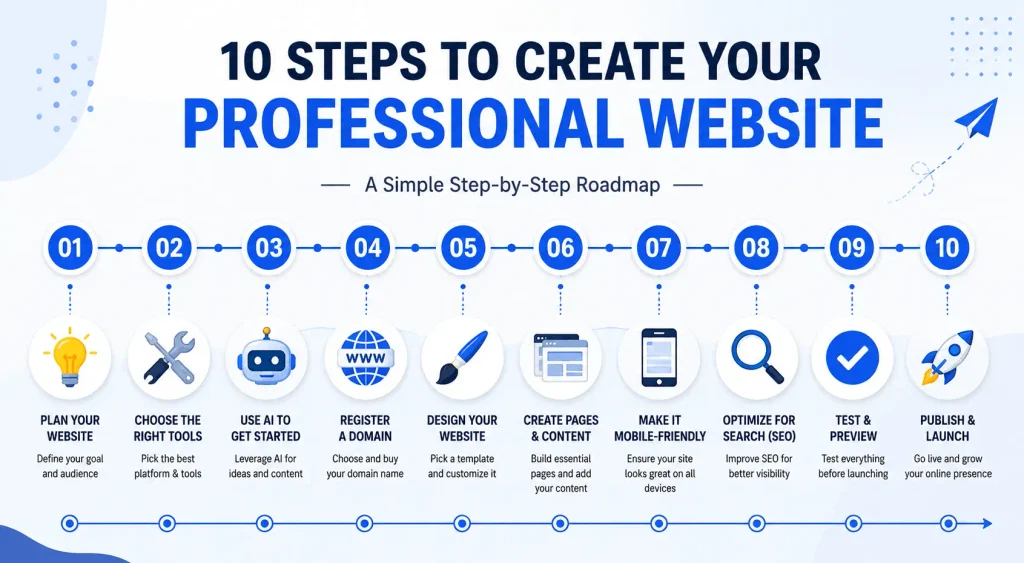
Once you’ve chosen your no-code builder, here’s the exact process for going from a blank screen to a published professional website using an AI builder as your primary workflow.
Follow these steps in order, and you’ll avoid the most common mistakes that leave first-time builders frustrated.
Step 1 : Define Your Website’s Goal and Audience
Before you open any builder or click any button, answer two questions with complete honesty:
What is this site for? And who is visiting it?
Your answers determine every decision that follows: your template choice, your page structure, your headline, and what you tell the AI to generate. A site built without clear answers to these questions looks generic because it is.
The one-sentence exercise: Complete this sentence before you do anything else:
“My website helps [specific audience] achieve [specific outcome] by [what you offer].”
This sentence becomes your AI generation prompt and your homepage headline. It’s the most important thing you’ll write in this entire process.
Common website types and their primary purpose:
- Blog → Build an engaged audience, earn affiliate and ad revenue through organic search traffic
- Portfolio → Win clients and creative opportunities by showcasing your best work
- Service business → Generate inbound leads and booking requests from potential customers
- Online store → Sell physical or digital products to a defined target audience
- Personal brand → Build authority, attract speaking opportunities, media features, and partnership inquiries
Step 2 : Choose Your No-Code AI Builder

With your goal defined, selecting the right best no code website builder becomes a straightforward decision rather than an overwhelming one. Use this shortcut:
| Your Priority | Best Builder |
|---|---|
| Portfolio focus | Framer |
| Tightest budget | Hostinger |
| Maximum flexibility | Wix |
| Best design quality | Squarespace |
| Fastest possible launch | Durable |
| Designer-level control | Webflow |
Create your account, complete the onboarding flow, and move to the AI generation step immediately. Resist the urge to browse templates for hours before building anything.
The AI output gives you a much better starting point than a blank template.
Step 3 : Let the AI Generate Your Site (The 60-Second Step)
This is the step that makes everything that follows faster, easier, and less intimidating. Every major AI builder on this list has a generation flow that starts with your description and produces a complete site structure from it.
How to write an effective AI prompt:
Include four things in your description:
- What your business or site does
- Who your target audience is
- What the primary goal of your site is
- The tone or feel you want (minimal, bold, warm, professional, creative)
Example prompt that gets strong results:
“I run a freelance content writing service for SaaS companies. My audience is marketing managers at B2B software startups. I want to win new client projects. The site should look modern, minimal, and credible not flashy.”
What the AI typically builds from that prompt: A homepage with a clear value proposition headline, a services page with placeholder service descriptions, a portfolio or case studies section, a contact page with a form, and a color scheme and typography pairing that matches the “modern and minimal” direction.
The 80/20 principle of AI site generation: AI gets you to the 80% mark in under 60 seconds.
The remaining 20%, where your actual personality, specific case studies, real testimonials, and genuine brand voice live, is where you invest your time. Plan for both phases. The AI scaffold saves you hours; your customization is what makes it yours.
Step 4 Pick and Register Your Domain Name
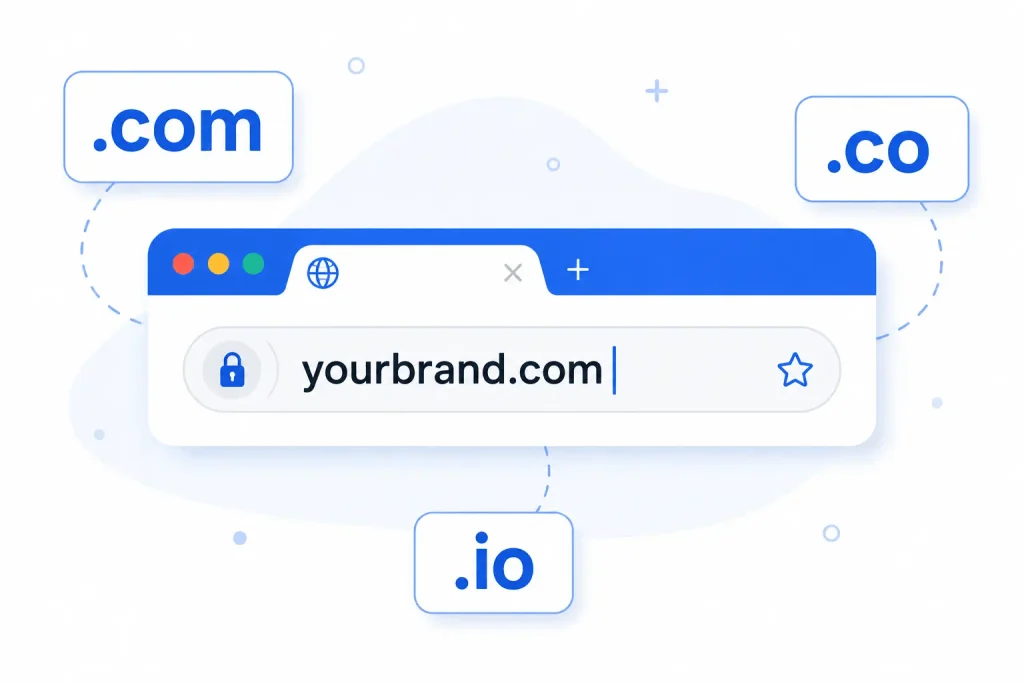
Your domain name is your web address, the URL visitors type to find you, the name you put on business cards, and the first impression your brand makes before anyone sees your homepage.
How to choose a strong domain name:
- Keep it under 15 characters if possible; short domains are easier to remember and less likely to be mistyped.
- Make it easy to spell when heard out loud. If you have to spell it out every time you say it, it’s the wrong domain.
- Choose something brandable over something keyword-heavy. “guideblogging.com” builds a brand; “best-blogging-tips-2026.com” looks spammy.
- Target a .com extension first; it remains the most recognized and trusted extension globally.
Quick checklist before you register:
- ✅ No hyphens or numbers ; both are red flags for credibility
- ✅ Easy to say out loud without spelling it out
- ✅ Reflects your brand identity, not a keyword string
- ✅ Available on Instagram, LinkedIn, and Twitter/X too ; brand consistency across platforms matters
Where to register: Hostinger, Wix, and Squarespace all include a free domain with paid plans for the first year. Use your builder’s domain registration rather than a separate registrar; it keeps everything in one dashboard and eliminates the technical step of manually connecting DNS settings.
Also Read: What Is Domain Authority and Why is it Important?
Step 5 : Customize Your Template and brand Identity
Your AI-generated template is a starting point. What you do with it in the next hour determines whether your finished site looks genuinely professional or like a modified default the good news: four specific decisions drive almost all of the difference.
The four branding decisions that make or break a professional site:
1. Color palette
Choose two to three colors and apply them consistently across every page. One primary brand color. One neutral (white, off-white, or light gray for backgrounds). One accent for buttons and highlights. Every color choice you add beyond these three increases visual noise and reduces the impression of professionalism.
2. Typography
One heading font. One body font. That’s it. Mixing three or more typefaces is one of the clearest signals that someone without design training built a site. Most AI builders pair fonts automatically; use their recommendation and move on.
3. Logo
If you have a logo, upload it now. If you don’t, use your builder’s AI logo generator as a placeholder; it’s significantly better than leaving the site with a text-only brand name. You can commission a professional logo later without rebuilding the site.
4. Imagery
Use the highest quality photos available to you. Your AI builder’s built-in stock library is a legitimate option for most niches. Unsplash and Pexels both offer free, professional-quality photography.
Avoid generic stock photos of people shaking hands in glass conference rooms; they actively undermine the professional credibility you’re building.
Mobile preview is not optional: Switch to the mobile view of your editor after every significant change. Over 60% of web traffic globally comes from mobile devices.
Your site must look as intentional on a phone as it does on a desktop monitor, and these two views can diverge significantly in ways the editor doesn’t automatically flag.
Also Read: Top Free Blogger Templates Grid Style [Responsive, Copyright-Free]
Step 6 : Build Your Core Pages
Every professional website needs these four pages regardless of its purpose, size, or industry. Build them before you consider any additional pages.
Homepage
Your homepage is your digital first impression. You have approximately five seconds to communicate who you are, what you do, who you help, and why it matters.
The structure that works: a clear headline (not your tagline; a specific value statement), a hero image or visual, your single primary call to action, and at least one social proof element (a testimonial, a review count, or a client logo). Visitors who can’t quickly answer “what is this site for?” will leave without exploring further.
About Page
The About page is the most underestimated page on any professional website. People make purchasing and partnership decisions based on who they’re dealing with, not just what’s being offered.
Your About page should include your real name, a genuine photo, the story of why you do what you do, your relevant credentials or experience, and a human tone that makes you feel like a real person rather than a company mascot. Authenticity converts.
Services or Portfolio Page
Show what you do specifically. For service businesses, list your primary services with a clear description of what each includes and who it’s designed for.
For creative professionals, curate your best work rather than including everything; a portfolio of five exceptional pieces is significantly more persuasive than twenty average ones. Quality signals expertise; volume signals insecurity.
Contact Page
Make it effortless to reach you. A simple contact form, your email address, your typical response time, and links to your professional social profiles.
The biggest mistake on contact pages is making the visitor do unnecessary work. Every additional field in your contact form reduces the number of people who complete it.
Blog (Optional but Strongly Recommended)
For bloggers and any site targeting organic search traffic, a blog is where your long-term SEO compound interest lives. Starting your blog on your site from day one, even with a single post, establishes the content channel that will drive traffic for years.
A static five-page website stops growing the moment you finish building it. A blog keeps growing every time you publish.
Step 7 : Optimize for Mobile and Page Speed
Page speed and mobile optimization are not finishing touches; they’re infrastructure. Getting them wrong after building everything else is significantly more painful than getting them right during the build.
Why this is non-negotiable: 53% of mobile users abandon a website that takes more than three seconds to load. Page speed is also a confirmed direct ranking factor in Google’s algorithm. A slow site doesn’t just frustrate visitors; it actively suppresses your ability to appear in search results.
What to check before you publish:
- Test your site on your actual phone, not just the editor’s mobile preview mode. The editor’s mobile view is an approximation; your real phone is the truth.
- Compress every image before uploading. Uncompressed images are the single most common cause of slow-loading sites. Use TinyPNG (free, browser-based) or your builder’s built-in compression tool.
- Remove autoplay video from your homepage entirely. It’s the single highest-impact load speed killer on most beginner sites, and most visitors mute autoplay video anyway.
- Run your URL through Google PageSpeed Insights (free, no account required) and address any issues flagged as “poor” before publishing.
Most AI website builders handle the core responsive design automatically, but always verify on a real device. Responsive design means your layout adapts to screen size; it doesn’t guarantee everything looks good when it does.
Step 8 : Set Up Basic SEO Before You Publish
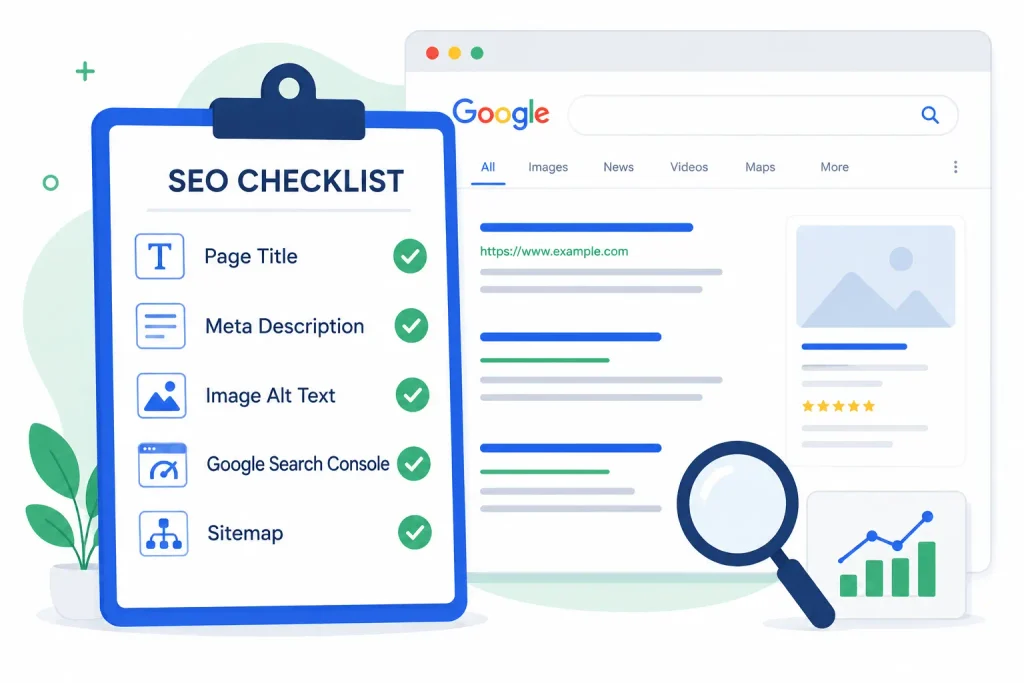
Search engine optimization is not a post-launch project. Every week you’re live without the basic SEO setup complete is a week of ranking potential wasted.
The good news is that the foundational SEO setup for a new site takes under 30 minutes and requires no technical expertise just consistency.
The non-negotiable SEO setup checklist:
- ✅ Page title for every page: include your primary keyword naturally in the title; keep it under 60 characters
- ✅ Meta description for every page: write 150 characters designed for a human reader who sees it in search results; this is your search result ad copy
- ✅ Alt text on every image: describe what’s in the image in plain language; this helps both Google and visually impaired users
- ✅ SSL certificate active (HTTPS); all major AI builders include this automatically; verify the padlock appears in your browser
- ✅ “Allow search engines to index this site” toggle turned ON. This setting is easy to miss in builder dashboards, and leaving it off means Google cannot find you
- ✅ Google Search Console connected and sitemap submitted: free tool, takes 10 minutes to set up, essential for monitoring your search presence from day one
Also Read: 20 Off-Page SEO Tactics That Actually Work in 2026 (Complete Guide)
Step 9 : Test Your Site Across Devices and Browsers
A professional website that has a broken link, a form that doesn’t submit, or a layout that falls apart on Safari is not a professional website; it’s a liability. Test everything before you hit publish, and test it properly.
The pre-launch testing checklist:
- ✅ Open your site in Chrome, Firefox, and Safari. Rendering differences between browsers are common and can be significant
- ✅ Test on both an iPhone and an Android device not just one mobile platform
- ✅ Click every link and navigation item on every page. Broken internal links are more damaging to credibility than most people realize
- ✅ Submit every contact form and confirm you receive the notification email. Forms that silently fail are among the most common and most costly beginner mistakes
- ✅ Watch every embedded video and check every image loads correctly
- ✅ Proofread every page. AI-generated copy always contains phrases that sound plausible but are slightly off-brand or factually generic; a human pass is essential
- ✅ Confirm your custom domain resolves correctly and that HTTPS is active
The most valuable test of all: Ask one person who has never seen your site to navigate it without any guidance from you. Watch silently where they hesitate, what they click first, and whether they can find your contact page without asking for help. Everything they struggle with is a UX problem you need to fix before launch.
Step 10 : Publish and Promote Your Professional Website

Your site is ready. Hit publish.
Immediate post-launch actions (do these in the first 24 hours):
- Submit your sitemap to Google Search Console. This tells Google your site exists and should be indexed.
- Share your new site on LinkedIn, Instagram, or wherever your professional audience spends time. Your launch is a legitimate announcement worth making.
- Add your website URL to every social media bio you maintain. This is free, takes five minutes, and starts building referral traffic immediately.
- Set up Google Analytics on your site (free, takes under 10 minutes). You want data from day one so you can see what’s working from the beginning, not six months later.
Ongoing maintenance : what actually keeps a professional site professional over time:
| Frequency | Action |
|---|---|
| Monthly | Update any outdated content, check for broken links, respond to contact form submissions |
| Quarterly | Review Google Search Console performance, publish new blog posts, check mobile experience |
| Annually | Refresh your homepage design, update your portfolio or case studies, audit your SEO setup |
A professional website is not a one-time build; it’s an ongoing asset. The sites that continue performing a year after launch are the ones maintained intentionally, not left untouched after the initial excitement of publishing.
How Much Does It Cost to Create a Professional Website Without Coding?
The honest answer: anywhere from free to $30 per month covers 95% of use cases for bloggers, freelancers, and small businesses. Here’s exactly what you’re looking at across three realistic budget levels.
| What You Need | Free Option | Budget Option | Mid-Range |
|---|---|---|---|
| Website builder | Wix free, Framer free | Hostinger ~$3/mo | Squarespace $16/mo |
| Domain name | Subdomain only | Included with paid plan | ~$12–15/year if separate |
| Hosting | Included in builder | Included in builder | Included in builder |
| Logo | Builder’s AI logo tool | Canva free | $20–50 one-time |
| Stock photos | Unsplash, Pexels (free) | Builder’s library | Adobe Stock $10/mo |
| Total monthly | $0 | ~$3–5/mo | $16–30/mo |
The era of spending $3,000 to $10,000 on a professional website is genuinely over for most use cases.
No-code AI builders have democratized professional web presence in a way that wasn’t possible even three years ago.
A $3/month Hostinger site built with AI can outperform a $5,000 custom site from 2019 on every metric that matters to visitors: speed, mobile experience, clarity, and conversion.
When spending more does make sense: High-volume e-commerce operations with complex inventory management, sites requiring custom API integrations, regulated industries with compliance requirements, and enterprise-scale operations with multiple team members managing the site.
For everyone else, start with what’s available and upgrade as your revenue justifies it.
FAQs About Creating a Professional Website Without Coding
Can I really create a professional website without any coding knowledge?
Yes completely. AI builders like Hostinger, Wix, and Squarespace generate a full website from a text description. No HTML, CSS, or JavaScript is required at any stage.
What is the best no-code website builder for beginners in 2026?
Hostinger is the best budget pick with the fastest AI generation. Wix offers the most flexibility with a free starting plan. Squarespace delivers the most polished design from $16/month. Your best choice depends on whether budget, flexibility, or design quality matters most.
Can I create a website for free?
Yes. Wix and Framer both offer free plans that publish a real website instantly. The trade-off is a branded subdomain (yourname.wixsite.com) instead of a custom domain upgrading removes the branding and adds your own web address.
How long does it take to create a professional website without coding?
AI generation takes under 60 seconds. Customizing it with your real brand, content, and images takes 2 to 4 hours. A fully complete, polished site typically takes one to two days of part-time work.
Do I need to buy hosting separately?
No. Every major AI website builder on this list Hostinger, Wix, Squarespace, Durable, and Framer includes hosting in their subscription. You pay one monthly fee, and everything is managed for you. You don’t need to understand what a server is, compare hosting plans, or manage technical infrastructure at any point.
How do I make my professional website show up on Google?
Set page titles and meta descriptions before publishing, connect Google Search Console, and submit your XML sitemap. Make sure the “allow search engines to index this site” toggle is ON in your builder settings. New sites typically appear in search results within 2–8 weeks.
What pages does a professional website need?
At minimum, a professional website needs four pages: a Homepage, an About page, a Services or Portfolio page, and a Contact page. If you’re building a content or blog site with organic SEO as a growth channel, adding a Blog from day one significantly accelerates your search visibility over time.
Is an AI website builder better than hiring a web designer?
For most bloggers, freelancers, and small businesses yes. AI builders deliver 90% of the result at 5% of the cost in a fraction of the time. Hiring a designer makes sense only for complex custom functionality or enterprise-scale requirements.
Should I include a blog on my professional website?
Yes, strongly recommended if SEO and organic search traffic are any part of your growth strategy. A blog gives Google fresh content to index, builds topical authority in your niche over time, and compounds in value every time you publish a new post. A five-page static website reaches its SEO ceiling quickly. A blog keeps growing.
What’s the difference between a website builder and WordPress?
Website builders are all-in-one hosting, design, and publishing in one place with no technical setup. WordPress requires separate hosting, manual installation, and ongoing technical maintenance. Builders are faster and simpler; WordPress offers more long-term flexibility at scale.
Finnal Thought
A professional website in 2026 is not a luxury or a technical challenge ; it’s a one-afternoon project with the right AI builder. Whether you choose Hostinger for speed and budget, Wix for flexibility and scale, or Squarespace for design quality and polish, the path from idea to published professional website has never been shorter. Every day you wait is a day your site isn’t working for you.
ALSO READ:


1 thought on “How to Create Professional Website Without Coding in 2026 (Step-by-Step)”