Quick Answer: True 100% unlimited bulk email for free does not exist. All platforms place some cap to prevent spam. The closest options are Systeme.io (free for up to 2,000 contacts with no daily send limit), Sender (2,500 contacts, 15,000 emails per month free), and Brevo (unlimited contacts, 300 emails per day free). All top free options are compared below.
The search for a free bulk email sender that lets you send unlimited emails is one of the most common questions in email marketing, and the honest answer is more nuanced than most guides admit.
The phrase “send unlimited bulk email free” appears in thousands of searches every month, but the reality is that no commercial platform offers truly unlimited free bulk email sending.
Server infrastructure, deliverability management, and spam prevention all cost real money to operate, and every platform passes some portion of that cost back to free-tier users through sending limits.
What does exist are genuinely generous free plans that cover most small-scale senders completely, with no credit card required.
This guide covers the best free bulk email senders available in 2026, exactly what limits each one places on free accounts, how to send bulk emails without going to spam, and when a paid plan actually makes practical sense for your situation.
Can You Really Send Unlimited Bulk Email For Free?
The honest answer is no. No commercial bulk email platform offers genuinely unlimited free sending without any cap somewhere in the system.
Every platform places a restriction on one or more of three dimensions: the number of contacts you can store, the total emails you can send per month, or the number of emails you can send per day.
Why these limits exist comes down to shared infrastructure economics.
When thousands of users share the same sending servers and IP addresses, a single high-volume spammer damages deliverability for everyone on those shared IPs.
Free plans limit volume to prevent any single user from degrading the sender reputation that all free-tier users depend on for inbox placement.
What “unlimited” actually means when a platform advertises it requires reading the fine print carefully. Systeme.io advertises unlimited email sends on its free plan, which is technically accurate, but the unlimited sending applies only to your contact list of up to 2,000 people.
Brevo advertises unlimited contacts, which is also technically accurate, but limits you to 300 emails per day regardless of how many contacts you have stored.
The practical answer for most users landing on this guide: if you have fewer than 2,000 to 2,500 contacts and send fewer than 15,000 emails per month, the free plans covered below cover your needs completely at zero cost. That describes the majority of bloggers, affiliate marketers, and small business owners who are just starting out with email marketing.
What Do Email Providers Require from Bulk Email Senders?
Before choosing any bulk email tool, understanding the requirements that Google, Yahoo, and Microsoft now enforce for bulk senders is essential.
Ignoring these requirements means your emails will be permanently rejected regardless of which tool you use or how good your content is.
In February 2024, Google and Yahoo simultaneously updated their bulk sender policies in ways that permanently changed what free bulk email senders need to do to reach the inbox.
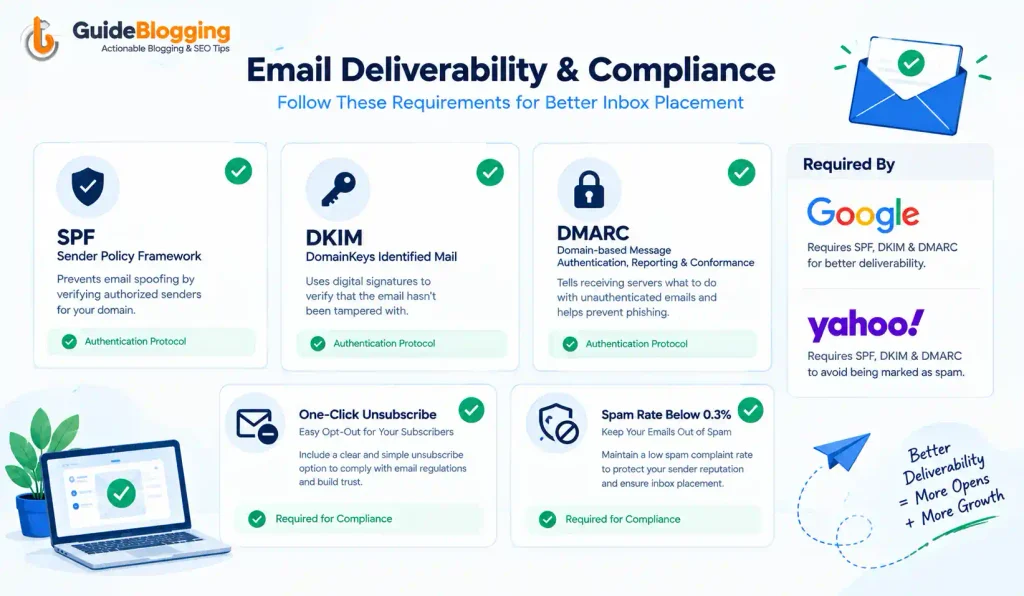
- SPF (Sender Policy Framework) is a DNS record that verifies which servers are authorized to send email from your domain. Google, Yahoo, and Microsoft all require this for any bulk sending. Every tool on this list helps you set it up.
- DKIM (DomainKeys Identified Mail) adds a cryptographic signature to your outgoing emails that proves they have not been altered in transit. DKIM authentication is now mandatory for senders dispatching 5,000 or more emails per day. Most tools on this list handle DKIM setup through a guided process when you connect your sending domain.
- DMARC ties SPF and DKIM together and tells receiving servers what to do when an email fails authentication checks. A DMARC policy of p=quarantine is the safe baseline in 2026 for any serious bulk sender.
- One-click unsubscribe is now required in all marketing emails. The List-Unsubscribe header must be present, and unsubscribe requests must be honored within 48 hours. Google and Yahoo began enforcing this requirement in 2024 and have not relaxed it since.
- Spam complaint rate must stay below 0.3% at all times, with Google specifically recommending that serious senders keep complaints below 0.1%. You can monitor your complaint rate for free using Google Postmaster Tools.
As of May 2025, Microsoft Outlook permanently rejects emails from domains that fail authentication, returning error code 550 5.7.515. This is not a temporary soft failure. It is a permanent rejection that requires domain-level remediation to resolve.
The good news is that every bulk email sender on this list either handles authentication setup automatically or walks you through it step by step. Authentication setup is non-negotiable, but it is also not technically difficult with the right tool.
Best Free Bulk Email Senders in 2026: Quick Comparison Table
| Tool | Free Contacts | Free Email Sends | Daily Limit | Best For |
|---|---|---|---|---|
| Systeme.io | Up to 2,000 | Unlimited | None | Beginners, funnel builders |
| Sender | Up to 2,500 | 15,000/month | None | Bloggers, small businesses |
| Brevo | Unlimited | 9,000/month | 300/day | Growing lists, automation |
| MailerLite | Up to 1,000 | 12,000/month | None | Content creators, bloggers |
| Zoho Campaigns | Up to 2,000 | 6,000/month | None | Small businesses |
| EmailOctopus | Up to 2,500 | 10,000/month | None | Budget-conscious senders |
| HubSpot | Unlimited | 2,000/month | None | CRM-integrated marketing |
| Mailchimp | Up to 500 | 1,000/month | 500/day | Absolute beginners |
| AWeber | Up to 500 | 3,000/month | None | Bloggers, newsletters |
| GetResponse | Up to 500 | Unlimited sends | None | Automation-focused senders |
10 Best Free Bulk Email Senders Reviewed
Here are the 10 best free bulk email senders reviewed in detail. We evaluate each one on sending limits, deliverability features, ease of use, and what you get on the free plan before you need to upgrade.
1. Systeme.io
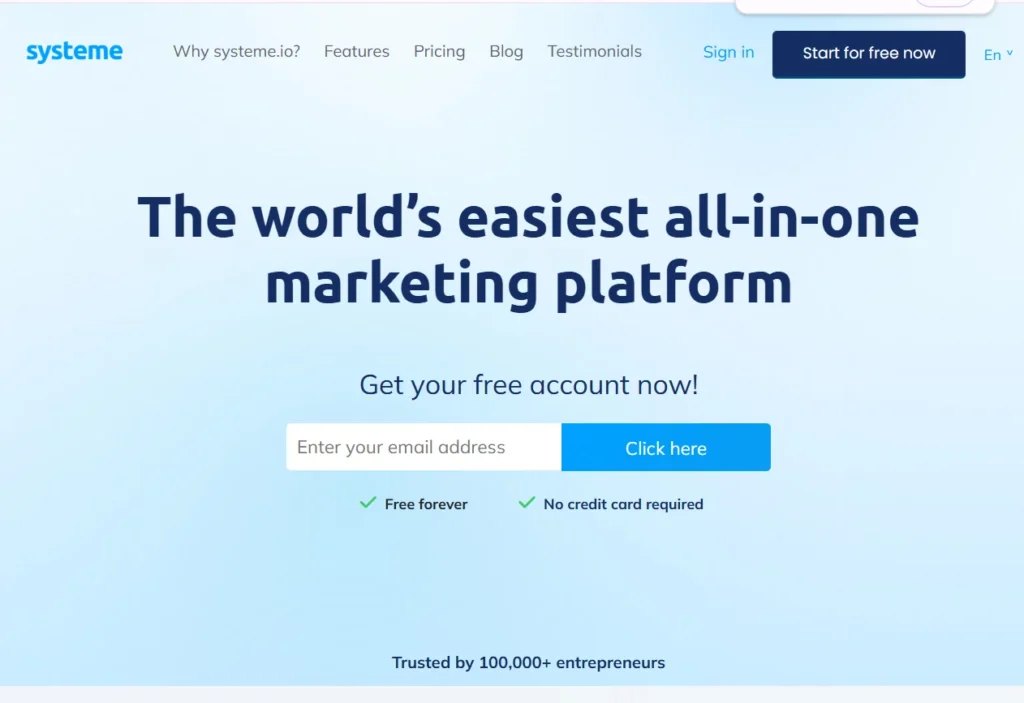
Systeme.io is an all-in-one marketing platform that combines email marketing, sales funnels, landing pages, affiliate program management, and online course hosting in a single subscription.
Its free plan stands out from every other option on this list because it allows unlimited email campaigns to up to 2,000 contacts, with no daily or monthly sending cap.
This makes it the closest thing to genuinely unlimited free bulk email currently available on any commercial platform.
Key Features on the Free Plan
- Unlimited email campaigns sent to up to 2,000 contacts with no daily cap
- Email automation workflows included in the free plan, not reserved for paid tiers.
- Landing page builder with up to three sales funnels
- Built-in SPF and DKIM authentication support
- Affiliate program management included
Free Plan Limits
- Maximum 2,000 contacts before an upgrade is required.
- Limited automation workflow steps compared to paid plans
- Systeme.io branding appears in the footer of sent emails.
Pros
- No daily or monthly send cap on the free plan, which is genuinely unique in this category
- Automation workflows included for free when most competitors charge extra.
- All-in-one platform means you replace multiple tools with one free account.
- Clean and simple interface that beginners can navigate without tutorials
Cons
- 2,000 contact cap means you will need to upgrade as your list grows
- Less brand recognition than Mailchimp or Brevo among email marketing beginners
- Template library smaller than established dedicated email marketing platforms
Pricing:
- Free forever plan available
- Startup: $17/month
- Webinar: $47/month
- Unlimited: $97/month
Best for: Bloggers and affiliate marketers who want to send unlimited bulk emails free to a list under 2,000 contacts with automation workflows included at no cost.
2. Sender
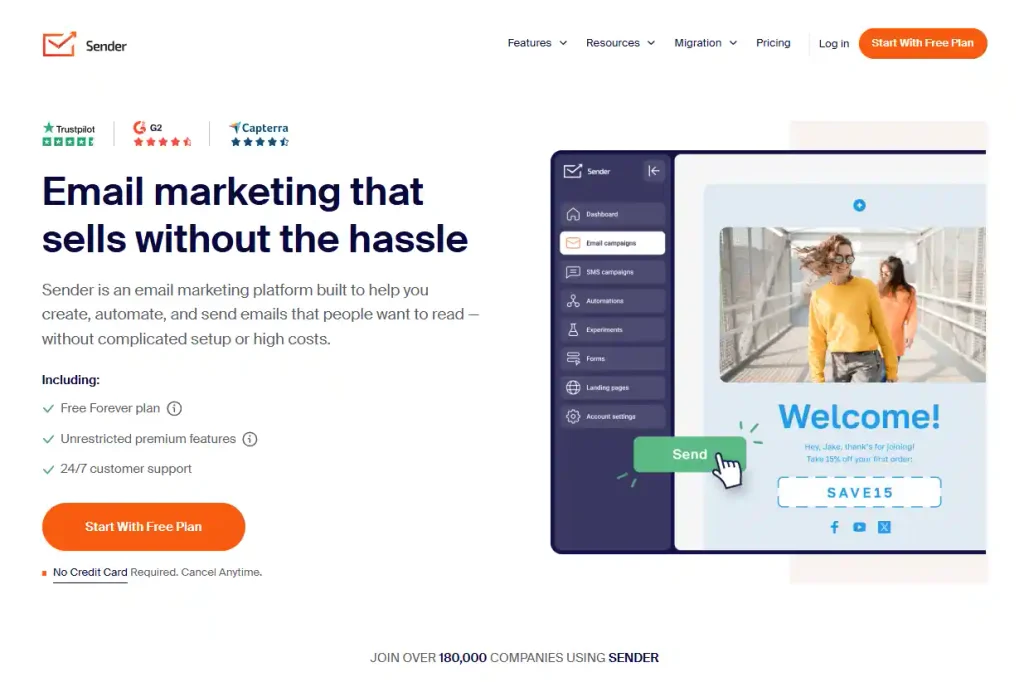
Sender is a dedicated email and SMS marketing platform that offers one of the most generous free plans in the entire email marketing industry.
Its free tier supports up to 2,500 subscribers and 15,000 emails per month with no daily sending restriction, no platform branding on your emails, and SMS marketing functionality included alongside email.
For bloggers and small business owners who want professional bulk email capabilities without any upfront cost, Sender consistently delivers more value per free account than any other platform at this level.
Key Features on the Free Plan
- Up to 2,500 subscribers and 15,000 emails per month free with no daily limit
- No Sender branding on emails sent from the free plan (rare in this category)
- Email and SMS marketing combined in one platform
- Drag-and-drop email builder with professional templates
- Basic automation workflows for welcome sequences and drip campaigns
Pros
- 15,000 free emails per month to 2,500 contacts is one of the most generous free limits available
- No platform branding on free plan emails, which most competitors reserve for paid tiers
- SMS marketing included alongside email on the free plan
- No daily sending cap, allowing you to schedule large batches whenever needed
- Strong deliverability infrastructure with active list hygiene built in
Cons
- 2,500 contact cap requires upgrading once your list grows beyond that threshold
- Advanced automation sequences with complex branching require a paid plan.
- Reporting depth is more limited on the free plan compared to paid tiers.
Pricing:
- Free forever plan: 2,500 contacts, 15,000 emails per month.
- Standard: from $09/month
- Professional: from $15/month
Best for: Bloggers and small business owners who need a free bulk email service with a high monthly send volume, no daily limits, and no branding on their emails.
3. Brevo
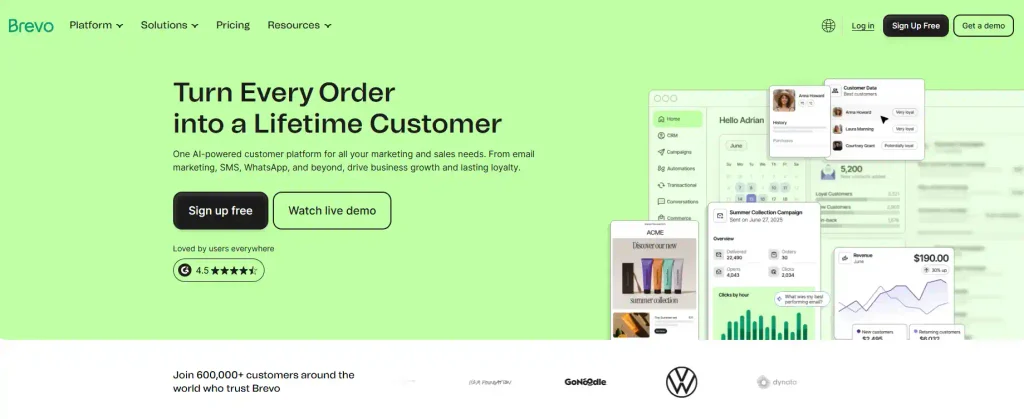
Brevo, formerly known as Sendinblue, is a full-featured email marketing and CRM platform that offers the most unusual free plan structure in this comparison.
Where most tools cap your contact list size, Brevo allows unlimited contact storage on its free plan with no restriction on how large your list can grow.
The trade-off is a strict 300 emails per day sending limit, which adds up to approximately 9,000 emails per month. For senders with large lists who send infrequently rather than broadcasting daily, this structure is genuinely advantageous.
Key Features on the Free Plan
- Unlimited contacts stored with no cap on list size
- 300 emails per day free, totaling approximately 9,000 per month
- Email automation workflows included on the free plan
- Transactional email support for order confirmations and account notifications
- Built-in CRM functionality for managing contact relationships
- GDPR-compliant tools and consent management built in
Pros
- Unlimited contact storage is the most distinctive feature in this category.
- Built-in spam checker before sending, which free competitors do not offer
- Strong deliverability infrastructure with dedicated sending servers
- Automation workflows and transactional email on the free plan
- GDPR compliance tools built in, important for European audiences
Cons
- 300 emails per day limit makes it unsuitable for daily high-volume broadcasting
- 9,000 monthly email cap is lower than Sender’s 15,000 if you send regularly
- Daily limit means you cannot send a large campaign in a single burst.
Pricing:
- Free plan: unlimited contacts, 300 emails per day
- Starter: from $9/month
- Business: from $18/month
Best for: Senders with large contact lists who broadcast infrequently and want the best free deliverability infrastructure without paying for contact storage.
4. MailerLite
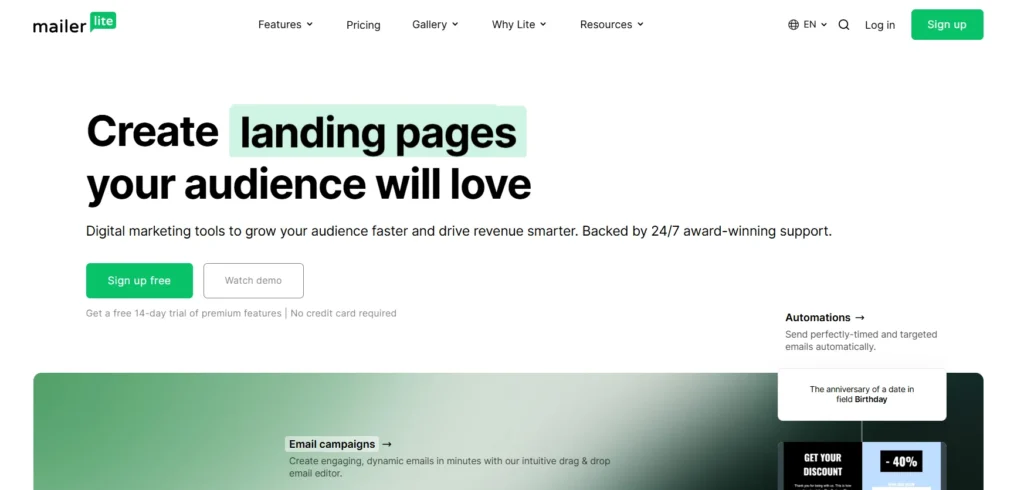
MailerLite is a beginner-friendly email marketing platform with a clean, minimal interface that content creators, bloggers, and newsletter publishers consistently rate as one of the easiest tools to use in this category.
Its free plan supports up to 1,000 subscribers and 12,000 emails per month, includes a landing page builder, automation sequences, and pop-up forms, and provides a polished drag-and-drop email editor with a strong template library.
For creators who prioritize visual quality and ease of use alongside a generous free sending allowance, MailerLite is consistently the top choice.
Key Features on the Free Plan
- Up to 1,000 subscribers and 12,000 emails per month free with no daily cap
- Drag-and-drop email editor with professional newsletter templates
- Landing page builder included at no cost.
- Basic email automation for welcome sequences and time-based campaigns
- Pop-up and embedded signup form builder
Pros
- One of the most visually polished free email platforms available
- Landing pages included on the free plan, which most competitors charge for
- Clean and intuitive interface that requires no marketing background to navigate
- Strong template library with newsletter-specific designs
- 12,000 monthly email allowance is generous for a 1,000 contact limit
Cons
- 1,000 contact cap is the lowest among the top-tier free options in this list
- Email support is limited to a 24-hour response on the free plan
- MailerLite branding appears in email footers on the free plan.
Pricing:
- Free plan: 1,000 subscribers, 12,000 emails per month
- Comfort: from $12/month
- Advanced: from $25/month
Best for: Bloggers and content creators who want a visually polished, easy-to-use free email marketing software with landing pages included and a clean interface that requires no technical knowledge.
5. Zoho Campaigns
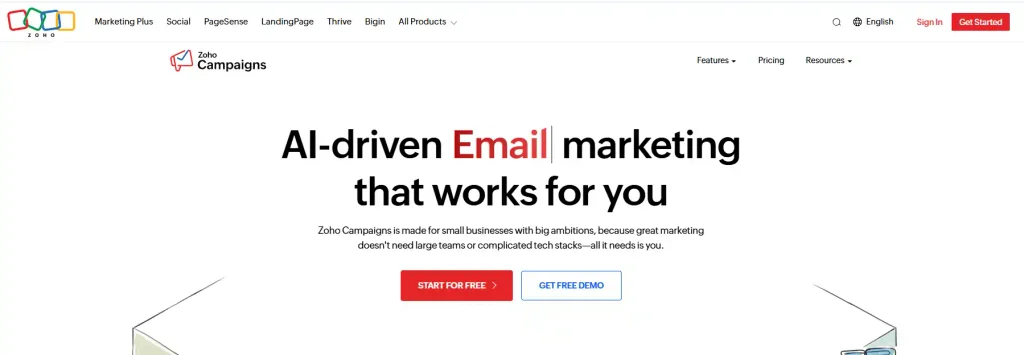
Zoho Campaigns is the email marketing arm of the Zoho business software suite, which includes Zoho CRM, Zoho Books, Zoho Projects, and dozens of other business applications.
Its free plan supports up to 2,000 contacts and 6,000 emails per month, includes basic automation, and integrates natively with Zoho CRM for businesses that are already using Zoho’s broader ecosystem.
For small businesses managing customer relationships alongside email campaigns, the native CRM integration removes the need to manually synchronize contacts between separate systems.
Key Features on the Free Plan
- Up to 2,000 contacts and 6,000 emails per month, free
- Basic email automation with welcome emails and drip sequences
- Native integration with Zoho CRM for synchronized contact management
- Pre-designed email templates covering common business use cases
- Basic analytics including open rate and click rate tracking
Pros
- 2,000 contact limit is more generous than MailerLite, AWeber, and GetResponse
- Native Zoho CRM integration is a meaningful differentiator for businesses in the Zoho ecosystem.
- Part of a broader business software suite that scales with company growth
- Solid deliverability with Zoho’s established sending infrastructure
Cons
- 6,000 monthly email limit is the lowest monthly allowance among the top-tier free options
- Interface is less intuitive than MailerLite or Sender for users without a business software background.
- Full value is only realized if you are already using other Zoho products.
Pricing:
- Free plan: 2,000 contacts, 6,000 emails per month
- Standard: from $4/month
- Professional: from $6/month
Best for: Small businesses already using Zoho CRM or other Zoho applications who want integrated free bulk email sending without maintaining separate contact databases.
6. EmailOctopus
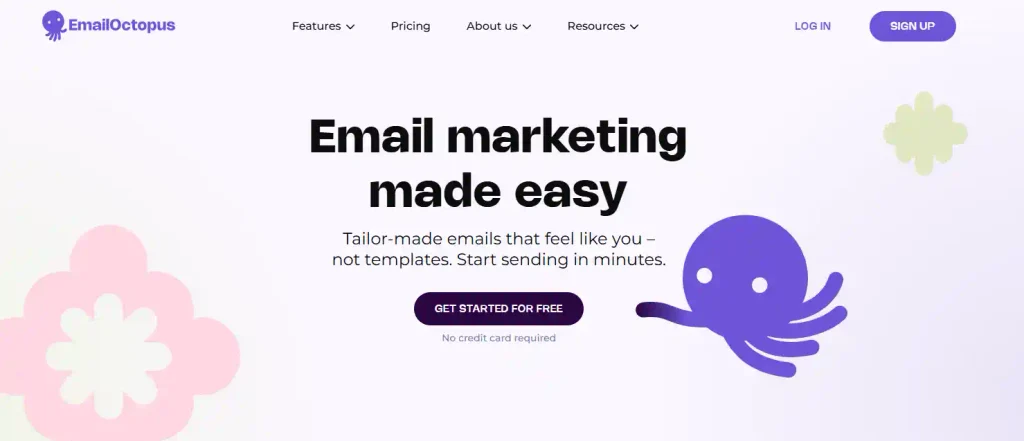
EmailOctopus is a straightforward email marketing platform that offers one of the most generous combinations of free contacts and monthly sends available in 2026.
Its free plan supports up to 2,500 subscribers and 10,000 emails per month, with basic automation sequences, customizable templates, landing pages, and signup form builders included.
For WordPress bloggers and small online store owners who want a generous free bulk email allowance with minimal setup complexity, EmailOctopus consistently delivers strong value per free account.
Key Features on the Free Plan
- Up to 2,500 subscribers and 10,000 emails per month free with no daily cap
- Basic email automation for welcome sequences and simple drip campaigns
- Customizable email templates with a clean design editor
- Landing pages and signup form builder included
- Native WordPress plugin and Shopify integration
Pros
- 2,500 contacts and 10,000 monthly emails is one of the most generous free tier combinations
- WordPress plugin makes integration seamless for bloggers on WordPress.
- Clean and uncluttered interface that is fast to navigate
- Shopify and WooCommerce integrations for e-commerce email marketing
Cons
- EmailOctopus branding appears in email footers on the free plan.
- Automation complexity is limited compared to Brevo or MailerLite on the free tier.
- Reporting is basic on the free plan with limited segmentation options.
Pricing:
- Free plan: 2,500 contacts, 10,000 emails per month
- Pro: from $9/month
Best for: WordPress bloggers and small online stores who want a generous free bulk email sending allowance with simple WordPress integration and minimal setup effort.
7. HubSpot
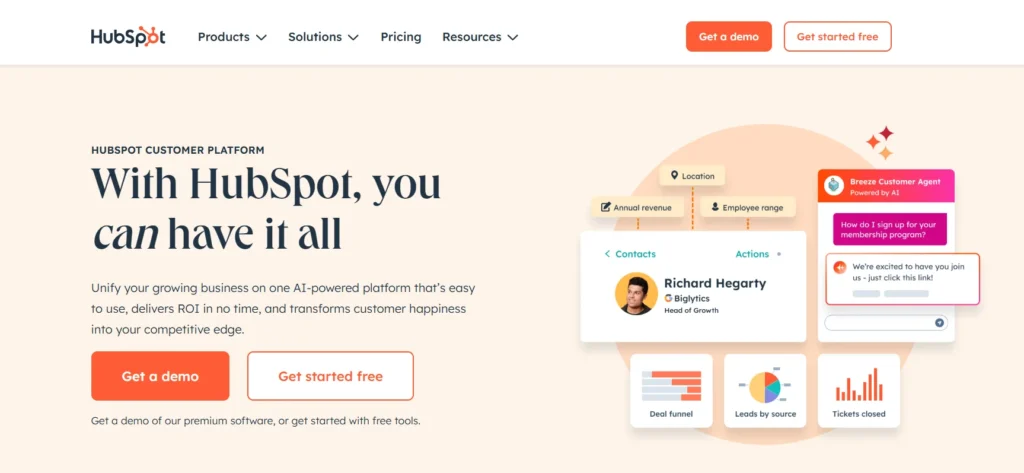
HubSpot is one of the most recognized names in business software globally, offering a comprehensive free CRM platform that includes email marketing, contact management, deal tracking, live chat, and form tools at no cost.
Its free plan allows unlimited contact storage in the CRM with 2,000 marketing emails per month. For small businesses and affiliate marketers who want to track customer relationships alongside their bulk email campaigns, HubSpot’s free combination of CRM and email marketing has no peer in this price range.
Key Features on the Free Plan
- Unlimited contacts stored in the free CRM with no contact cap
- 2,000 marketing emails per month free
- Drag-and-drop email builder with professional templates
- Full contact management with deal tracking and pipeline visualization
- Live chat and form tools included at no additional cost.
Pros
- Unlimited CRM contact storage makes it the best free option for businesses with large contact databases.
- Combining email marketing with CRM in one free platform eliminates the need for separate tools.
- Strong brand reputation with extensive training resources through HubSpot Academy
- Comprehensive free plan that scales naturally to paid tiers as needs grow
Cons
- Only 2,000 marketing emails per month is lower than Sender, Brevo, or EmailOctopus.
- HubSpot branding appears on emails and forms sent from the free plan.
- Advanced marketing automation requires the Starter plan at a minimum of $ 20 per month
Pricing:
- Free CRM and email marketing with no time restriction
- Starter: from $20/month
- Professional: from $800/month
Best for: Small businesses and affiliate marketers who want to combine free bulk email sending with full customer relationship management, deal tracking, and contact management in a single platform.
8. Mailchimp
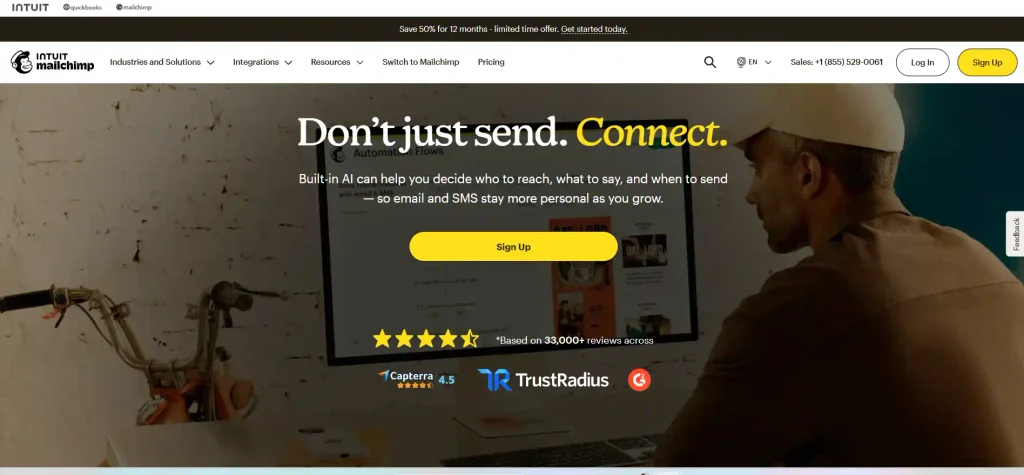
Mailchimp is the most widely recognized email marketing platform in the world and, for many users, the first email tool they encounter.
Its free plan supports up to 500 contacts with 1,000 emails per month and a 500-email-per-day sending cap.
While these limits are the most restrictive on this list, Mailchimp remains a valid starting point for absolute beginners because of its unmatched brand familiarity, the largest template library available in email marketing, the most extensive self-help documentation, and the broadest third-party integration ecosystem of any platform.
Key Features on the Free Plan
- Up to 500 contacts and 1,000 emails per month free
- 500 emails per day sending limit
- Drag-and-drop email builder with the largest template selection available
- Single-step basic automation for welcome emails
- Audience analytics with open rate and click tracking.
Pros
- Most recognized email marketing brand with the largest self-help resource library
- Most extensive third-party integration ecosystem of any tool in this list
- Template library is the largest and most varied available on a free plan.
- Strong community of users, meaning support answers are easy to find independently.
Cons
- Most restrictive free plan in this list with 500 contacts and 1,000 emails per month
- Significant reduction from Mailchimp’s previous free limits, which were 2,000 contacts
- Mailchimp branding on all free plan emails
- 500 daily sending cap adds additional friction for campaign scheduling
Pricing:
- Free plan: 500 contacts, 1,000 emails per month, 500 per day
- Essentials: from $13/month
- Standard: from $20/month
Best for: Absolute beginners who want the most well-known email marketing platform and the most comprehensive learning resources, with plans to upgrade once their list and budget grow.
9. AWeber
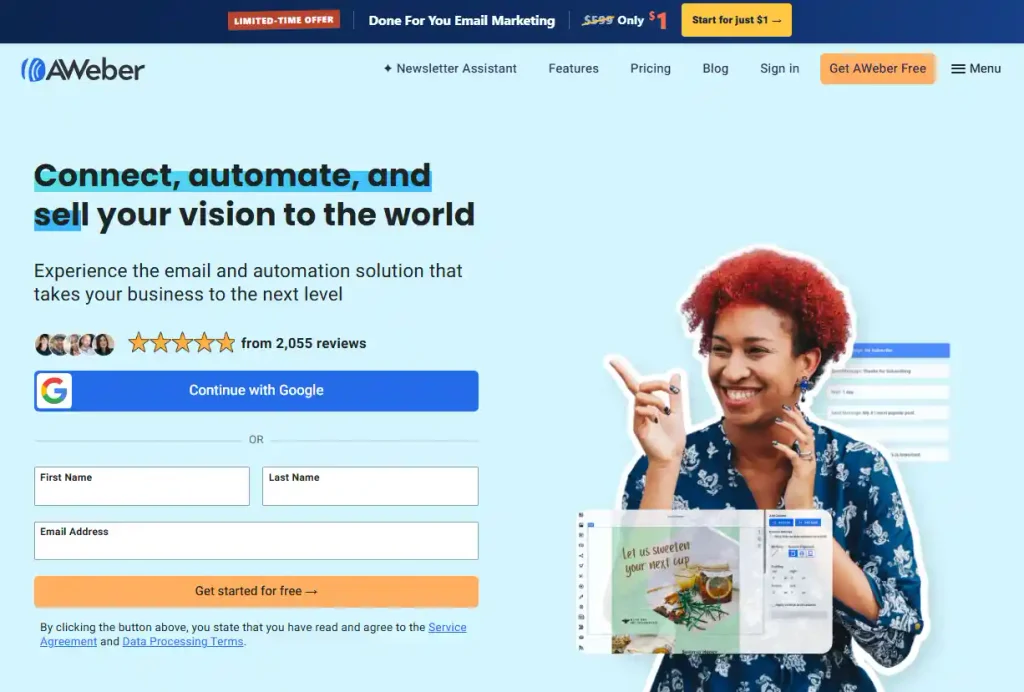
AWeber is one of the oldest email marketing platforms in the industry with a track record dating back to the late 1990s. Its free plan supports up to 500 subscribers and 3,000 emails per month with one genuinely unique feature that no competitor on this list matches: phone support is included on the free plan.
For bloggers and newsletter creators who want live human support when they have questions about setup or deliverability, this support inclusion makes AWeber worth considering even alongside tools with more generous sending limits.
Key Features on the Free Plan
- Up to 500 subscribers and 3,000 emails per month free with no daily cap
- Drag-and-drop email builder with professional newsletter templates
- Basic automation sequences for welcome series and drip campaigns
- Landing page and signup form builder included
- Phone support included on the free plan, unique in this category
Pros
- Phone support on the free plan is genuinely unusual and valuable for beginners.
- Solid deliverability built over decades of sending infrastructure development
- Beginner-friendly interface with clear navigation and guidance.
- Landing page builder included without requiring a paid plan.
Cons
- 500 contact cap is tied with Mailchimp and GetResponse for the lowest in this list
- AWeber branding appears in free plan email footers.
- Basic automation only, with more complex sequences reserved for paid plans
Pricing:
- Free plan: 500 contacts, 3,000 emails per month
- Lite: from $15.00/month
- Plus: from $30/month
Best for: Bloggers and newsletter creators who value having phone support available when they need help, and are starting with a small list where the 500 contact cap is not immediately restrictive.
10. GetResponse
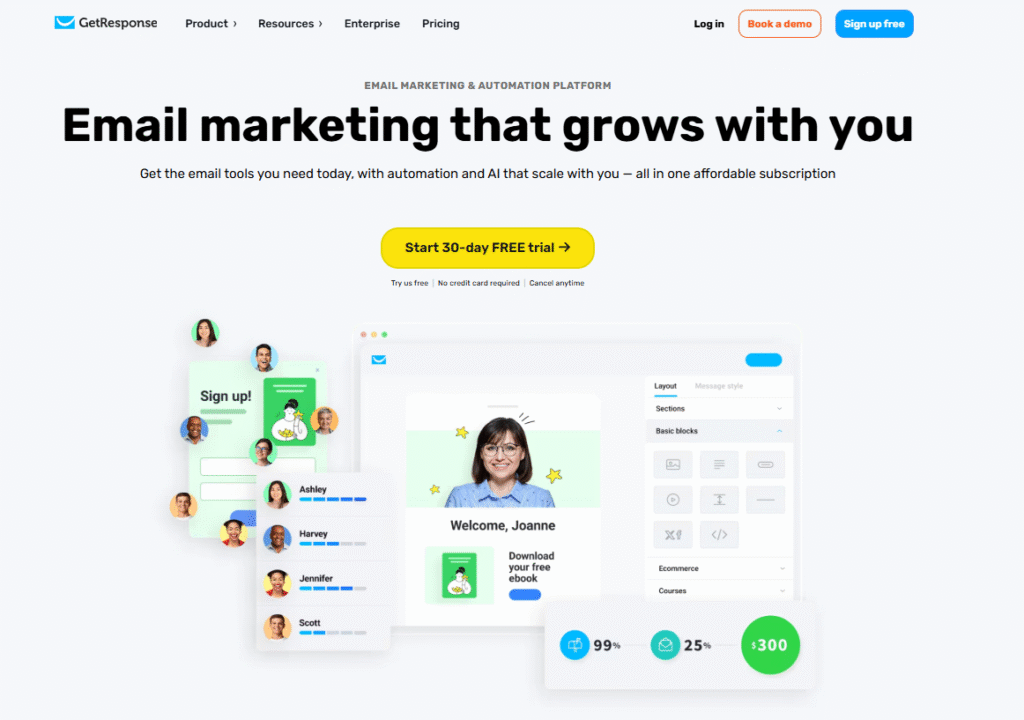
GetResponse is a comprehensive email marketing and automation platform that offers a free plan supporting up to 500 contacts with unlimited email sends to those contacts.
Like Systeme.io, the unlimited sends claim applies within the contact cap rather than across an unrestricted list, but it is still one of the more generous free sending structures available.
What makes GetResponse distinctive among free options is the inclusion of AI email generation tools and a landing page builder at the free tier, giving automation-focused beginners more built-in assistance than most competitors offer without charging for it.
Key Features on the Free Plan
- Up to 500 contacts with unlimited email sends on the free plan.
- Basic automation workflows for welcome sequences and simple drip campaigns
- Landing page builder included at no cost.
- Newsletter templates with a drag-and-drop email editor
- AI email generator for creating campaign content directly within the platform
Pros
- Unlimited email sends to the free-plan contact list.
- AI email generation tools included on the free plan, ahead of most competitors.
- Landing page builder available without paying for a higher tier
- Automation workflows included for setting up basic email sequences
Cons
- 500 contact limit is tied for the lowest in this list alongside Mailchimp and AWeber
- Advanced automation with complex conditional logic requires a paid plan.
- Limited segmentation options on the free tier
Pricing:
- Free plan: 500 contacts, unlimited email sends
- Email Marketing: from $19/month
- Marketing Automation: from $59/month
Best for: Beginner affiliate marketers who want unlimited email sends to a small starter list with AI writing assistance and basic automation included at no cost.
How to Send Bulk Emails Without Going to Spam
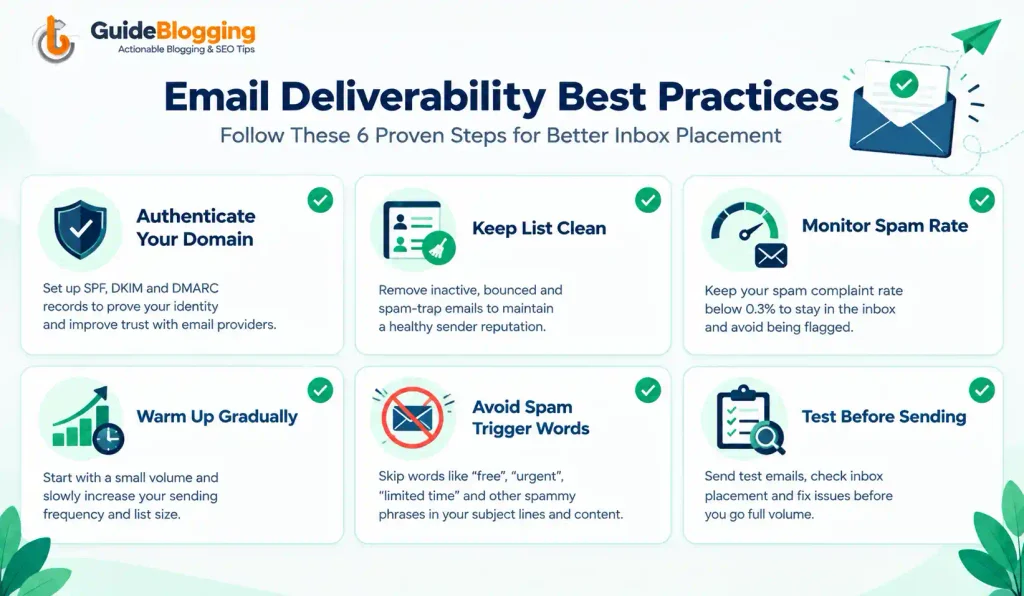
This section directly addresses the most common reason bulk emails fail to reach the inbox. Having the right sending tool matters, but how you use it matters just as much.
Following these practices prevents the most common deliverability failures that bulk email sender without spam.
1. Authenticate Your Domain With SPF, DKIM, and DMARC
Domain authentication is the single most impactful deliverability action you can take. Without it, Google, Yahoo, and Microsoft cannot verify that your emails are legitimately coming from you rather than a spammer impersonating your domain.
- SPF tells receiving mail servers which IP addresses are authorized to send emails on behalf of your domain. You set this up once in your domain’s DNS settings, and it applies to every email you send.
- DKIM adds a digital signature to your outgoing emails that proves they have not been tampered with in transit. Most bulk email platforms on this list guide you through DKIM setup when you connect your custom sending domain.
- DMARC ties both together and tells receiving servers what to do with emails that fail SPF or DKIM checks. Start with a policy of p=quarantine and move to p=reject once you have confirmed your authentication is working correctly.
Every tool on this list supports all three authentication methods. Setting them up takes approximately 15 to 30 minutes and eliminates one of the most common reasons bulk emails land in spam.
2. Keep Your Contact List Clean
A dirty contact list with invalid addresses, abandoned accounts, and disengaged subscribers is one of the fastest paths to spam folder placement. High bounce rates signal to ISPs that you are not managing your list responsibly.
Remove hard bounces immediately after every campaign send. A hard bounce means the address does not exist or has been permanently deactivated. Keeping these addresses on your list and continuing to send to them damages your sender reputation with every subsequent campaign.
Use a double opt-in process for all new subscribers. Double opt-in requires new contacts to confirm their subscription via a confirmation email before they are added to your active list. This single step filters out typos, fake signups, and contacts who will immediately disengage, leaving you with a list of genuinely interested subscribers.
Never purchase email lists. Purchased lists contain addresses that never consented to hear from you, which produces immediate spam complaints and violates the terms of service of every platform on this list. Account termination is the typical consequence.
3. Maintain a Low Spam Complaint Rate
Google recommends keeping your spam complaint rate below 0.10% and enforces a hard limit of 0.30%. Exceeding this threshold triggers filtering that can permanently block your domain from reaching Gmail inboxes.
Monitor your complaint rate for free using Google Postmaster Tools. Connect your sending domain, and Google provides real-time visibility into your complaint rate, IP reputation, and domain reputation.
Include a clear, prominent, and functioning unsubscribe link in every email you send. Making unsubscription difficult increases the probability that disengaged subscribers click “Report Spam” instead, which is significantly more damaging than an unsubscribe.
4. Warm Up Your Email Sending Volume Gradually
If you are using a new domain or a new sending platform, do not send your full contact list in the first campaign. ISPs flag sudden volume spikes from previously low-activity or new domains as suspicious behavior, which triggers filtering.
Start with 100 to 200 sends in your first week. Increase by 20 to 30 percent per week as your engagement rates demonstrate that your recipients are opening, clicking, and not reporting your emails as spam. This gradual increase builds sender reputation on the IP addresses you are sharing with other platform users.
5. Write Subject Lines and Content That Avoid Spam Triggers
Spam filters analyze both your subject line and your email content for patterns associated with unsolicited commercial email.
Avoid all-capital subject lines, multiple consecutive exclamation marks, and spam-associated words like FREE in capital letters as the primary subject line message. These patterns are among the oldest and most reliably detected spam signals in filtering algorithms.
Maintain a healthy text-to-image ratio in your email body. Emails that consist primarily of images with minimal text are frequently flagged by filters because spammers historically used images to hide keyword content from text-based filters. Keep at least 60 percent of your email as readable text.
Always include your physical mailing address in the email footer.
This is required by the CAN-SPAM Act in the United States and by equivalent legislation in most major markets. Every legitimate bulk email sender on this list prompts you to add this information during account setup.
6. Test Before You Send to Your Full List
Send a test campaign to a small segment or to test addresses before broadcasting to your full list.
Use free tools like Mail Tester or GlockApps to score your email’s spam likelihood before sending. These tools analyze your authentication setup, content, and sending configuration and provide a score with specific recommendations for improving deliverability before your campaign goes out.
Check how your email renders on mobile before every campaign. Over 60 percent of email opens occur on mobile devices, and an email that displays correctly on desktop but breaks on mobile produces poor engagement signals that gradually damage sender reputation over time.
Is Sending Bulk Email Legal?
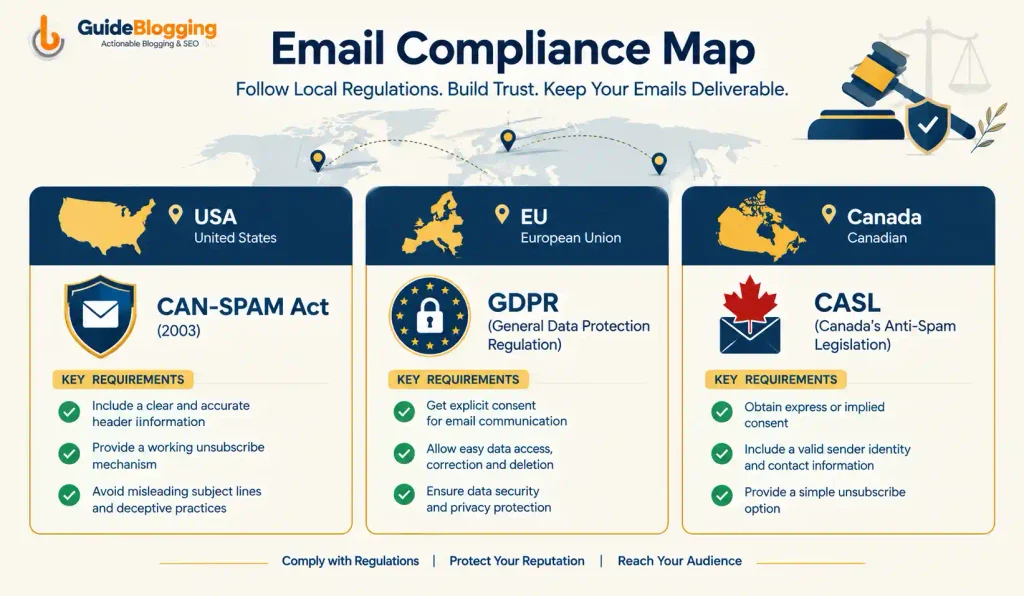
Bulk email is legal in most jurisdictions when sent to contacts who have given their consent and when the sender follows the applicable regulatory requirements for their market.
The key conditions that determine legality are consent, identification, and an unsubscribe mechanism.
- CAN-SPAM Act (United States) requires that your sender identification is accurate and not deceptive, your subject lines accurately reflect the email content, you include a functioning physical mailing address in every email, and you provide a working unsubscribe mechanism that is honored within 10 business days of any unsubscribe request.
- GDPR (European Union) requires explicit, documented consent from contacts before you add them to a marketing list. This means you cannot add someone to your bulk email list simply because they gave you their email address for a different purpose. You must have a specific, documented record of their consent to receive marketing emails. GDPR also grants contacts the right to have their data deleted upon request.
- CASL (Canada) requires either express consent (where the contact explicitly opted in to receive marketing communications) or implied consent (such as an existing business relationship) before sending commercial electronic messages. Clear sender identification and an easy unsubscribe mechanism are also required.
The key compliance practices every bulk email sender must follow regardless of jurisdiction:
- Never purchase or scrape email lists from any source.
- Always use a double opt-in process for new subscribers to document consent.
- Honor all unsubscribe requests within the legally required timeframe.
- Include your physical business address in every email footer.
- Keep records of how and when each contact gave consent to receive your emails.
FAQs On Send Unlimited Bulk Email Free
Can I send bulk emails for free?
Yes, with limits. Systeme.io allows unlimited sends to up to 2,000 contacts for free. Sender allows 15,000 emails per month to 2,500 contacts for free. Brevo allows 300 emails per day for free, with unlimited contact storage. Truly unlimited bulk email with no caps at all does not exist on any commercial platform.
What is the best free bulk email sender in 2026?
For the closest thing to unlimited sending: Systeme.io with no daily or monthly cap for up to 2,000 contacts. For the most generous monthly allowance: Sender at 15,000 emails per month to 2,500 contacts. For unlimited contacts with a daily limit: Brevo at 300 emails per day with no contact cap.
How can I send 10,000 emails a day for free?
No commercial free plan currently allows 10,000 emails per day. The closest free option is Brevo at 300 per day. Sending 10,000 emails per day requires a paid plan with a dedicated IP address, or a self-hosted mail server setup using services like Amazon SES or Mailgun, which require technical configuration but offer very low per-email costs.
How do I avoid bulk emails going to spam?
Authenticate your domain with SPF, DKIM, and DMARC. Keep your contact list clean by removing hard bounces immediately. Monitor your spam complaint rate using Google Postmaster Tools and keep it below 0.10%. Include a working unsubscribe link in every email. Warm up your sending volume gradually on new domains. Use a reputable bulk email sender from the list above rather than sending through Gmail or Outlook.
What is the difference between bulk email and spam?
Bulk email is legitimate mass communication sent to contacts who have given their consent to receive emails from you. Spam is unsolicited email sent without the recipient’s permission. The key distinction is consent. All platforms on this list require opted-in contacts and will terminate accounts that use their infrastructure to send unsolicited email.
How many emails can I send per day without getting flagged as spam?
There is no universal daily limit that triggers flagging. What matters is your engagement rate, bounce rate, and spam complaint rate relative to your sending volume. For new domains, start with 50 to 200 emails per day and increase gradually over weeks. Established domains with strong sender reputation can send thousands per day without issues. Sudden volume spikes on new domains are what trigger filtering.
What is the best free bulk email service for small businesses?
Brevo is the best free bulk email service for small businesses with large contact lists because it stores unlimited contacts. Sender is the best option for small businesses that prioritize high monthly send volume. HubSpot is the best choice for small businesses that need email marketing combined with free CRM and pipeline management.
Is SMTP good for bulk emails?
Yes. SMTP is the underlying protocol all email sending relies on. Using a dedicated SMTP service like Brevo, Mailgun, or Amazon SES gives technical users control over their sending infrastructure and typically delivers better deliverability than shared email marketing platforms at high volumes. This approach requires more technical setup but is the preferred solution for developers and high-volume senders who need maximum control.
Final Thought
The best free bulk email sender for your situation depends on two factors: how large your current contact list is and how frequently you plan to send.
Start with Systeme.io if you want the most unlimited-feeling free plan with no daily cap. Start with Sender if you want the highest monthly send volume with a slightly larger contact allowance.
Start with Brevo if you have a large list and send infrequently.
Upgrade to a paid plan only when your list size and sending frequency genuinely push you past what the free tier can handle.
ALSO READ:
- Google Penalty Checker: How to Check, Fix & Recover from Google Penalties (2026)
- How to Sell Digital Products Online in 2026 (Complete Guide + Best Platforms)
- I Bought a Domain Name, Now What? 9 Steps to Take Right Now (2026)