
A Google penalty is a ranking drop caused by either a Manual Action (a human reviewer flagged your site) or an Algorithmic penalty (an automated update caught a violation). To check for a Google penalty, open Google Search Console and go to the Manual Actions tab. For algorithmic drops, cross-reference your traffic data with known Google update dates using tools like Semrush or Ahrefs.
You built the site. You published the content. You earned your rankings. Then one morning your traffic collapsed, and you have no idea why.
If that sounds familiar, you are in exactly the right place. This guide is your complete Google penalty checker resource for 2026.
Whether you already suspect a penalty or you are running a routine check to protect a healthy site, every method covered here works. Some are completely free, starting with Google Search Console.
Others use paid SEO tools that give you a much more precise diagnosis when the stakes are high.
By the time you finish reading, you will know exactly whether your site has a Google penalty, what type it is, how to fix each violation, and how to make sure it never comes back.
What is a Google Penalty in SEO?
A Google penalty is a deliberate negative impact on your site’s search rankings.
It is applied either by Google’s automated systems when they detect spam signals or policy violations, or by a human reviewer at Google who has manually reviewed your site and found intentional rule-breaking.
Google applies penalties to protect search quality. When sites manipulate rankings through spammy links, low-quality content, or deceptive tactics, they push down genuinely useful pages.
Penalties are Google’s enforcement mechanism to keep its results trustworthy.
The most important distinction to understand before running any penalty checker is this: not every ranking drop is a penalty.
A ranking drop can also happen because a competitor published better content, because Google updated how it evaluates your topic, or because your site has technical issues that hurt crawling and indexing.
A penalty has a specific identifiable cause and a specific fix. A general ranking drop may not. The sections below help you tell the difference clearly.
Types of Google SEO Penalties
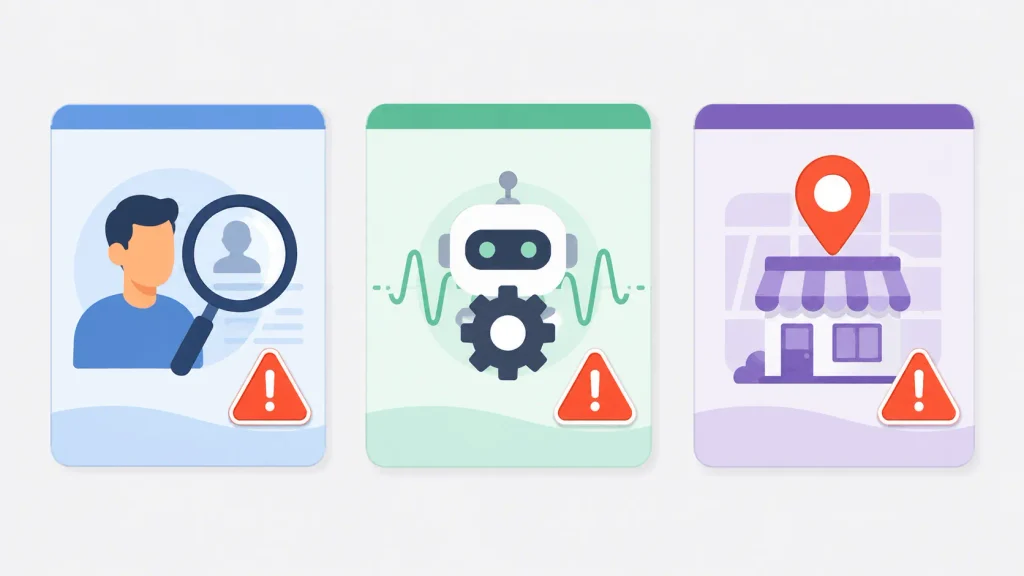
Understanding which type of penalty you are dealing with changes everything about how you respond. The diagnosis process, the fix, and the recovery timeline are all different depending on the type.
1. Manual Action Penalties
A human reviewer applies a manual action at Google. This happens when a real person on Google’s spam team reviews your site and concludes that you have deliberately violated Google’s spam policies.
Manual actions are serious but also the more straightforward type to handle because Google tells you exactly what is wrong.
When your site receives a manual action, it shows up directly in your Google Search Console account under Security and Manual Actions.
The notification includes a description of the specific violation and the section of your site it affects.
Common reasons Google issues manual actions include unnatural link profiles, thin or scraped content, cloaking, user-generated spam, and hacked content.
The resolution requires you to fix the flagged violation and then submit a formal reconsideration request through Search Console. Google’s team reviews your request and removes the manual action if they are satisfied that the issue is genuinely resolved.
This process typically takes two to eight weeks.
2. Algorithmic Penalties
Algorithmic penalties are fundamentally different from manual actions.
A person does not apply them.
They happen automatically when Google’s ranking algorithms are updated, and those updates detect that your site has signals associated with manipulation or low quality.
The key practical difference is that algorithmic penalties do NOT appear in Search Console. There is no notification, no description of what went wrong, and no reconsideration request process available.
You have to detect these penalties yourself by identifying when your traffic dropped and matching that date to a known Google algorithm update.
The major algorithmic updates that cause ranking drops include Google Core Updates (broad quality assessments), the Link Spam Update (targeting manipulative link patterns),
the Helpful Content Update (targeting content written for rankings rather than people), and the historically significant Penguin (links) and Panda (content quality) updates that are now part of Google’s core algorithm.
Because there is no formal notification and no review button to press, recovering from an algorithmic penalty means fixing the underlying quality issue and then waiting for the next update cycle to validate your improvements.
That wait can be three to six months for core updates.
3. Local and Reputation-Based
This category is less common than the two above but affects local businesses specifically.
Google can penalize or suppress a Google Business Profile for fake reviews, fake check-ins, keyword stuffing in business names, or other violations of its Business Profile policies.
These show up as profile suspensions or ranking drops in local search results rather than changes to your website’s organic rankings.
Reputation signals from third-party sites can also influence how Google perceives your brand authority, though this is more of an indirect influence than a formal penalty in the traditional sense.
Also Read: Best SEO Tools for Agencies (Free & Paid Picks for 2026)
What Are the Most Common Causes of Google Penalties?

Before you run your penalty check, it helps to know what triggers penalties in the first place. Each cause below is a real enforcement target in 2026.
1. Unnatural or Toxic Backlinks
Buying links, participating in link exchange schemes, or using automated tools to build backlinks at scale are among the most common triggers for both manual actions and algorithmic penalties.
Google evaluates the quality and relevance of every link pointing to your site. When the pattern looks manipulative rather than organic, your rankings suffer.
Signs include a sudden influx of links from unrelated or low-quality domains, links with exact-match anchor text appearing at scale, or a backlink profile that grew unusually fast.
2. Thin, Duplicate, or Scraped Content
Thin content means pages with little or no original value.
This includes pages under 300 words with no meaningful insight, content scraped or copied from other sites, and mass-produced AI-generated content published without human review or original perspective added.
Google’s Helpful Content system specifically targets content that exists to rank rather than to serve the reader genuinely.
3. Keyword Stuffing and Hidden Text
Keyword stuffing is the practice of overloading a page with a target keyword far beyond what reads naturally, typically repeating the same phrase in almost every sentence or paragraph.
Hidden text means including keywords in the page code that are visible to search engines but not to human visitors, such as white text on a white background.
Both tactics violate Google’s basic quality guidelines and can trigger either manual or algorithmic action.
4. Cloaking and Sneaky Redirects
Cloaking means showing different content to Googlebot than to human visitors.
A site might show a clean, high-quality page to Google’s crawler while serving a completely different, spammy experience to real users.
Sneaky redirects send users to a different page than the one they clicked on. Both are considered deceptive practices and are taken seriously by Google’s spam team.
5. User-Generated Spam
If your site has a blog comment section, a forum, or any area where visitors can post content without moderation, spammers can exploit it.
Injected spam links in comments or forum posts count as spam associated with your domain, even though you did not create the content. Google holds site owners responsible for all content on their domain.
6. Hacked or Malicious Content
If attackers have compromised your site, they may inject spammy links, redirect visitors to malicious sites, or insert hidden content into your pages.
This is one of the most severe penalty triggers because it directly harms users. Google’s Security Issues report in Search Console is the fastest way to detect this.
Immediate Signs: Is My Site Penalized by Google?
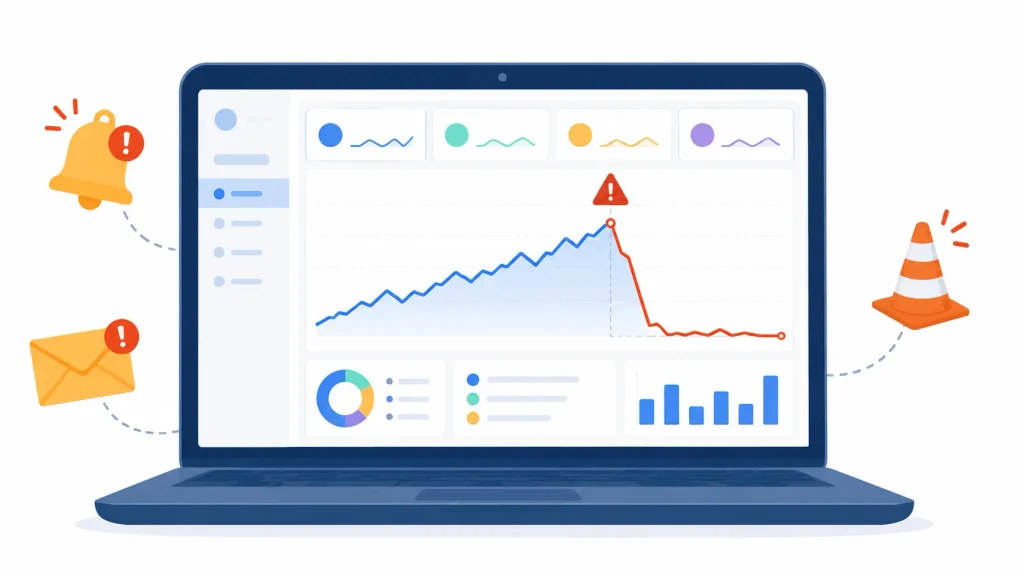
Before opening any tool, check these warning signs first. If one or more of these applies to your site right now, a penalty is likely worth investigating.
- Your organic traffic dropped sharply on a specific date rather than gradually over weeks
- Pages that ranked consistently on page one have disappeared from search results entirely
- Your own brand name no longer shows your site in Google, or your homepage stopped ranking for your domain name
- You log into Google Search Console and see a notification you have not opened yet
- Search Console shows a sharp vertical drop in impressions and clicks starting on a specific day
- Visitors from Google have dropped, but traffic from other sources like social or direct has stayed the same
That last point is particularly useful.
If ALL your traffic dropped, the issue is likely technical. If only your Google organic traffic dropped, a penalty or algorithm update is much more likely.
How to Check Google Penalty (Free Methods First)
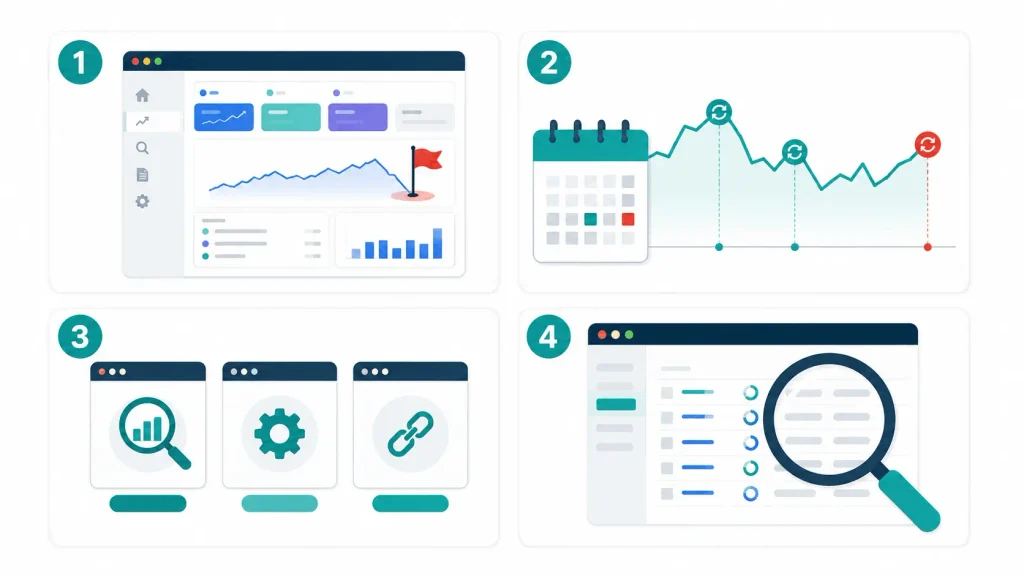
The good news is that the most reliable Google penalty checker Free. Always start here before spending money on any paid tool.
Method 1: Google Search Console (The Best Google Penalty Checker Free)
Google Search Console is the only tool that confirms manual actions with certainty. No third-party penalty checker can replicate this because manual action data comes directly from Google.
Here is how to use it step by step:
Step 1: Log in to your Google Search Console account at search.google.com/search-console
Step 2: In the left sidebar, click on “Security and Manual Actions” and then select “Manual Actions”
Step 3: If Google has issued a manual action against your site, you will see a red or orange notification with a description of the violation. If you see “No issues detected,” your site has no active manual actions. This does NOT mean there are no algorithmic issues.
Step 4: Go to the Performance report and select “Search results.” Use the date filter to compare your traffic before and after the suspected drop date. A sharp cliff in the graph on a specific date is a strong signal.
Step 5: Check the Index Coverage report (now called Pages in newer GSC versions). Look for a spike in “Excluded” pages, which may indicate deindexing of specific content.
Step 6: Review the Core Web Vitals and Page Experience reports. While these are not penalty indicators directly, failing scores here can contribute to ranking drops that compound with other issues.
Method 2: Cross-Reference Traffic Drops with Google Update Dates
This is the primary method for detecting algorithmic penalties, and it costs nothing.
Open your Google Analytics account or your Search Console Performance report and identify the exact date your traffic started falling. Note whether it was a sharp single-day drop or a gradual multi-week decline.
Sharp drops almost always correlate with algorithm updates. Gradual declines usually point to quality erosion or competition.
Then check the date against known Google update history.
You can find Google’s official confirmed updates at developers.google.com/search/updates/ranking. You can also use Semrush Sensor or MozCast, both of which track daily algorithm volatility and flag when major updates are active.
If your traffic dropped within two to three days of a confirmed Google Core Update, Link Spam Update, or Helpful Content Update, you are very likely looking at an algorithmic penalty tied to that update’s specific focus area.
Also Read: 8 Best SEO Plugins For WordPress In 2026 To Rank On Top
Method 3: Free Third-Party Google Penalty Checker Tools
These tools do not confirm penalties the way Search Console does, but they provide useful visual correlation between your traffic and Google’s update timeline.
- Fruition’s Google Penalty Checker is the most useful free option. You connect your Google Analytics data, and it overlays your traffic graph with confirmed Google update dates, making it visually obvious whether a drop aligns with a specific update. It is free to use and gives results within minutes.
- SEOQuake Chrome Extension is a free browser tool that shows key SEO metrics for any page directly in your browser. It is useful for quick checks on specific pages rather than site-wide penalty diagnosis.
- Bing Webmaster Tools is worth checking as a secondary data point. Since Bing crawls your site independently of Google, a drop on Bing alongside a Google drop usually points to a content quality issue that both search engines detected. A Google-only drop is more likely to be a manual action or Google-specific update issue.
One important caveat: free tools show indicators, not confirmed penalties. The Manual Actions section of Google Search Console is the only true confirmation of a manual penalty.
Method 4: Paid SEO Tools for Deeper Penalty Analysis
When a site is generating significant revenue from organic traffic, a more precise diagnosis is worth the investment.
These tools give you backlink toxicity analysis, historical traffic overlaid with update dates, and on-page issue detection that free tools cannot provide.
Semrush is the most comprehensive option for penalty diagnosis. Its organic traffic history chart shows your site’s ranking trend alongside markers for major Google updates, making algorithmic correlation immediate.
Its Backlink Audit tool assigns a toxicity score to every referring domain in your backlink profile, identifies which links are most likely to trigger a penalty, and generates a disavow file you can upload directly to Google.
For sites dealing with link-based penalties, Semrush’s Backlink Audit is genuinely one of the fastest paths to a clean diagnosis.
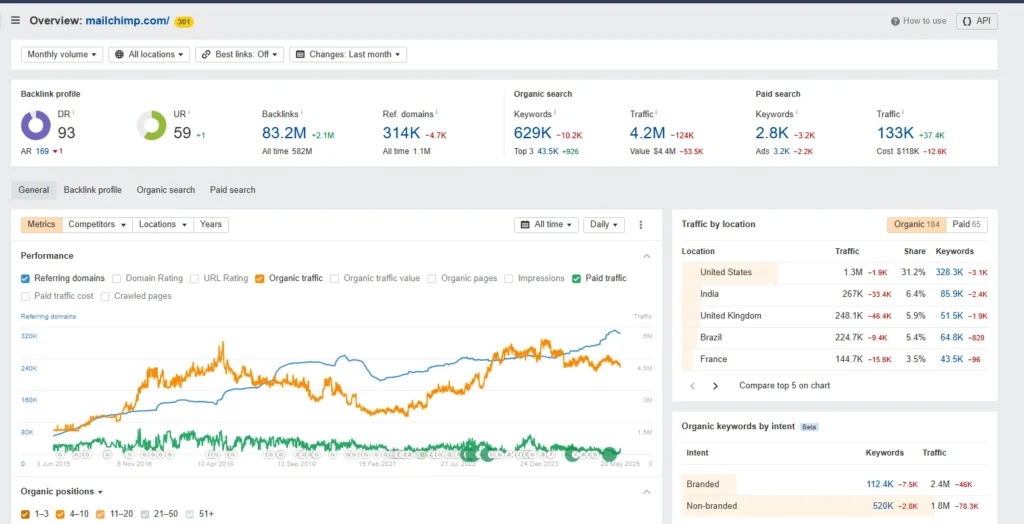
Ahrefs approaches penalty diagnosis from a different angle. Its Site Audit feature crawls your entire website and flags on-page issues that commonly trigger algorithmic penalties, including thin content pages, duplicate content, broken internal links, and crawlability problems.
Its backlink analysis tool identifies referring domains with low Domain Rating scores, which are strong candidates for your disavow list. If you suspect an on-page quality issue rather than a link issue, Ahrefs is the sharper tool for that diagnosis.
Also Read: Ahrefs vs SEMrush 2026 – Which SEO Tool Should You Use?
Moz Pro rounds out the paid options with its Spam Score metric, which evaluates each backlink’s association with known spam signals.
When you are building a disavow file and need to prioritize which links to include, Spam Score is a useful triage filter.
Moz also provides Domain Authority trend charts that can show you whether your overall site authority has been declining over time, which is a useful context signal even if it is not a penalty indicator directly.
7 Google Penalties Check in SEO and How to Fix Them

Once you have confirmed a penalty and identified its type, here is exactly how to fix each of the seven most common google penalty check in seo.
1. Unnatural or Toxic Backlinks
What it looks like in GSC: A manual action notification reading “Unnatural links to your site” or a traffic drop correlated with a Link Spam Update.
How to fix it:
Run a full backlink audit using Semrush Backlink Audit or Ahrefs Site Explorer.
Export all referring domains and sort by toxicity score. Identify the domains that are clearly manipulative: irrelevant directories, link farms, private blog networks, or foreign language sites with no content relevance to yours.
Attempt to contact the web admins of the most toxic linking domains and request removal. Document every outreach attempt.
For links you cannot remove, build your disavow file: create a plain text file (.txt) listing each domain you want Google to ignore, formatted as “domain:example.com” one per line.
Upload the disavow file at search.google.com/search-console/disavow-links.
If this is a manual action, submit a reconsideration request immediately after uploading the disavow file, with documentation of your outreach attempts and the changes made.
2. Thin or Duplicate Content
What qualifies as thin: Pages with fewer than 300 words, no original insight, generic product descriptions copied from a manufacturer, or content scraped from other websites.
How to fix it: Run an audit of your lowest-traffic pages.
For pages with thin content, either expand them significantly with genuinely useful original content, or consolidate multiple thin pages on similar topics into one comprehensive resource using a 301 redirect from the old URLs to the new one.
For duplicate content across your own site, implement canonical tags pointing to the preferred version of each page.
3. Keyword Stuffing
How to identify it: Read your page content naturally.
If the same keyword appears in almost every sentence, or if any paragraph feels forced and unreadable, keyword stuffing is likely present.
A keyword density over 3 to 4 percent for a single term is a strong indicator.
How to fix it: Rewrite the affected sections to sound natural. Replace exact-match keyword repetitions with semantic variants, related terms, and synonyms. The goal is a page that serves the reader, not one that targets a keyword count.
4. Cloaking and Sneaky Redirects
How to fix it: Use Google’s URL Inspection tool in Search Console to see exactly what Googlebot sees when it crawls any page on your site.
Compare that to what a real user sees in a browser. If there is a meaningful difference, your server configuration or JavaScript rendering is showing different content to crawlers.
Fix the server configuration to serve identical content to all visitors regardless of user agent.
Audit every redirect on your site using a tool like Screaming Frog and remove any redirect that sends users to a page different from the one they requested.
5. Hacked or Injected Content
How to fix it: Open the Security Issues report in Google Search Console. If hacked content is detected, Google will describe what type of compromise was found.
Clean the infected files from your server, restore from a clean backup if one is available, update all CMS software and plugins to the latest versions, and change all admin passwords.
After cleaning, click “Request a Review” in the Security Issues report. Google will re-crawl your site and remove the security warning once they confirm the issue is resolved.
6. Doorway Pages
What they are: Pages built specifically to rank for a keyword that immediately redirect users to a different, unrelated page, or pages that exist only to funnel traffic without offering genuine value at the page itself.
How to fix it: Identify all pages on your site that exist only to target a keyword and offer no standalone value.
Either delete them entirely (with a 301 redirect to the most relevant real page) or transform them into genuinely useful content that serves the user’s intent on its own.
Google’s test for doorway pages is straightforward: does this page provide a useful, satisfying destination for the user, or does it only exist to get a click?
7. User-Generated Spam
How to fix it: Install a comment moderation system if you do not already have one. Akismet is free for personal blogs and catches most automated comment spam.
Enable comment approval before publication so no user-submitted content goes live without review. Go through your existing published comments and delete any that contain spammy links or irrelevant content.
Add rel= “nofollow” or rel= “ugc” to all user-submitted links automatically, which most modern WordPress comment systems do by default.
How to Prevent Future Google SEO Penalties
Recovery is important. Prevention is better. These practices protect your site from penalties before they happen.
- Build links by earning them, not buying them. Create content worth linking to: original research, comprehensive guides, free tools, or data-driven resources that other sites naturally want to reference. Every purchased link is a liability that can trigger a penalty at any future update.
- Publish content that serves real readers. Ask yourself honestly whether your article exists because it genuinely helps someone who searches for that topic, or because you want to rank for a keyword. Google’s Helpful Content system gets better at distinguishing these two motivations with every update.
- Audit your backlink profile every quarter. New toxic links can appear at any time, either from spammy sites that link to you without your knowledge or from negative SEO attacks by competitors. A quarterly backlink audit keeps your profile clean before any problem grows large enough to trigger a penalty.
- Treat AI-generated content with care. Google does not penalize AI content as a category, but it does penalize thin, low-quality content regardless of how it was produced. AI-generated articles published at scale without meaningful human review, unique insights, or original perspectives are exactly what the Helpful Content Update targets.
- Keep your site secure. Update your WordPress installation, themes, and plugins whenever updates are available. Use a security plugin and enable two-factor authentication on your admin account. Hacked content penalties are preventable with basic security hygiene.
- Check Google Search Console every month at minimum. Most site owners who receive manual actions do not discover them for weeks because they rarely log into Search Console. A monthly check takes five minutes and catches problems before they compound.
FAQs On penalty checker
What is a Google penalty in SEO?
A Google penalty is a negative impact on your site’s search rankings applied either automatically by Google’s algorithm when it detects spam or quality violations, or manually by a human Google reviewer who has reviewed your site and found intentional rule-breaking. Both types result in lower rankings, but they are detected and fixed in different ways.
How do I know if my site has been penalized by Google?
The fastest way is to check the Manual Actions section of Google Search Console. If you see a notification there, you have a confirmed manual penalty. If there is no manual action but your traffic dropped sharply, cross-reference the drop date with known Google algorithm update dates to check for an algorithmic penalty.
Is there a free Google penalty checker tool?
Yes. Google Search Console is the most reliable free Google penalty checker for manual actions. For algorithmic penalties, Fruition’s Google Penalty Checker is a free tool that overlays your Analytics traffic data with confirmed Google update dates. Both are free to use.
What is the difference between a manual action and an algorithmic penalty?
A manual action is applied by a human reviewer at Google and shows up in Search Console with a specific violation description. An algorithmic penalty is applied automatically by Google’s ranking systems and does NOT appear in Search Console. You detect algorithmic penalties by correlating traffic drops with algorithm update dates.
How long does Google penalty recovery take?
Manual action recovery typically takes two to eight weeks after submitting a reconsideration request, assuming the violations are fully resolved. Algorithmic penalty recovery can take three to six months because it depends on the next algorithm update cycle confirming that your improvements are genuine.
How do I submit a Google reconsideration request?
Go to Google Search Console, open the Manual Actions section, and click “Request Review” next to the active penalty. In your request, describe the violation clearly, explain exactly what you changed to fix it, and include evidence such as screenshots or documentation of removed links.
Can a Google penalty affect my entire website or just specific pages?
Both are possible. Some manual actions are site-wide and affect all pages. Others target specific sections or types of content. Algorithmic penalties tend to affect the pages most closely associated with the quality issue Google detected, but severe cases can suppress an entire domain.
Does Google penalize AI-generated content?
Google does not penalize AI content as a category. What Google penalizes is low-quality, thin, or unhelpful content regardless of how it was created. AI-generated articles published at scale without original insight, expert perspective, or genuine value for the reader are exactly what Google’s Helpful Content system targets.
How do I disavow toxic backlinks?
Create a plain text file (.txt) listing each domain or URL you want Google to ignore, one per line, formatted as “domain:example.com.” Upload this file at search.google.com/search-console/disavow-links. Use the disavow tool carefully and only for links you have already attempted to have removed through direct outreach.
What is the best paid tool for checking Google penalties?
Semrush is the most comprehensive option for penalty diagnosis overall, combining algorithmic update correlation, backlink toxicity analysis, and disavow file generation in one platform. Ahrefs is the stronger choice specifically for on-page quality issues and crawlability problems that trigger algorithmic penalties.
Verdict
A Google penalty is fixable. Sites recover from penalties every day. What separates the sites that recover quickly from those that stay buried for months is speed of diagnosis, precision of the fix, and consistency of monitoring after the fact.
Start with Google Search Console today, run your free check, and work through the methods above in order. If your diagnosis points to a backlink issue or a content quality problem at scale, the paid tools save you significant time getting to the specific pages and links that need attention.
Also Read:



2 thoughts on “Google Penalty Checker: How to Check, Fix & Recover from Google Penalties (2026)”