
Quick Answer: The Best SEO Plugins for WordPress in 2026 are Rank Math (best free option), Yoast SEO (most established), and All in One SEO/AIOSEO (best all-in-one). For site speed SEO, WP Rocket is the top choice. All 10 plugins are compared below by features, pricing, and best use case
WordPress is powerful out of the box, but it does not come with any built-in SEO tools.
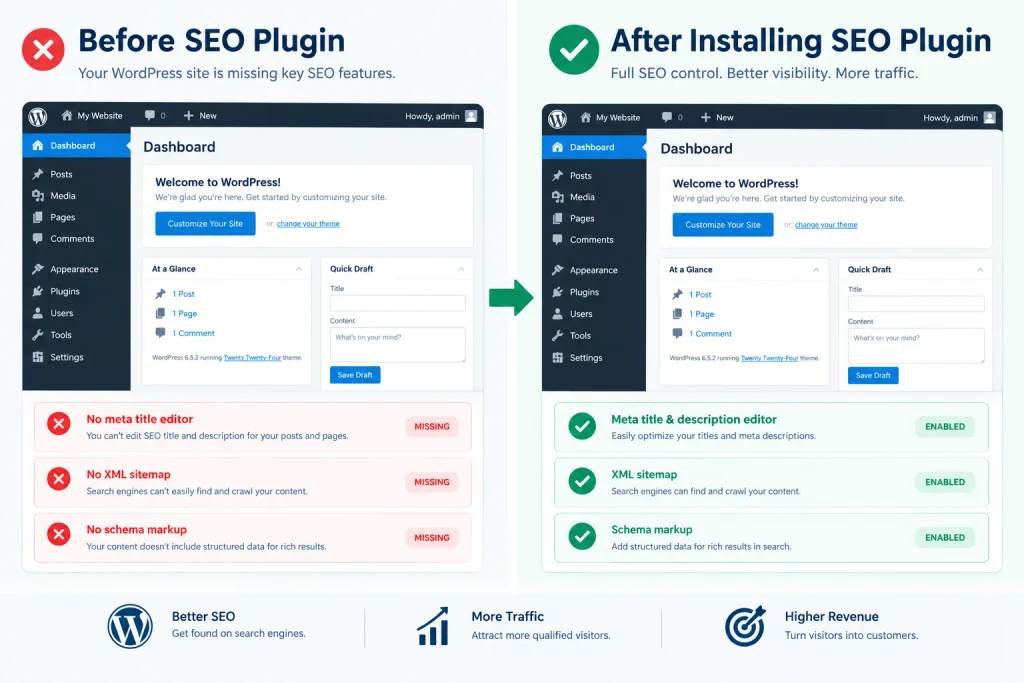
No meta title editor. No XML sitemap generator. No schema markup.
No canonical tag controls. Every one of those features, which Google uses to understand and rank your content, requires a plugin.
The right wordpress seo optimization plugin handles all of this without touching a line of code, so you can focus on writing content instead of technical configuration.
This guide covers the 10 best WordPress SEO plugins in 2026, tested on live sites and compared by features, pricing, ease of use, and the specific use case each one serves best.
Why You Need a WordPress SEO Plugin
WordPress is the world’s most popular CMS, but its core installation was built for publishing content, not for optimizing it for search engines.
Without an SEO plugin, you have no way to edit meta titles or descriptions directly, your site generates no XML sitemap for Google to crawl, you cannot add schema markup for rich snippets, and there is no built-in canonical tag management to prevent duplicate content issues.
An SEO plugin solves all of these problems from a single dashboard.
It gives you a meta box on every post and page where you can write custom titles and descriptions, generates and submits sitemaps automatically, handles technical SEO settings that would otherwise require custom code, and gives you a real-time optimization score as you write.
For any WordPress site serious about ranking, an SEO plugin is not optional. It is infrastructure.
How We Evaluated These WordPress SEO Plugins
Every plugin on this list was evaluated using the same criteria so the comparison is consistent and honest.
- Tested on live WordPress sites across different hosting environments to evaluate real-world performance impact and interface usability
- Features, ease of use, and pricing evaluated across free and paid tiers to reflect what most users actually get at each budget level
- WordPress.org active installation count cross-referenced to confirm each plugin has genuine adoption in 2026, not just historical reputation.
- Expert reviews and community feedback from WordPress developer forums, SEO communities, and third-party testing sources used to validate findings.
Quick Comparison Table: Best wordpress seo optimization plugin
| Plugin | Best For | Free Version | Starting Price |
|---|---|---|---|
| Rank Math | Best free all-in-one SEO | Yes | $59/year |
| Yoast SEO | Beginners and content teams | Yes | $89/year |
| AIOSEO | Best overall features | Yes (Lite) | $49.50/year |
| SEOPress | Budget-friendly full suite | Yes | $49/year |
| The SEO Framework | Lightweight, developer-friendly | Yes | $84/year |
| WP Rocket | Site speed and Core Web Vitals SEO | No | $49/year |
| Schema Pro | Schema markup and rich snippets | No | $79/year |
| Broken Link Checker | Technical link health monitoring | Yes (Free) | $4.99/month |
| MonsterInsights | Google Analytics SEO integration | Yes (Lite) | $99.50/year |
| LiteSpeed Cache | Free site speed optimization | Yes | Free |
10 Best Seo Plugins For WordPress: Full Breakdown
1. Rank Math: Best Free WordPress SEO Optimization Plugin
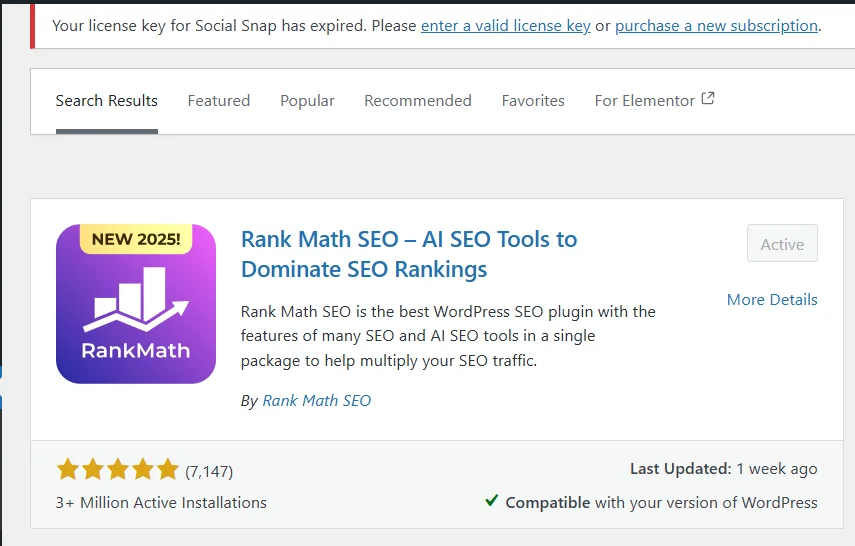
Rank Math has become the most-installed free SEO plugin on WordPress.org in 2026, surpassing Yoast SEO in active installations.
It offers a feature set that most competitors charge premium prices for, entirely in the free version. For bloggers, affiliate marketers, and small business sites that want a comprehensive SEO optimization plugin without paying a subscription, Rank Math is the clear first choice.
Key Features:
- TruSEO-style on-page analysis scoring your content against 40 plus optimization factors with actionable suggestions.
- Built-in schema markup generator covering Article, Product, FAQ, Recipe, Review, and more schema types in the free version
- Google Search Console integration displaying impressions, clicks, and average position directly inside your WordPress dashboard
- AI-powered title and meta description suggestions (Pro plan) that generate optimized copy from your content
- 404 monitor and redirect manager built into the plugin, eliminating the need for a separate redirect plugin
- Keyword rank tracker showing your position history for target keywords without leaving WordPress
Pros:
- Most generous free tier of any SEO plugin on this list
- Handles schema markup, redirects, and rank tracking in one plugin
- Lightweight performance impact compared to Yoast at similar feature levels
- Regular updates with features that match current Google algorithm priorities
- Clean, modern interface that beginners can navigate without a tutorial
Cons:
- Switching from Yoast or AIOSEO to Rank Math requires a migration process that can cause temporary disruption
- Some advanced features like AI suggestions and advanced schema require the Pro upgrade
- Newer than Yoast, which means less community documentation for edge-case troubleshooting
Pricing: Free version covers most use cases. Pro plan starts at $59/year. Business and Agency plans available for multiple sites.
Best For: Bloggers, affiliate marketers, and small business owners who want the most comprehensive free SEO plugin available in 2026.
Also Read: Rank Math Review: No.1 Free SEO Plugin For WordPress CMS
2. Yoast SEO: Best WordPress SEO Plugin
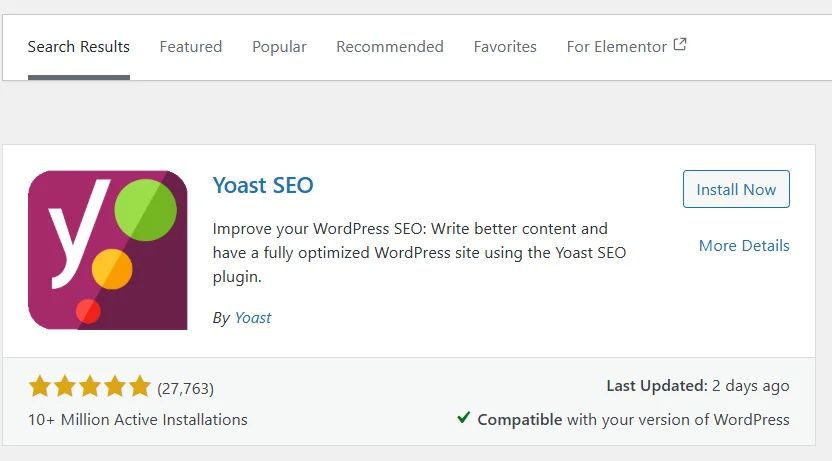
Yoast SEO is the plugin that introduced most WordPress users to on-page SEO optimization, and with over 10 million active installations, it remains the most recognized SEO plugin in the WordPress ecosystem.
It is particularly well-suited for beginners and content teams because its traffic light scoring system (green, orange, red) gives non-technical writers clear, actionable feedback without requiring SEO expertise to interpret.
Key Features:
- Meta box appearing on every post and page with real-time SEO and readability scoring.
- Automatic XML sitemap generation and submission with customizable inclusion and exclusion controls
- Breadcrumb navigation implementation that improves both user experience and crawl efficiency
- Readability analysis checking sentence length, passive voice, transition words, and paragraph structure
- Schema markup integration covering basic article, website, and author schema automatically
- AI-generated meta descriptions on Premium plans that create click-optimized descriptions from your content (added in 2025)
Pros:
- Most beginner-friendly SEO plugin with the clearest visual feedback system
- Largest community and documentation library of any WordPress SEO plugin
- Trusted by major publishers and news organizations globally
- Strong WooCommerce integration for e-commerce SEO
- Regular Google algorithm updates reflected in plugin recommendations quickly
Cons:
- Free version is noticeably limited compared to Rank Math’s free tier
- Premium plan at $89/year is more expensive than most competitors for equivalent features
- Can feel slow on sites with large post counts due to database queries
- Interface feels dated compared to Rank Math’s more modern dashboard
Pricing: Free version available. Premium from $89/year per site.
Best For: Beginners who want the most guided SEO experience and content teams that value the readability analysis alongside SEO scoring.
3. All in One SEO (AIOSEO): Best Overall WordPress SEO Plugin
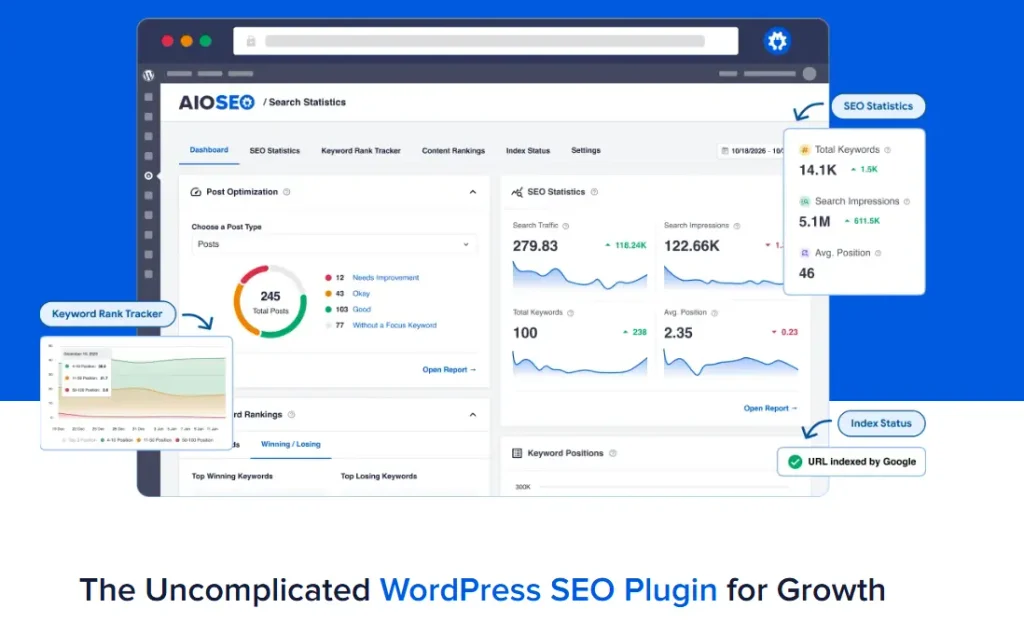
All in One SEO, commonly known as AIOSEO, is the original WordPress SEO plugin, first released in 2007. With over 3 million active installations and more than 15 years of development, it is the most battle-tested option on this list.
In 2026, AIOSEO added a feature no other SEO plugin currently offers: an LLMs.txt Generator that helps AI systems like ChatGPT and Perplexity understand your site’s content structure. For any site focused on ranking in both traditional and AI-powered search, this is a significant differentiator.
Key Features:
- TruSEO on-page optimization score with per-keyword scoring across multiple focus keywords simultaneously
- IndexNow integration that pushes new content directly to Bing and other IndexNow-supported search engines instantly on publish
- LLMs.txt Generator (new in 2026) that creates a structured file helping AI language models understand your site’s content, directly relevant to AI Overview visibility.
- Author SEO panel that builds E-E-A-T signals by connecting your content to verified author profiles and credentials
- Link Assistant that automatically identifies internal linking opportunities and missing links across your entire content library
- Search Statistics dashboard pulling Google Search Console data directly into WordPress, showing impressions, clicks, and ranking position by post.
Pros:
- Most comprehensive feature set of any single SEO plugin
- LLMs.txt Generator is genuinely unique and forward-looking for AI search visibility
- Link Assistant saves significant time on internal linking audits for large sites
- Author SEO features directly address Google’s E-E-A-T requirements
- Pro plan price is among the lowest for the feature depth offered
Cons:
- Interface is feature-dense, which can feel overwhelming for true beginners
- Some of the most valuable features (Link Assistant, Search Statistics) require paid plans
- Heavier resource usage than lightweight options like The SEO Framework
Pricing: Free Lite version available. Pro from $49.50/year. Elite plan for unlimited sites available.
Best For: Bloggers and site owners who want the most complete all-in-one SEO plugin with the deepest feature set, particularly sites focused on AI search visibility alongside traditional rankings.
4. SEOPress: Best Budget-Friendly WordPress SEO Plugin
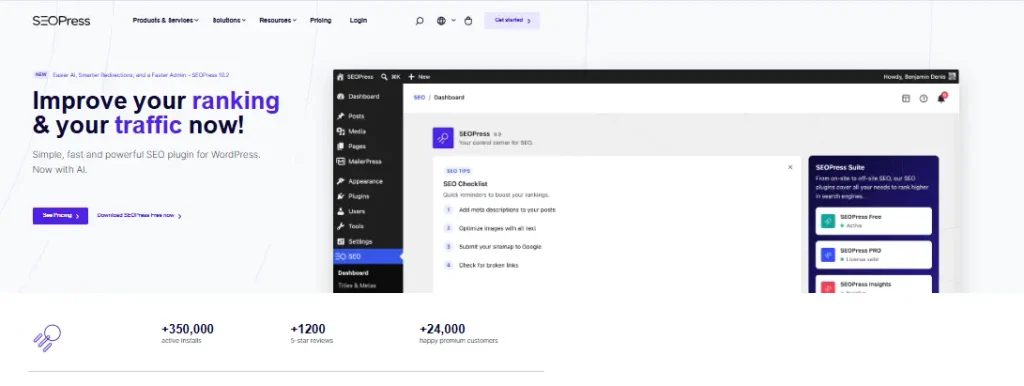
SEOPress delivers a full-featured SEO plugin at the lowest price point of any premium option on this list.
It covers every core SEO function, including meta tags, XML sitemaps, schema markup, redirects, breadcrumbs, and social media tags, without any features locked behind a higher tier.
For budget-conscious bloggers and small business sites that need professional SEO capabilities without paying Yoast or AIOSEO pricing, SEOPress is the most rational choice.
Key Features:
- Complete meta tag management for titles, descriptions, and Open Graph tags across all post types
- XML and HTML sitemap generation with fine-grained control over what gets included
- Schema markup support covering the most common types including Article, LocalBusiness, Product, and FAQ
- Redirect manager with 301, 302, and 307 redirect support and import from CSV
- Google Analytics and Google Tag Manager integration built into the plugin
- Breadcrumb navigation with full customization of separator and display format
Pros:
- Most affordable paid SEO plugin with no feature restrictions by tier
- White-label option available for agencies managing client sites
- Minimal performance impact on page load speed
- Clean, uncluttered interface that does not overwhelm with unnecessary options
- Lifetime deal pricing available, making it genuinely low-cost long-term
Cons:
- Smaller community than Yoast or Rank Math means fewer tutorials for specific use cases
- No built-in rank tracking, requiring a separate tool for keyword position monitoring
- Less polished interface compared to Rank Math or AIOSEO
Pricing: Free version available. Pro from $49/year covering unlimited sites.
Best For: Budget-conscious bloggers, freelancers, and agency owners who need a complete professional SEO plugin without recurring per-site fees.
5. The SEO Framework: Best Lightweight WordPress SEO Plugin
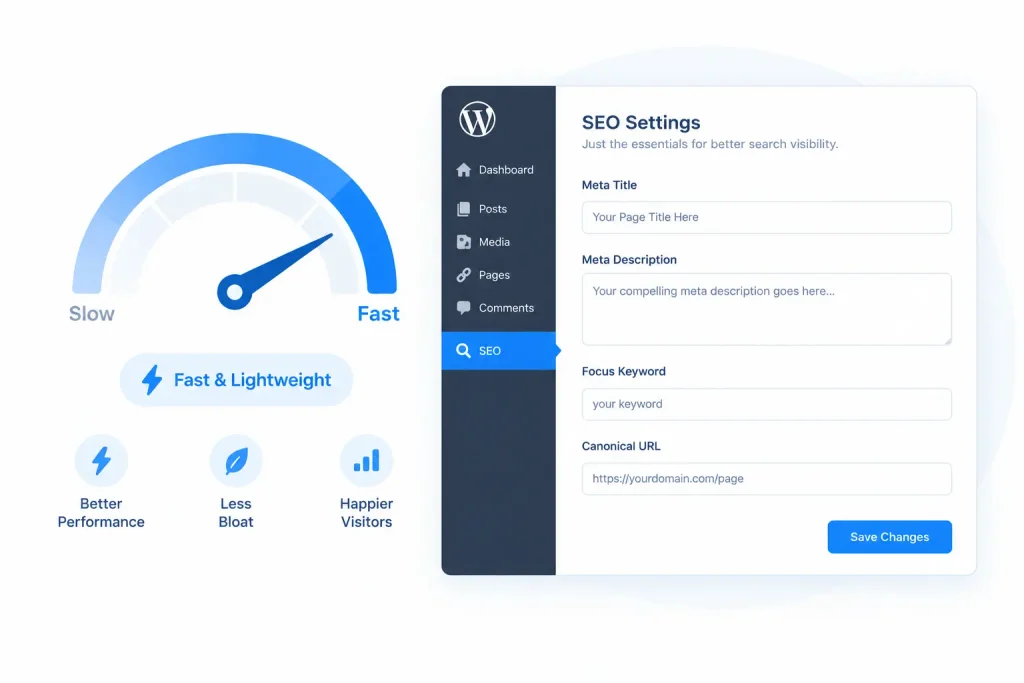
The SEO Framework takes a fundamentally different philosophy from every other plugin on this list. Instead of offering the most features, it offers the most essential features with the least performance overhead.
There are no upsell prompts, no feature bloat, and no interface complexity.
It handles meta tags, canonical URLs, XML sitemaps, Open Graph tags, and structured data cleanly and automatically, often requiring no manual configuration at all on new posts.
Key Features:
- Automated SEO meta tag generation using smart defaults that require zero manual input for basic optimization
- Minimal database queries compared to Yoast or Rank Math, producing measurable page speed improvements on high-traffic sites
- Automatic canonical URL generation preventing duplicate content issues without manual setup.
- Open Graph and Twitter Card tags generated automatically for all content types
- Schema markup for standard content types applied automatically without a configuration interface
- Extension framework for adding features like Local SEO, AMP support, and comment spam protection as needed
Pros:
- Lightest performance footprint of any full SEO plugin on this list
- Zero nag screens or upgrade prompts inside the WordPress admin
- Genuinely good automatic defaults that require minimal manual optimization
- Developer-friendly with clean code and extensive filter and action hooks
- Ideal for high-traffic sites where plugin overhead has measurable performance consequences
Cons:
- No built-in on-page SEO scoring or content analysis
- Fewer visual cues for non-technical users who want guided optimization
- Advanced features require paid extensions rather than being included in one plan
- Smaller user base means less community documentation
Pricing: Free core plugin. Extensions available individually or in bundles from $84/year.
Best For: Developers, technical WordPress users, and high-traffic site owners who prioritize performance and clean code over visual guidance.
6. WP Rocket: Best Plugin for Core Web Vitals and Site Speed SEO
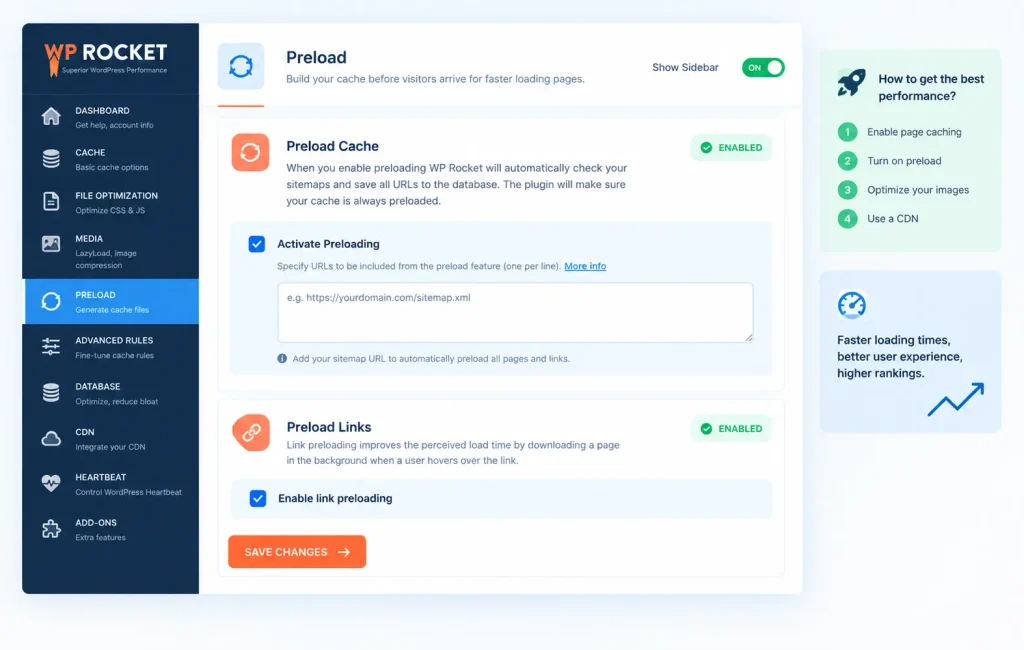
WP Rocket is not a traditional on-page SEO plugin. It is a caching and performance optimization plugin, and it belongs on this list because site speed and Core Web Vitals are confirmed Google ranking factors in 2026.
A site that loads in one second converts and ranks better than an identical site that loads in four seconds.
WP Rocket is the industry standard for WordPress speed optimization, consistently producing the largest measurable Core Web Vitals improvements of any plugin in its category.
Key Features:
- Page caching that generates static HTML files, serving pages faster than any dynamic WordPress process
- File optimization including CSS and JavaScript minification, concatenation, and deferred loading to reduce render-blocking resources
- Lazy load for images and videos that improves Largest Contentful Paint (LCP), Google’s primary page speed ranking signal
- Database optimization: cleaning post revisions, transients, and spam comments that slow database queries
- Google Fonts optimization that locally hosts font files, eliminating external server request delays
- Cloudflare and major CDN integrations for globally distributed content delivery
Pros:
- Largest measurable Core Web Vitals improvement of any WordPress plugin
- No technical knowledge required with clearly labeled settings and safe defaults
- Compatible with virtually every WordPress theme and most major plugins
- Dedicated support team with fast response times
- Regular updates that track Google’s Core Web Vitals measurement changes
Cons:
- No free version; paid from the first site
- Annual renewal required at full price after the first year
- Occasional conflicts with aggressive JavaScript-dependent page builders
- Some features require an additional CDN subscription to reach maximum benefit
Pricing: From $49/year for one site. Three-site and unlimited site plans available.
Best For: Any WordPress site where Core Web Vitals scores are holding back rankings, particularly sites using shared hosting where server response times benefit most from aggressive caching.
7. Schema Pro: Best Plugin for Rich Snippets and Schema Markup

Schema markup is structured data that tells Google exactly what your content is about, enabling rich results like star ratings, FAQ dropdowns, recipe cards, and review snippets in search results.
Rich snippets consistently earn higher click-through rates than standard results, and they are one of the fastest paths to AI Overview citation eligibility.
Schema Pro handles schema markup implementation across your entire site from a single settings panel without requiring any coding or JSON-LD knowledge.
Key Features:
- 20 plus schema types available, including Article, Local Business, Product, Review, FAQ, Recipe, Event, Course, and more
- Site-wide schema application that automatically applies the correct schema type to all posts and pages matching your defined conditions
- Google-friendly JSON-LD output format that is the cleanest implementation method for structured data
- Conditional logic allowing different schema types on different sections of your site
- Easy Digital Downloads and WooCommerce product schema support for e-commerce rich snippets
- Schema testing tool integration that lets you validate your markup directly from the plugin dashboard
Pros:
- Simplest implementation of comprehensive schema markup available
- Dramatically improves rich snippet eligibility without developer involvement
- Works alongside any SEO plugin without conflicts
- Schema type coverage is broader than what Yoast, Rank Math, or AIOSEO include natively
- One-time site-wide configuration rather than per-post manual markup
Cons:
- No free version
- Paid starting price is higher than some full-featured SEO plugins
- Primarily a schema tool, meaning you still need a separate plugin for meta tags and sitemaps
- Some advanced schema types require custom field mapping knowledge
Pricing: From $79/year for one site. Agency plans for multiple sites available.
Best For: Sites targeting featured snippets and rich results in competitive niches, WooCommerce stores seeking product rich snippets, and any content site publishing FAQ, recipe, or review content regularly.
8. Broken Link Checker: Best Plugin for Technical Link Health
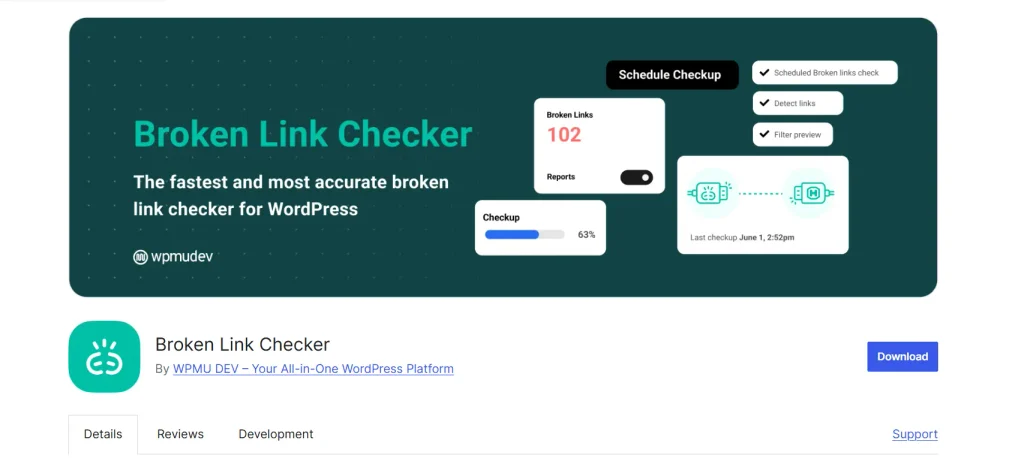
Broken links are a confirmed technical SEO problem. When Google crawls your site and encounters links pointing to 404 error pages, it wastes crawl budget on dead ends and receives a signal that your site is not actively maintained. For readers, broken links damage trust.
Broken Link Checker monitors every internal and external link across your WordPress site automatically and alerts you when any link breaks, so you can fix problems before Google finds them.
Key Features:
- Automatic background scanning of all internal links, external links, and images across your entire WordPress site
- Real-time dashboard showing all broken links, redirects, and warnings in a centralized list
- Direct fix option from the dashboard allowing you to update or remove broken links without opening individual posts
- Email notifications when new broken links are detected so you do not need to log in to monitor manually
- Filtering by link type, HTTP status code, and post type for targeted link auditing
- WPMU Dev hosted version available that moves scanning off your server, reducing performance impact
Pros:
- Automates a technical SEO task that would otherwise require manual quarterly audits
- Free version handles most use cases for small to medium sites
- Dashboard fix feature saves time compared to editing posts one by one
- Catches broken external links that Google’s crawl data rarely surfaces clearly
- Prevents crawl budget waste on large sites with extensive internal link structures
Cons:
- Background scanning can create server load on shared hosting environments
- Free version has rate limits that slow scanning on large sites
- External link checking can produce false positives on sites with aggressive bot blocking
- Hosted version requires a separate WPMU Dev subscription
Pricing: Free version available on WordPress.org. WPMU Dev hosted version from $4.99/month.
Best For: Content-heavy sites, established blogs with large post archives, and any site that actively publishes link roundups or resource pages where external link rot is a consistent problem.
Also Read: 20 Off-Page SEO Tactics That Actually Work in 2026 (Complete Guide)
9. MonsterInsights: Best Plugin for Google Analytics SEO Integration
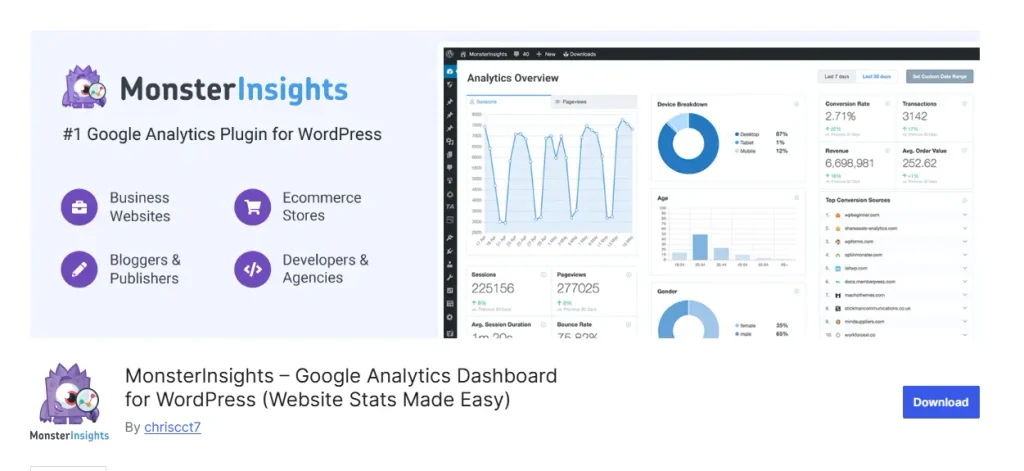
MonsterInsights is the leading Google Analytics plugin for WordPress, and it belongs in an SEO plugin list because SEO without analytics is flying blind. You cannot optimize what you cannot measure.
MonsterInsights connects your WordPress dashboard directly to Google Analytics 4 and Google Search Console, giving you the traffic, keyword, and behavior data you need to make informed SEO decisions without leaving WordPress or learning the Google Analytics interface.
Key Features:
- Google Analytics 4 integration that sets up GA4 tracking correctly on WordPress without manual code insertion
- Search Console data integration showing which keywords drive traffic to which posts directly inside your WordPress dashboard.
- Top landing pages report identifying which content earns the most organic traffic for optimization prioritization.
- Enhanced e-commerce tracking for WooCommerce sites showing revenue, conversion rate, and product performance by traffic source
- Real-time dashboard showing active visitor count, traffic sources, and top content in one view
- Publisher report highlighting top organic search landing pages and their bounce rates.
Pros:
- Eliminates the need to visit Google Analytics separately for most regular SEO monitoring tasks
- Correct GA4 implementation out of the box without touching code
- Search Console keyword data in WordPress simplifies content optimization decisions
- Works perfectly alongside every SEO plugin on this list
- Strong WooCommerce integration for e-commerce SEO performance tracking
Cons:
- Most valuable features require the Pro plan at $99.50/year
- Free version is limited to basic tracking without the SEO-specific reports
- Adds some page weight from the tracking script
- Some overlap with data already available in AIOSEO’s Search Statistics module if you use that plugin
Pricing: Free Lite version available. Plus plan from $99.50/year. Pro and Agency plans for advanced features.
Best For: Any WordPress site actively working on SEO that wants organic traffic data, keyword performance, and content analytics accessible directly inside the WordPress dashboard.
10. LiteSpeed Cache: Best Free Site Speed Plugin for WordPress
LiteSpeed Cache is the most powerful free performance plugin available for WordPress in 2026 and the direct free alternative to WP Rocket for sites running on LiteSpeed servers.
For any WordPress site hosted on LiteSpeed-powered hosting (including popular hosts like Hostinger, A2 Hosting, and Namecheap), LiteSpeed Cache delivers server-level caching that produces PageSpeed scores comparable to or exceeding WP Rocket at no cost whatsoever.
Key Features:
- Server-level page caching that leverages LiteSpeed server architecture for faster cache delivery than plugin-level caching alone
- Image optimization including lossy and lossless compression and automatic WebP conversion
- CSS, JavaScript, and HTML minification and combination to reduce render-blocking resources
- Lazy load for images, iframes, and videos improving Largest Contentful Paint scores
- Database optimization: cleaning transients, revisions, and expired data on a scheduled basis.
- CDN integration support with built-in QUIC.Cloud CDN option available on free tier with limited quota
Pros:
- Completely free with no feature restrictions for LiteSpeed server users
- Server-level caching is technically superior to plugin-only caching solutions
- Comprehensive image optimization built in, eliminating need for a separate image compression plugin
- Active development with frequent updates tracking Google’s Core Web Vitals changes
- Works on non-LiteSpeed servers in reduced-capability mode, though full benefit requires LiteSpeed hosting
Cons:
- Full performance benefit only available on LiteSpeed web servers
- Settings panel is complex with many options that can produce conflicts if misconfigured
- No dedicated support team without a paid QUIC.cloud subscription
- Documentation is less beginner-friendly than WP Rocket’s guided setup
Pricing: Completely free. QUIC.CDN credits available as an optional paid add-on.
Best For: WordPress sites hosted on LiteSpeed servers that want WP Rocket-level performance improvements without any plugin cost, and budget-conscious site owners who cannot justify WP Rocket’s annual fee.
Which WordPress SEO Plugin Should You Choose?
Every plugin on this list is genuinely good at what it does. The right choice depends on your specific situation, budget, and what you most need your plugin to do.
| If you need this | Use this plugin |
|---|---|
| The best free SEO plugin with no feature restrictions | Rank Math |
| The most beginner-friendly guided SEO experience | Yoast SEO |
| The most complete all-in-one features including AI search visibility | AIOSEO |
| A full-featured SEO plugin at the lowest annual cost | SEOPress |
| Maximum page speed with the least performance overhead | The SEO Framework |
| The biggest Core Web Vitals improvement on any hosting | WP Rocket |
| Rich snippets and schema markup across your entire site | Schema Pro |
| Automatic broken link detection and monitoring | Broken Link Checker |
| Google Analytics and keyword data inside WordPress | MonsterInsights |
| Free site speed optimization on LiteSpeed hosting | LiteSpeed Cache |
The combination most bloggers end up with: Rank Math or AIOSEO for on-page SEO, WP Rocket or LiteSpeed Cache for speed, and MonsterInsights for analytics. This stack covers every SEO function without duplication and works within most blogging budgets.
Also Read: Best SEO Tools for Agencies (Free & Paid Picks for 2026)
FAQs About WordPress SEO Plugins
What is the best free SEO plugin for WordPress?
Rank Math is the best free WordPress SEO plugin in 2026. Its free version includes schema markup, a redirect manager, Google Search Console integration, and a 404 monitor, which are features most competitors charge premium prices for. It has surpassed Yoast SEO in active WordPress.org installations.
What is the best WordPress SEO optimization plugin?
For complete on-page SEO optimization, Rank Math and AIOSEO are the two strongest options in 2026. Rank Math offers more in its free tier. AIOSEO offers more advanced features, including LLMs.txt generation for AI search visibility, in its paid plans. Both are significantly more comprehensive than Yoast SEO at equivalent price points.
Do I need more than one SEO plugin?
You should never run two on-page SEO plugins simultaneously since they will conflict with each other on meta tags and sitemaps. However, combining one SEO plugin (Rank Math, Yoast, or AIOSEO) with a speed plugin (WP Rocket or LiteSpeed Cache) and an analytics plugin (MonsterInsights) is a normal and recommended stack that covers all three SEO pillars without conflicts.
Is Rank Math better than Yoast?
For most users in 2026, yes. Rank Math’s free version includes features that Yoast charges $89/year for, including schema markup, redirect management, and Search Console integration. Yoast’s advantage is its larger community, more extensive beginner documentation, and longer track record with major publishers. If you are starting fresh, Rank Math is the stronger choice. If you have years of Yoast configuration on an established site, the migration cost may outweigh the benefit of switching.
What is the difference between a WordPress SEO plugin and a caching plugin?
An SEO plugin manages on-page optimization signals including meta titles, descriptions, schema markup, XML sitemaps, and canonical tags. A caching plugin improves site speed by generating static files and optimizing performance, which affects Core Web Vitals scores that are a Google ranking factor. Both contribute to SEO through different mechanisms and are not interchangeable. Most serious WordPress sites need both.
How do I set up an SEO plugin on WordPress?
Install your chosen plugin from the WordPress Plugin Directory or upload the premium zip file through the WordPress admin. Run the setup wizard that most plugins (Rank Math, Yoast, AIOSEO) provide on first activation. The wizard walks you through connecting to Google Search Console, configuring your site type, and setting basic defaults. The full setup typically takes 10 to 15 minutes.
Which WordPress SEO plugin is best for WooCommerce?
Yoast SEO has the most mature WooCommerce integration with dedicated product page optimization and breadcrumb support. AIOSEO and Rank Math both have strong WooCommerce compatibility. For product schema markup specifically, Schema Pro adds the richest product structured data of any plugin on this list, and works alongside your primary SEO plugin without conflicts.
Final Thought
The Best Seo Plugins For WordPress for your site is the one that matches your actual workflow, technical comfort level, and budget.
For most bloggers starting in 2026, Rank Math covers everything needed in its free version. For sites that need the deepest feature set and AI search visibility, AIOSEO is the strongest all-in-one choice.
For anyone for whom site speed is the primary ranking bottleneck, WP Rocket produces the fastest measurable improvement of any plugin available.
ALSO READ:
- Best SEO Tools for Small Businesses in 2026 (Free, AI, and Beginner-Friendly)
- Google Penalty Checker: How to Check, Fix & Recover from Google Penalties (2026)
- Ahrefs vs Majestic (2026): Which SEO Tool Should You Choose?
- 15+ Best Ahrefs Alternatives (Free, Paid & Open-Source Compared for 2026)
7 thoughts on “10 Best WordPress SEO Plugins in 2026 (SEO Optimization Compared)”