Quick Answer: You can submit your website to search engines for free using official webmaster tools. For Google, use Google Search Console to verify ownership and submit your XML sitemap. For Bing and Yahoo, use Bing Webmaster Tools one submission covers both. DuckDuckGo, Brave, and Ecosia crawl the web automatically and require no manual submission.

When you launch a new website, it does not automatically appear in Google or Bing. Search engines discover sites through crawling, but waiting to be found organically can take weeks or months.
Knowing how to submit your website to search engines yourself speeds up the process and puts you in control from day one.
This guide is for bloggers launching their first site, affiliate marketers publishing new content, and small business owners who want their pages indexed as quickly as possible.
Whether you need to submit a website URL to search engines for the first time or resubmit after a major site change, this guide covers every step in plain English.
You will learn exactly how to submit your website to search engines for free across Google, Bing, Yahoo, DuckDuckGo, Yandex, and others, how to verify your site is indexed, how to fix common indexing issues, and what to do after submission to keep search engines engaged long-term.
Do You Really Need to Submit Your Website to Search Engines Manually?

Submitting your website to search engines is the single fastest action you can take to get your new site or newly published pages into Google and Bing.
It does not happen automatically, and waiting for search engines to discover your site organically can cost you weeks or months of invisible rankings you could have avoided entirely.
This guide is for bloggers launching their first site, affiliate marketers publishing new content, and small business owners who want their pages indexed as quickly as possible.
Whether you need to submit a website URL to search engines for the first time, resubmit after a major site migration, or understand why your site still does not appear in Google after going live, this guide covers every step in plain English.
You will learn exactly how to submit your website to search engines free across Google, Bing, Yahoo, DuckDuckGo, Yandex, and several others, how to verify your site is indexed, how to fix the most common indexing issues, and what to do after submission to keep search engines engaged long-term.
3 Reasons to Submit Your Site to Search Engines Right Now
- Faster indexing for new and updated pages
- Control over which version of your site and sitemap Google sees
- Access to Google Search Console and Bing Webmaster Tools data free performance monitoring, crawl error reports, and keyword insights that you cannot get without verification
Before You Submit Your Website to Search Engines: 5-Point Pre-Launch Checklist

Before submitting your website URL to search engines, confirm these five things are in place to avoid indexing delays.
Check 1: Confirm Your Website Is Live and Accessible to All Visitors
Check that your site loads correctly from a private browser window or a tool like Google’s URL Inspection before submitting. A site behind a login wall, a maintenance mode plugin, or a password will not be indexed regardless of submission.
Check 2: Make Sure Search Engine Visibility Is Turned On in WordPress Settings
In WordPress, go to Settings → Reading and confirm the “Discourage search engines from indexing this site” checkbox is unchecked. This setting is turned on by default during development and is the most commonly missed reason new sites do not appear in search results.
Check 3: Verify Your XML Sitemap Exists and Returns the Right URL
An XML sitemap lists every page on your site in a format search engines can read. Most WordPress SEO plugins generate this automatically. Confirm your sitemap exists at yourdomain.com/sitemap.xml before proceeding. If it does not exist, the tools section below covers how to create one quickly.
Check 4: Confirm Your robots.txt File Is Not Accidentally Blocking Search Engines
Open yourdomain.com/robots.txt and confirm there is no Disallow: / line that would block all search engine crawlers from accessing your site. This is a common error carried over from staging environments.
Check 5: Ensure Your Most Important Pages Have at Least One Internal Link
A submitted sitemap helps, but search engines also follow internal links to discover pages. Confirm your most important pages are linked from your homepage or main navigation before submission.
What Is an XML Sitemap and Why Does Every Website Need One?
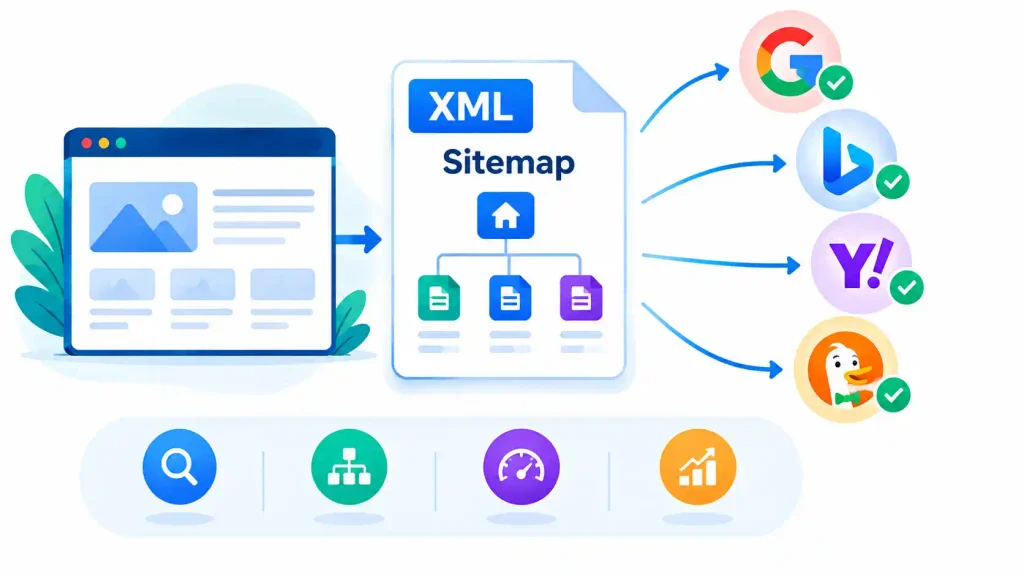
What Is a Sitemap?
An XML sitemap is a file that lists all the pages, posts, and other content on your website in a structured format that search engines can read. Think of it as a table of contents you hand directly to Google so it knows exactly what to crawl.
Why Every Website Needs an XML Sitemap Before Search Engine Submission?
Without a sitemap, search engines discover your pages by following links. A sitemap removes that dependency and ensures every page including newly published posts that have no inbound links yet is visible to crawlers immediately after submission.
How to Create or Find Your XML Sitemap in WordPress? (Takes Under 2 Minutes)
- If you use WordPress: RankMath, Yoast SEO, and AIOSEO all generate XML sitemaps automatically. Your sitemap URL is typically yourdomain.com/sitemap.xml or yourdomain.com/sitemap_index.xml. Check both URLs in your browser to confirm which exists.
- If you do not use WordPress: Free tools like XML-sitemaps.com generate a sitemap file you can download and upload to your site’s root directory.
- Once confirmed: Copy your full sitemap URL you will need it for every search engine submission step below.
Also Read: Rank Math Review: No.1 Free SEO Plugin For WordPress CMS
How to Submit Your Website to Google? (Step-by-Step)
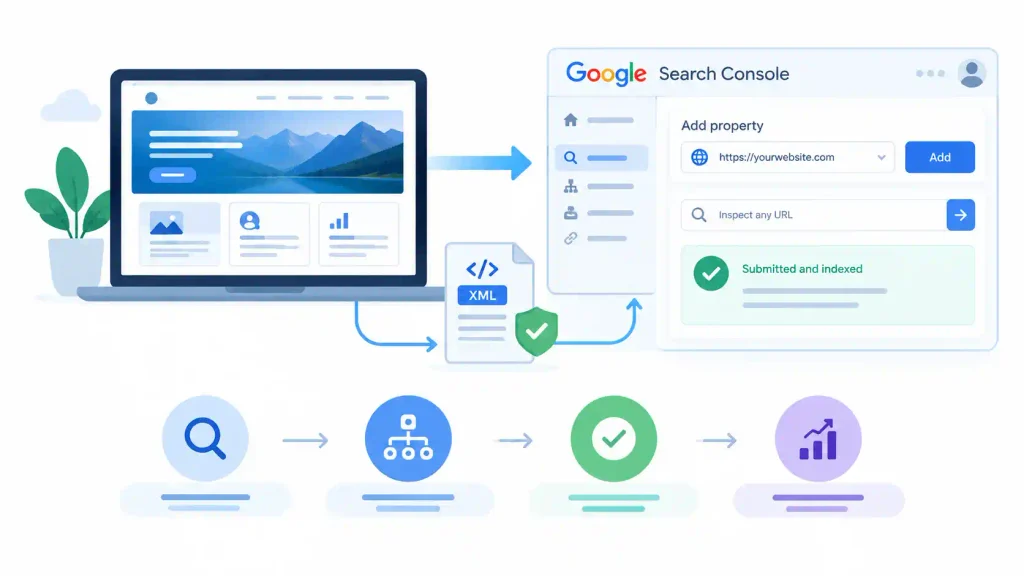
Google accounts for over 90 percent of global search traffic, making it the most important submission of the five covered in this guide.
The process uses Google Search Console, which is free and also gives you access to keyword performance data, crawl error reports, and indexing status for every page on your site.
Step 1 Set Up Google Search Console
- Go to search.google.com/search-console
- Sign in with your Google account
- Click “Add property” and choose the URL prefix option
- Enter your full domain including https://
- Download and follow the verification steps
Step 2 Verify Your Website Ownership
Four verification methods are available:
- HTML tag (recommended for WordPress paste into your theme header or use RankMath/Yoast to insert it in one click)
- HTML file upload
- Google Analytics (if already installed)
- Google Tag Manager (if already installed)
Confirm verification is complete before proceeding to the sitemap step.
Step 3 Submit Your XML Sitemap to Google
- In the left sidebar of Search Console, click Sitemaps.
- Enter your sitemap URL in the field provided (sitemap.xml or sitemap_index.xml)
- Click Submit
- Google will show a “Success” status when the sitemap is accepted and begins crawling.
Step 4 Submit Individual URLs Using the URL Inspection Tool
- In Search Console, click the URL Inspection tool in the left sidebar.
- Paste the specific page URL you want indexed immediately.
- Click “Request Indexing”
- Use this for key pages like your homepage, main blog posts, or newly published affiliate content that you want indexed fast.
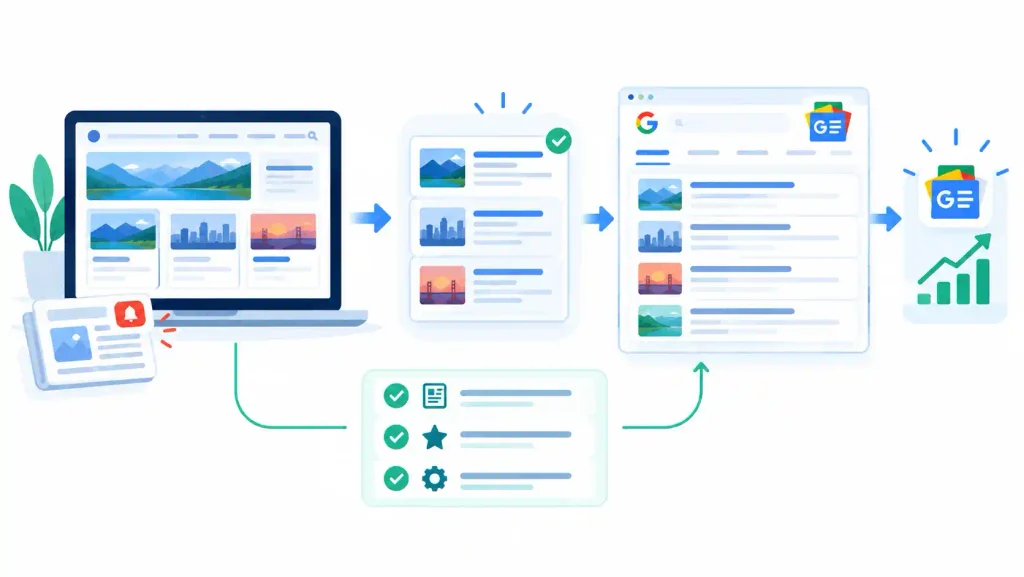
Quick Note About Submitting Your Site to Google News
If your site publishes timely news-style content, you can apply for Google News through Publisher Center at publishercenter.google.com. Standard blog and affiliate content does not qualify for Google News. This is optional and separate from the standard Search Console submission above.
How to Check If Your Page Is on Google
- Type
site:yourdomain.cominto Google’s search bar and press Enter. - If your site appears in results, it is indexed.
- If nothing appears, your site is either not yet indexed or has an indexing issue.
- Use the URL Inspection tool in Search Console for a definitive answer on any specific page.
How to Submit Your Website to Bing? (Step By Step)
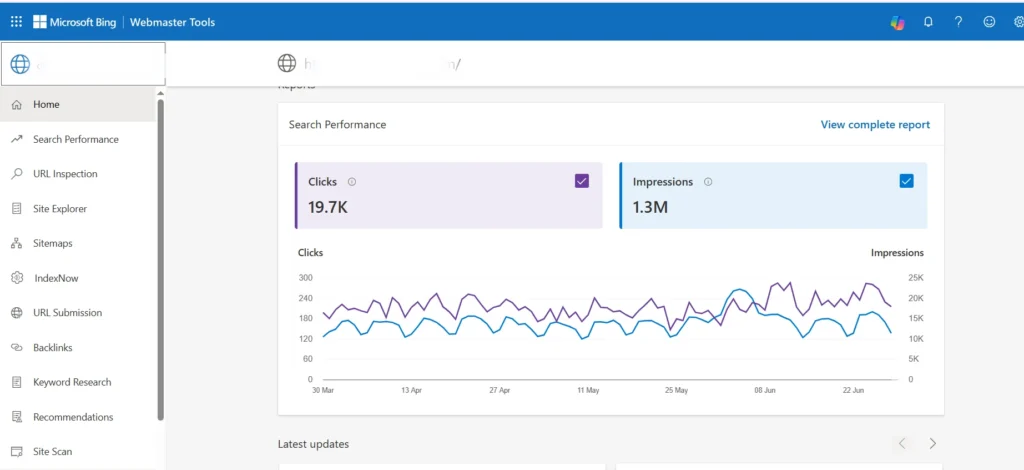
Bing Webmaster Tools is free, and one submission covers both Bing and Yahoo, since Bing’s search index powers Yahoo’s organic results. This is the second most important submission after Google.
Step 1 Set Up Bing Webmaster Tools
- Go to bing.com/webmasters and sign in with a Microsoft account.
- The fastest setup option: import your verified Google Search Console property directly this transfers your sitemap and property settings in one step without re-verification
- If not importing from Google, add your URL manually and verify using the meta tag, XML file, or CNAME method.
Step 2 Submit Your Sitemap to Bing
- Navigate to Sitemaps in the left sidebar.
- Enter your sitemap URL and click Submit.
- Bing will begin crawling and indexing your submitted pages.
Bing URL Submissions Plugin for WordPress
The Bing URL Submissions plugin for WordPress automatically submits new and updated URLs to Bing in real time whenever you publish or update a post.
Install it from the WordPress plugin directory and connect it to your Bing Webmaster Tools account using the API key from your Webmaster Tools settings. This removes the need for manual individual URL submission to Bing.
How to Submit Your Website to DuckDuckGo? (No Manual Submission Required)
DuckDuckGo does not have a manual submission portal. It crawls the web independently and also aggregates results from Bing, Yahoo, and other sources. The most effective ways to ensure DuckDuckGo discovers your site are:
- Complete your Bing Webmaster Tools submission (above), as DuckDuckGo pulls from Bing’s index.
- Earn at least one inbound link from an already-indexed site so DuckDuckGo’s crawler follows the link to your domain.
- Ensure your robots.txt does not block the DuckDuckBot user agent.
How to Submit Your Website to Yandex, Baidu, Brave, Ecosia, and Qwant?

How to Submit Your Website to Yandex
- Go to webmaster.yandex.com and sign in or create a Yandex account.
- Click “Add site” and enter your domain URL
- Verify ownership using the meta tag method (paste it into your site header, or use RankMath/AIOSEO to insert it in one click)
- After verification, navigate to Indexing → Sitemap Files and submit your XML sitemap URL
Submitting Your Site to Baidu
Baidu is China’s dominant search engine. If your target audience includes Chinese-speaking readers, submit through Baidu’s Webmaster Tools at ziyuan.baidu.com.
The interface is in Chinese. Key requirements include hosting your site on a Chinese server (preferred by Baidu) and having a valid ICP licence for sites hosted in China.
For international sites targeting non-Chinese audiences, Baidu submission is optional.
Submitting Your Site to Brave Search
Brave Search at search.brave.com is a privacy-focused search engine with its own independent index. Submit your site at search.brave.com/webmaster and verify ownership.
Brave has been growing its user base among privacy-conscious audiences and is worth submitting to if that audience segment is relevant to your niche.
Submitting Your Site to Ecosia
Ecosia is an eco-friendly search engine that uses its advertising revenue to plant trees. It uses Bing’s index as its primary result source, so your Bing Webmaster Tools submission (above) also covers Ecosia. No separate submission is required.
Submitting Your Site to Qwant
Qwant is a French privacy-focused search engine. It primarily uses Bing’s results, so again your Bing submission covers Qwant’s organic listings. No separate submission portal is required.
How to Check If Your Website Is Indexed on Google and Bing (Free Methods)
How to Check Indexing on Google?
- Method 1 (quick): Type site:yourdomain.com into Google. If results appear, your domain is indexed.
- Method 2 (page-specific): Go to Google Search Console → URL Inspection → enter the specific page URL → check the “URL is on Google” status
- Method 3 (full coverage report): In Search Console, go to Indexing → Pages to see which of your pages are indexed, which are excluded, and why
How to Check Indexing on Bing?
- Type
site:yourdomain.cominto Bing’s search bar to check overall indexing - In Bing Webmaster Tools, go to Reports → Index Coverage for a detailed breakdown of indexed versus excluded pages.
How to Fix the Most Common Website Indexing Issues in Google Search Console?
Your Site Shows “noindex” in Google Search Console.
Check that no page has a noindex meta tag added either by your SEO plugin or by a developer. In RankMath or Yoast, open the page editor and check the Advanced tab for the robots meta setting. Ensure it is set to “Index,” not “No Index”.
Your Sitemap Returns a 404 Error
If your sitemap URL returns a 404, the sitemap either was not generated or is at a different URL. In WordPress, deactivate and reactivate your SEO plugin to regenerate the sitemap, then confirm the URL in your browser before resubmitting.
Crawl Errors in Google Search Console
Go to Search Console → Indexing → Pages and review the “Why pages aren’t indexed” section. The most common issues are:
- Redirect errors
- Soft 404 pages (pages that return a 200 status but show no meaningful content)
- Pages blocked by robots.txt
Each issue type has a direct fix recommendation inside Search Console.
Pages Excluded Due to Duplicate Content
If Google selects a different URL as the canonical version of a page, your submitted URL may not be indexed in its own right. Ensure canonical tags in your SEO plugin point to the correct preferred URL for each page.
How to Avoid Being De-Indexed After Google Discovers Your Site?

Getting indexed is step one. Staying indexed requires avoiding the behaviours that cause Google to remove pages from its index after initial crawling:
- Never publish thin content with fewer than 300 words of original value. Google’s Helpful Content system actively removes low-quality pages.
- Avoid duplicate content. Use canonical tags to indicate the preferred version when similar content must exist at multiple URLs.
- Keep your site speed healthy. Pages that load slowly and cause poor Core Web Vitals scores are crawled less frequently over time.
- Do not block Googlebot in your robots.txt file accidentally during site updates or theme changes.
- Renew your domain before it expires. An expired domain that goes dark loses its indexed pages and must be resubmitted from scratch after reactivation.
How Do I Force Google to Crawl My Website Faster?
You cannot force Google to crawl on demand, but you can maximise the signals that trigger faster crawling:
- Use the URL Inspection tool in Search Console and click “Request Indexing” for priority pages.
- Publish a new piece of content that links to the page you want crawled new content is crawled more frequently.
- Earn an inbound link from an already-indexed external site, which gives Google’s crawler a direct path to your domain.
- Ensure your site loads quickly faster sites are crawled more often.
Patience Is Key: Setting Realistic Expectations
Submission speeds up discovery but does not override Google’s crawl budget allocation. Focus on publishing quality content, building internal links, and earning external backlinks during the waiting period. These actions increase your crawl budget over time, which means faster future indexing for every page you publish.
What to Do After Submission to Keep Search Engines Engaged
- Publish new content regularly. Search engines crawl sites that update frequently more often.
- Build internal links from established pages to new ones so crawlers follow paths to your newest content.
- Monitor Search Console weekly for new crawl errors, coverage drops, or manual actions.
- Resubmit your sitemap whenever you make major structural changes to your site.
Should You Use a Search Engine Submission Service?
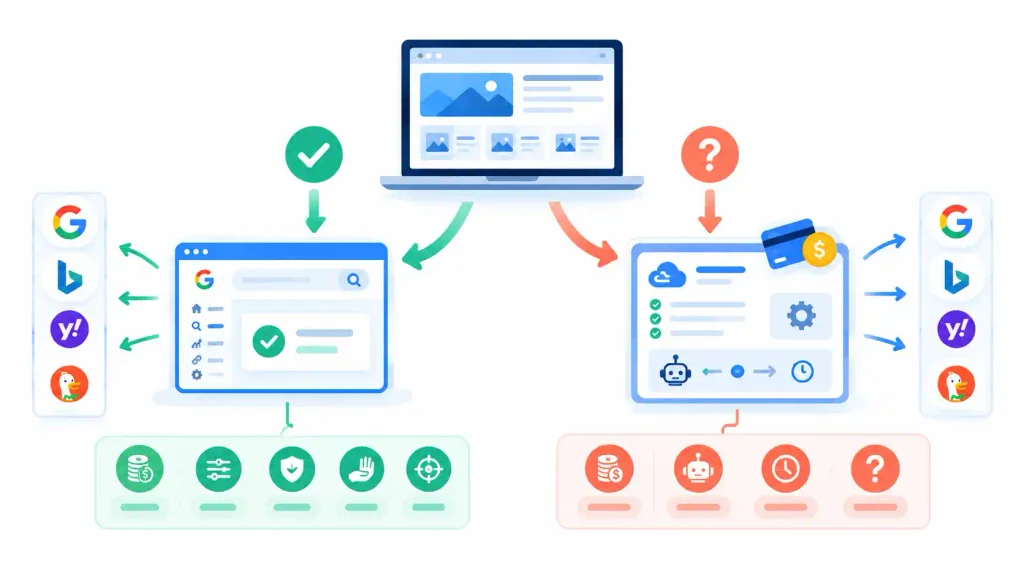
Several paid services advertise the ability to submit your website to hundreds of search engines simultaneously for a fee. These services are unnecessary and potentially harmful:
- The major search engines that matter Google, Bing, Yahoo, DuckDuckGo all have free official submission portals covered in this guide
- The other “search engines” in these bulk submission packages have negligible traffic and no meaningful audience.
- Some submission services use automated link schemes that violate Google’s quality guidelines and can trigger manual penalties.
- No legitimate SEO professional recommends paid submission services for organic search.
Submit your site directly through Google Search Console and Bing Webmaster Tools. That is the complete submission process for 99 percent of websites.
FAQs About How to Submit Your Website to Search Engines?
How do you submit your website to search engines?
Submit your website to Google using Google Search Console add your property, verify ownership, and submit your XML sitemap. Submit to Bing using Bing Webmaster Tools in the same way, which also covers Yahoo. DuckDuckGo, Ecosia, and Qwant all use Bing’s index and require no separate submission. Both tools are free and take under 10 minutes to set up.
How do I submit my website to search engines for free?
Google Search Console and Bing Webmaster Tools are both completely free. There is no cost to submit a website URL to search engines through official channels. Paid submission services are unnecessary and not recommended.
How do I submit a website URL to search engines individually?
In Google Search Console, use the URL Inspection tool paste the specific page URL and click “Request Indexing” to ask Google to crawl that page immediately. In Bing Webmaster Tools, go to the URL Submission tool and enter individual URLs directly. This is most useful for newly published pages you want indexed faster than the sitemap crawl cycle.
How long does it take Google to index my site after submission?
For new domains, indexing typically takes one to four weeks after submission. For established sites adding new pages, indexing usually happens within hours to a few days. Submitting through Search Console speeds up discovery but does not guarantee a specific timeline.
Do I need to submit my website to search engines every time I publish a post?
No. Once your sitemap is submitted and verified, Google and Bing automatically crawl new content on your sitemap as it is added. For priority pages you want indexed immediately, use the URL Inspection tool in Google Search Console or the URL Submission tool in Bing Webmaster Tools to request crawling without waiting for the next automatic cycle.
What is the submit website to search engine process for Yahoo?
Bing powers Yahoo’s organic search results. Submit your site to Bing Webmaster Tools and your site will automatically be eligible to appear in Yahoo search results. There is no separate Yahoo submission portal for organic search.
Why is my website not appearing in Google after submission?
The most common reasons are: the “Discourage search engines” setting is enabled in WordPress (Settings → Reading), a noindex tag is present on the page, your robots.txt file is blocking Googlebot, or the site is too new for Google to have completed its first crawl cycle. Check the URL Inspection tool in Search Console for a specific diagnosis for any page.
Does submitting my website to search engines help SEO?
Submission speeds up indexing but does not directly improve your rankings. Search engines discover your site through submission, but where you rank for any given keyword depends on your content quality, backlink profile, and on-page SEO. Submission is the starting point, not the destination.
Final Thought
Knowing how to submit your website to search engines correctly removes the uncertainty from the indexing process and puts your content in front of search engines on your timeline rather than theirs.
Google Search Console and Bing Webmaster Tools cover every major search engine that drives meaningful traffic; they are both free, and the full process takes less than 15 minutes.
ALSO READ: