
Quick Answer: The best free Answer The Public alternative is Answer Socrates, which is unlimited, free, and organizes questions by who, what, when, where, and why question types. For People Also Ask data, AlsoAsked is the top pick. For comprehensive keyword data with search volume and difficulty scores, Semrush Keyword Magic Tool is the most powerful paid replacement.
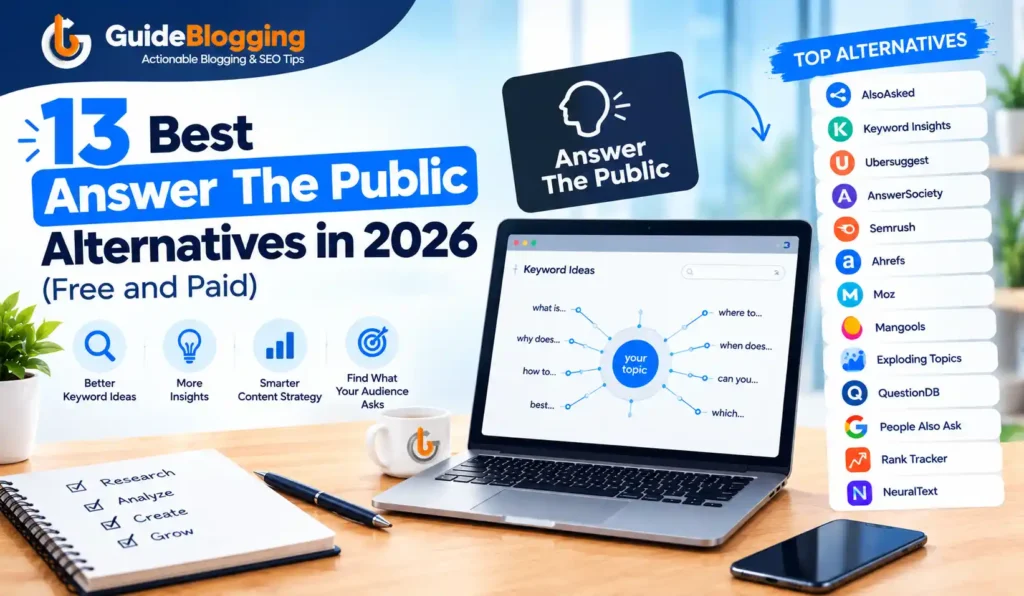
Answer The Public stopped being genuinely free in 2023 when it moved to a credit-based paid model with just three free searches per day. Since then, the search for a real answer to the public free alternatives has grown consistently, and for good reason.
The tool was never perfect to begin with: it showed inaccurate volume data, offered no keyword difficulty score, provided no competitor analysis, and its visual wheel format, while memorable, was often more decorative than practical.
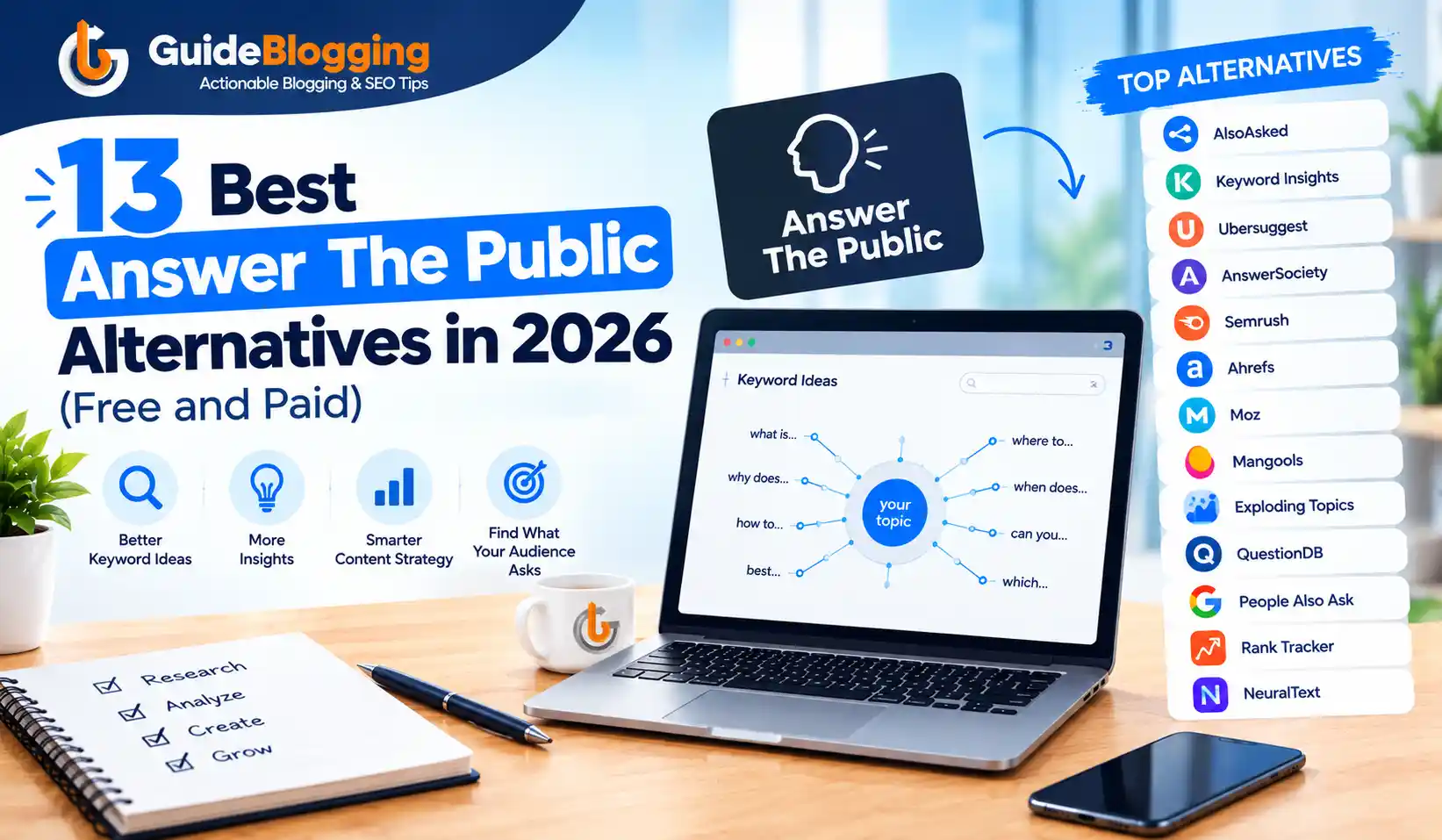
This guide covers 13 answer the public alternatives organized by use case and budget. Whether you want a free replacement with similar question-mining functionality, or a paid tool that goes significantly further than Answer The Public ever did, the right option is in this list, and you can find it in under five minutes.
What Is Answer The Public and Why Are People Looking for Alternatives?
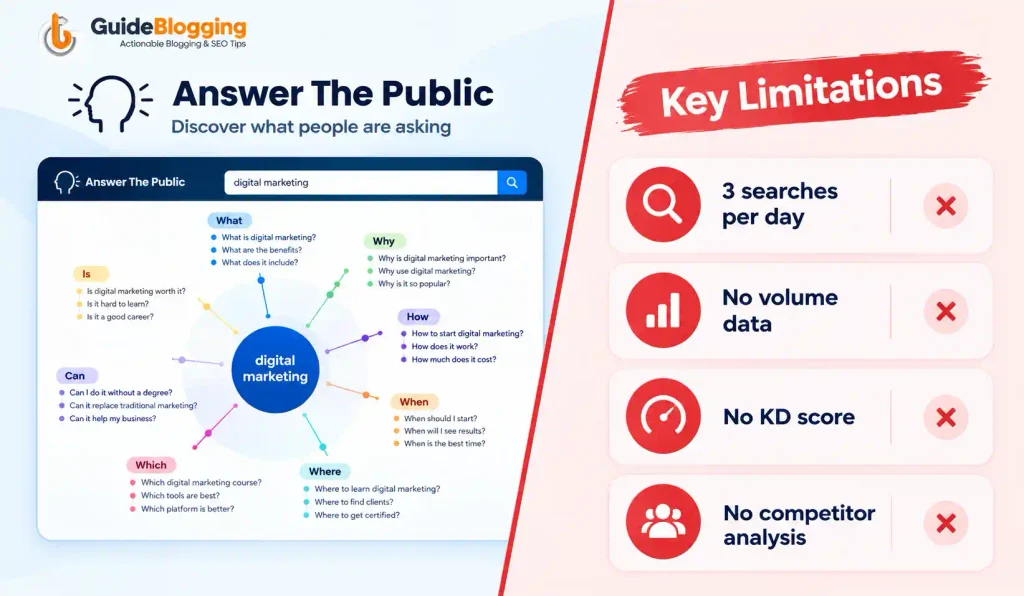
Answer The Public is a keyword research tool that generates question-based keyword ideas by mining Google and Bing autocomplete data.
It organizes results into visual wheels showing who, what, when, where, why, and how questions around any seed keyword.
For a brief period, it was genuinely useful as a free brainstorming tool for content creators who wanted to understand what questions their audience was asking.
What changed is straightforward: the tool moved from free to a credit-based paid model. The free plan now limits you to three searches per day, which is not enough for any professional content planning workflow.
Even on paid plans, the core limitations remain: no exact search volume, no keyword difficulty score, no competitor analysis, and no rank tracking.
For anyone who has graduated beyond basic content brainstorming to actual SEO strategy, Answer The Public was always a starting point rather than a complete solution.
The people searching for Answer The Public alternatives in 2026 fall into two groups. The first group wants the same free question-mining functionality without the three-search daily cap.
The second group has realized that question keyword research is more valuable when paired with real search volume and difficulty data, and they want a tool that delivers both. Both groups will find what they need below.
Quick Comparison Table: Best Answer The Public Alternatives 2026
| Tool | Best For | Free Option | Starting Price |
|---|---|---|---|
| Answer Socrates | Best free alternative overall | Completely free | Free |
| AlsoAsked | People Also Ask visualization | Limited free (3/month) | $12/month |
| Semrush Keyword Magic Tool | In-depth keyword research | Limited free account | $139.95/month |
| Ahrefs Keyword Generator | Comprehensive SEO data | Free keyword generator | $129/month |
| KWFinder | Low-competition keywords on a budget | 10-day free trial | $29.90/month |
| Keywords Everywhere | Browser extension for on-the-go research | Limited free | $2.25/month |
| Google Trends | Trend analysis and topic discovery | Completely free | Free |
| SE Ranking | All-in-one SEO with question keyword filter | Free trial | $44/month |
| KeywordTool.io | Multi-platform keyword suggestions | Limited free | $69/month |
| Wordtracker | Beginner-friendly keyword research | Limited free | $27/month |
| Google Search Console | Finding actual search queries for your site | Completely free | Free |
| QuestionDB | Forum-based question research | Limited free | $15/month |
| Ubersuggest | Budget-friendly all-in-one SEO | Limited free tier | $12/month |
13 Best Answer The Public Alternatives for 2026
Here are the 13 best answer the public alternatives organized by use case. Each one is evaluated on question keyword coverage, free access availability, and what it offers beyond Answer The Public’s basic functionality.
1. Answer Socrates
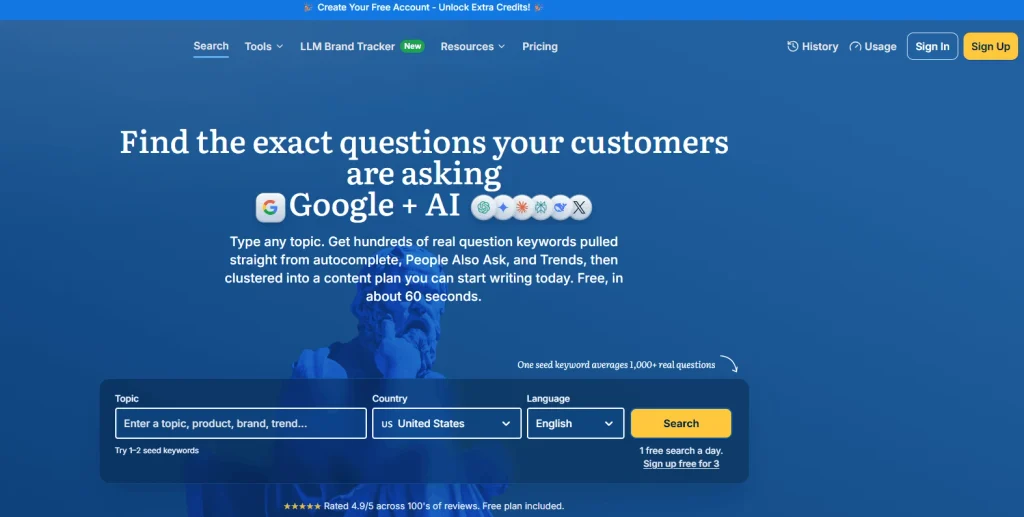
Answer Socrates is a completely free, unlimited question keyword tool that organizes question-based keywords by modifier type: who, what, when, where, why, how, which, will, can, and are.
It pulls data from Google autocomplete and displays results in a clean, readable list format with no search limits, no account requirements, and no daily credit system.
This is the tool that the AI Overview directly recommends as the best free Answer The Public alternative.
Key Features
- Completely unlimited free searches with no daily credit limits or account required
- Organizes questions by type: who, what, when, where, why, how, which, will, can, are
- Downloadable results in CSV format for content planning
- Clean list layout without the visual wheel complexity that makes Answer The Public harder to work with at scale
- Covers multiple languages for international keyword research
How Answer Socrates Helps You
Where Answer The Public shows a complicated visual wheel that looks impressive but requires additional steps to extract actionable data, Answer Socrates presents the same question keyword data in a straightforward, scannable list. Since there are no search limits, you can research an entire quarter’s content calendar in a single session without worrying about hitting a cap.
The absence of a credit system is the single most meaningful practical difference. AnswerThePublic’s three free searches per day make it useless for real content planning. Answer: Socrates removes that barrier entirely.
Pros:
- Completely free with no limits on daily searches
- No account creation required
- Beginner-friendly with an immediately understandable interface
- CSV export makes it easy to bring results into a content planning tool
Cons:
- No search volume data attached to keyword results
- No keyword difficulty score
- No competitor analysis or backlink data
- No rank tracking or site audit features
Pricing: Completely free. No account required.
Best for: Bloggers, content creators, and SEOs who want Answer The Public’s core question research function for free without daily search limitations.
2. AlsoAsked
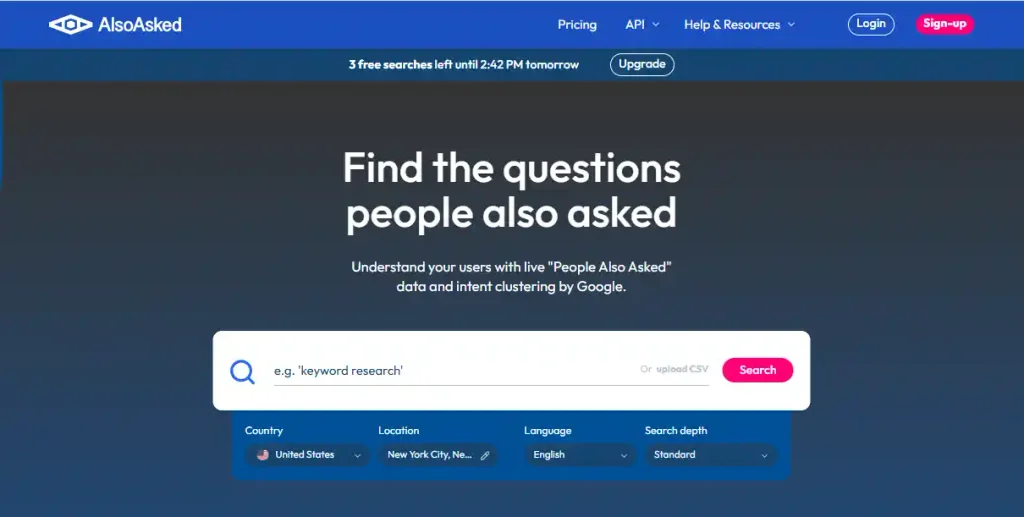
AlsoAsked focuses exclusively on Google’s People Also Ask data, the question boxes that appear directly in search results. It maps out how questions branch from a broad topic into increasingly specific sub-questions, showing you the actual intent path that real users follow when searching for information related to your topic.
Key Features
- Pulls live PAA data directly from Google search results rather than from autocomplete
- Visual branching map showing how questions connect and lead to further questions
- Geo-specific query data across 40 languages and multiple country-level search results
- Bulk search capability for researching multiple topics in one session
- PNG export of question maps for presentations and content briefs
- API access for developers building content tools and research workflows
How AlsoAsked Helps You
The fundamental difference between AlsoAsked and Answer The Public is the data source. Answer The Public uses Google autocomplete suggestions, which show what people start typing.
AlsoAsked uses Google’s actual PAA boxes, which show questions that real users clicked on in search results. That is a meaningful quality difference when building content designed to answer real user intent rather than just capturing search queries.
The branching format also reveals something autocomplete cannot: how questions connect. Understanding that “how do I start a blog” branches into “do I need to pay for a blog,” which branches into “is WordPress free,” tells you exactly how to structure a comprehensive guide on that topic.
Pros:
- Real PAA data from actual Google search results, not autocomplete guesses
- Visual branching format makes topic architecture planning intuitive
- Geo-specific data for local and international content strategies
- 40 language support for multi-market keyword research
- PNG export is genuinely useful for content briefs and presentations
Cons:
- No keyword difficulty score or search volume data
- Limited to question-format keyword research only
- Free tier is very limited at three searches per month
Pricing:
- Free: 3 searches per month
- Basic: $12/month
- Lite: $23/month
- Pro: $47/month
Best for: SEOs and content creators who want to understand how Google connects related questions and build topically comprehensive content around PAA clusters for featured snippet and AI Overview eligibility.
3. Semrush Keyword Magic Tool
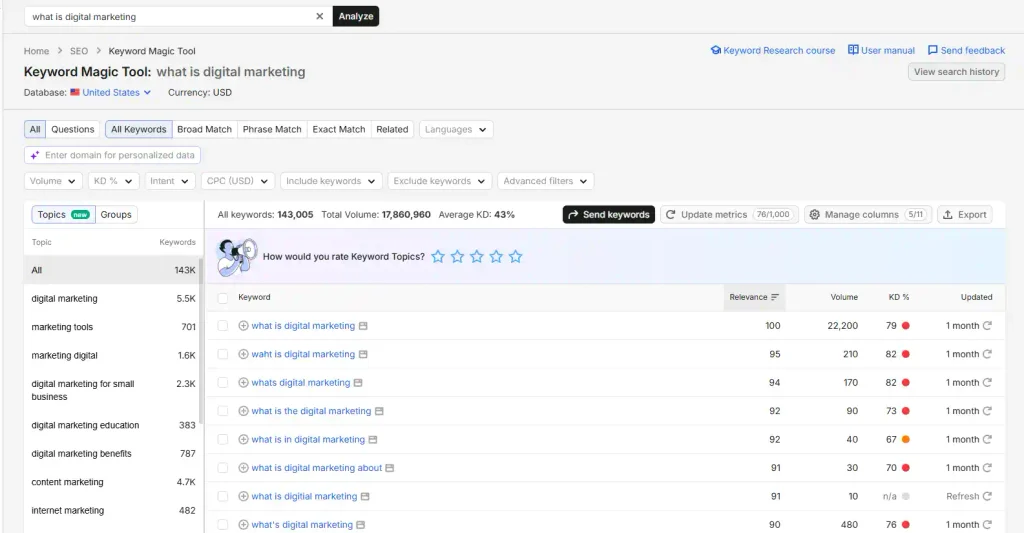
The Semrush Keyword Magic Tool is the most comprehensive keyword research tool on this list. With a database of 25 billion keywords spanning 140 countries, it provides search volume, keyword difficulty, CPC, competitive density, and intent classification alongside question-based keyword filtering that directly replaces and significantly improves on what Answer The Public offers.
Key Features
- 25 billion keyword database across 140 countries with regular data updates
- Question filter to surface question-based keywords specifically within any topic
- Keyword difficulty and accurate search volume data for every keyword
- Intent classification sorting keywords by informational, commercial, transactional, and navigational intent
- Competitor keyword gap analysis showing which questions your competitors rank for that you do not
- Full integration with Position Tracking, Site Audit, Backlink Analytics, and all other Semrush tools
How Semrush Helps You
Unlike Answer The Public, which shows you questions without telling you how many people are searching for them or how hard they are to rank for, Semrush gives you every data point needed to make strategic decisions. You can filter a topic’s question keywords by difficulty below 30, sorted by search volume, to find the exact question keywords that represent real ranking opportunities for your site right now.
Semrush has been my go-to for over 12 years of keyword research across competitive niches. The combination of question filtering and full SEO metrics transforms keyword brainstorming into actual strategy.
Pros:
- Most comprehensive keyword database of any tool on this list, with 25 billion keywords
- All critical SEO metrics included: volume, difficulty, CPC, intent
- Full integration with every other SEO function you need
- Question filter specifically isolates question-based keywords
Cons:
- Expensive starting price of $139.95 per month puts it out of reach for hobby bloggers
- Steeper learning curve for complete beginners compared to lighter tools
Pricing:
- Limited free account available with no time restriction
- Pro: $139.95/month
- Guru: $249.95/month
- Business: $499.95/month
Best for: Professional bloggers, SEO agencies, and serious affiliate marketers who need accurate keyword data alongside question research and cannot afford to make content decisions based on incomplete information.
4. Ahrefs Keyword Generator
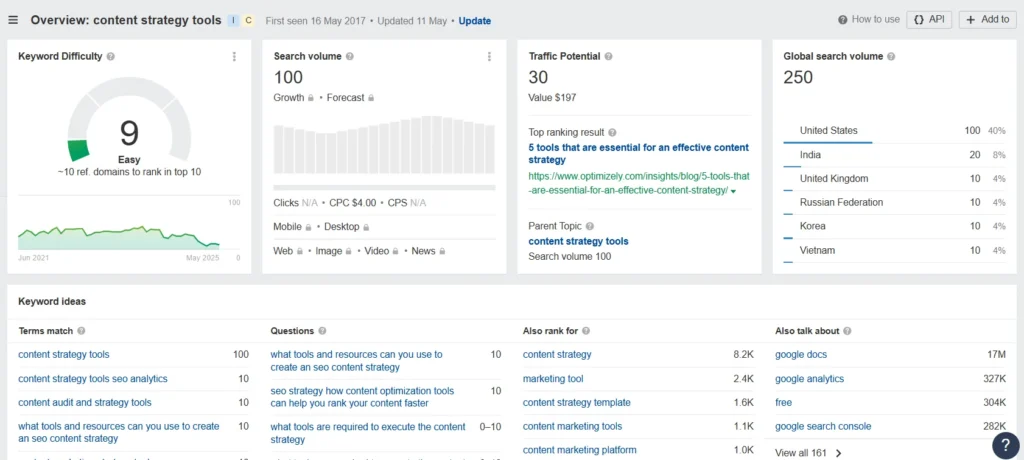
Ahrefs Keyword Generator draws from one of the largest keyword databases in the industry, with 28 billion keywords, and provides accurate search volume, keyword difficulty, traffic potential, and SERP analysis for every keyword idea it generates. It covers Google, YouTube, Amazon, Bing, and additional search engines from a single tool.
Key Features
- 28 billion keyword database spanning multiple search engines
- Questions filter to isolate question-based keywords from the full keyword set
- Traffic Potential metric that estimates total traffic from ranking first for a keyword, accounting for all related queries that the page would also capture
- SERP analysis for each keyword showing the actual pages currently ranking
- Full integration with Ahrefs Site Explorer, Content Explorer, and Rank Tracker
How Ahrefs Helps You
Ahrefs’ Traffic Potential metric is genuinely unique in this list. Standard search volume shows how often one specific keyword is searched.
Traffic Potential shows how much total traffic you would receive by ranking first for that keyword, because ranking pages actually capture traffic from dozens of related queries simultaneously.
For anyone building a serious content strategy, this metric changes the analysis completely.
I have been using Ahrefs alongside Semrush for six years because Ahrefs sometimes surfaces more keyword suggestions due to its larger database, and the Traffic Potential metric provides an angle no other tool replicates.
Pros:
- Largest keyword database on this list at 28 billion keywords
- Traffic Potential metric gives a more realistic traffic estimate than raw search volume.
- Multi-search-engine support including YouTube and Amazon
- Strong question keyword filtering within the full dataset
Cons:
- Expensive for beginners, with the meaningful paid tier starting at $129/month
- The Starter plan at $29/month is very limited and unlikely to satisfy regular research needs
Pricing:
- Free keyword generator tool with limited results
- Starter: $29/month (very limited)
- Lite: $129/month
- Standard: $249/month
Best for: Professional SEOs, mid-to-large agencies, and affiliate marketers who need professional-grade keyword data, including the Traffic Potential metric that goes beyond what any other tool offers.
Also Read: Ahrefs vs Majestic (2026): Which SEO Tool Should You Choose?
5. KWFinder
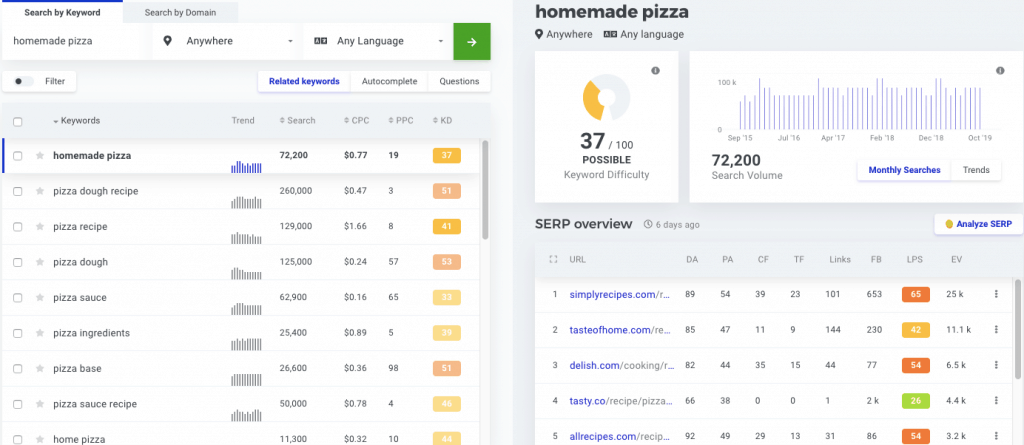
KWFinder is part of the Mangools suite and is known specifically for surfacing low-competition keywords in a beginner-friendly interface. Its color-coded keyword difficulty scoring makes it immediately clear which keywords are realistic ranking targets for newer or lower-authority sites, without requiring the user to interpret a numerical score in isolation.
Key Features
- 2.5 billion related keywords with regular database updates
- Question-based keyword filtering to isolate question keywords from the full set
- Color-coded difficulty scoring: green for easy, orange for medium, red for hard
- Accurate search volume and CPC data for every keyword suggestion
- Local keyword research for geo-specific content targeting
- In-depth competitor keyword analysis and SERP preview
How KWFinder Helps You
KWFinder gives you everything Answer The Public gives you in terms of question keyword ideas, but with actual search volume and difficulty data attached to every result.
For bloggers and affiliate marketers on a budget who have graduated from pure question brainstorming to actual SEO strategy, KWFinder is the most practical and affordable step up from free tools like Answer Socrates.
I used KWFinder consistently when my budget was tight, and competition data mattered. Its color-coded difficulty system genuinely removes the guesswork for beginners who are still developing their instinct for keyword difficulty evaluation.
Pros:
- Most affordable paid keyword research tool with real SEO metrics
- Color-coded difficulty scores make competitive analysis accessible for beginners
- 10-day free trial with no credit card required for genuine evaluation
- Question filter surfaces question keywords specifically
Cons:
- Maximum 1,200 keyword searches in 24 hours limits large-scale research sessions
- Not as deep or comprehensive as Ahrefs or Semrush for agency-level work
Pricing:
- 10-day free trial, no credit card required
- Basic: $29.90/month (billed annually)
- Premium: $44.90/month (billed annually)
- Agency: $89.90/month (billed annually)
Best for: Beginner to intermediate bloggers and affiliate marketers who want low-competition keyword data with real volume and difficulty metrics at the most affordable price point available.
Also Read: Ahrefs vs KWFinder 2026: Which Keyword Research Tool Should You Choose?
6. Keywords Everywhere
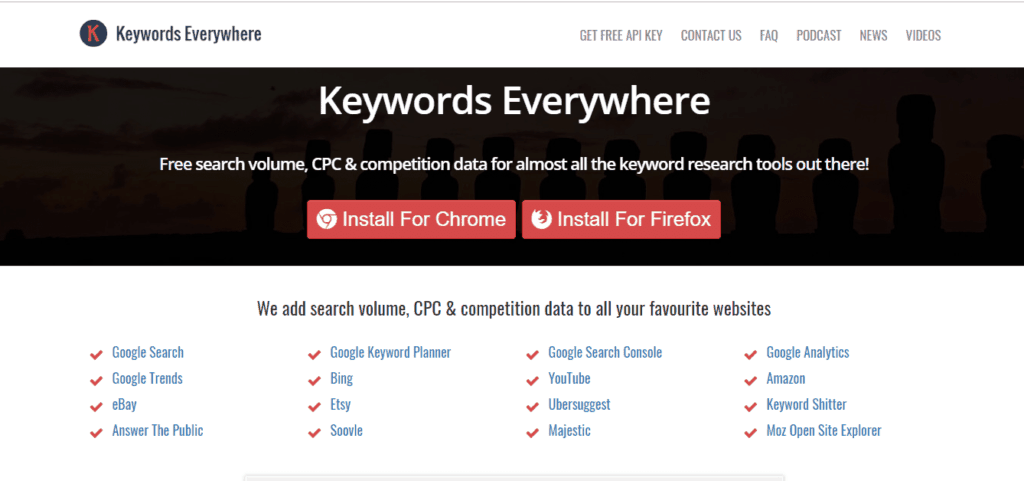
Keywords Everywhere is a browser extension for Chrome, Firefox, and Edge that overlays keyword data, including volume, CPC, competition, and related questions, directly on your Google search results page as you browse. It brings keyword research into the environment where you already spend your research time.
Key Features
- Works directly inside Google, YouTube, Amazon, Bing, Etsy, and more without switching to a separate tool
- Shows related keywords, long-tail suggestions, and People Also Ask question data inline on every SERP
- Monthly search volume, CPC, and keyword difficulty visible on every search results page
- Trend data displayed for each keyword directly in the results
How Keywords Everywhere Helps You
Answer The Public requires you to visit a separate tool, enter a keyword, wait for results, and then transfer the data to your content planning workflow.
Keywords Everywhere eliminates that extra step. The question keyword data and related suggestions appear right on your Google results page, integrated into the research workflow you already follow when evaluating a topic.
For content marketers who validate keyword ideas while browsing rather than in dedicated research sessions, this approach saves meaningful time every single day.
Pros:
- Extremely convenient workflow integration with no separate tool required
- Multi-platform support including YouTube, Amazon, and Etsy
- Very affordable at $2.25/month for the entry tier
- People Also Ask data visible inline on every relevant search
Cons:
- Credit-based model similar to Answer The Public means heavy users can exhaust credits
- Free version is very limited in practice for regular use
Pricing:
- Bronze: $2.25/month (100,000 credits per year)
- Silver: $6/month (400,000 credits per year)
- Gold: $25/month (2 million credits per year)
- Platinum: $80/month (8 million credits per year)
Best for: Bloggers and content marketers who want keyword data and question suggestions integrated directly into their regular browsing and Google searching rather than in a separate research session.
For more browser-based keyword research options, see our Keywords Everywhere Alternative article.
7. Google Trends
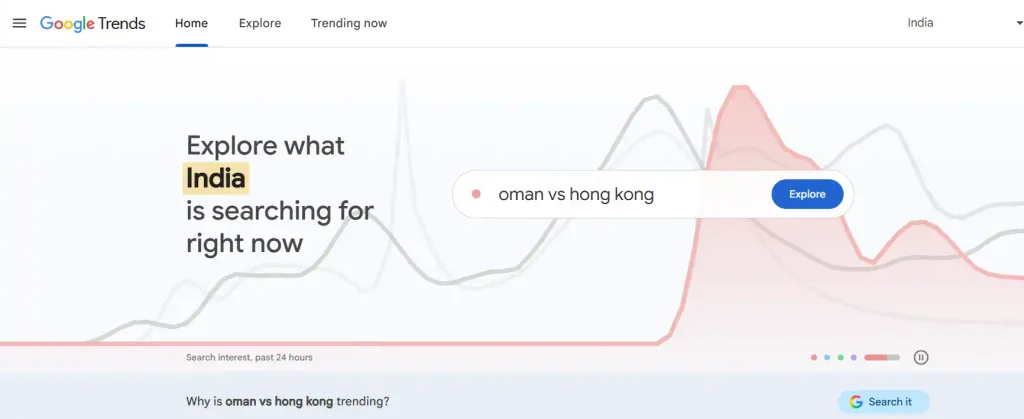
Google Trends is a completely free tool from Google that shows how search interest in any topic or keyword has changed over time.
It pulls data directly from Google’s own search index and displays interest as a relative score from 0 to 100 rather than as an absolute search volume figure.
You can compare multiple keywords simultaneously, filter by country and time period, and explore related rising queries that are gaining momentum before they become mainstream search topics.
Key Features
- Real-time and historical trend data pulled directly from Google’s search index
- Related topics and rising queries sections that surface associated keyword angles
- Keyword comparison across time periods and geographic regions
- Completely free with no search limits or account requirements
How Google Trends Helps You
Google Trends does something Answer The Public genuinely cannot: it tells you whether a topic is growing or declining in popularity over time.
A question keyword with high current search volume might be on a downward trend, making it a poor long-term content investment.
A lower-volume topic on a strong upward trend might be worth creating content around now before competition increases.
Combining Google Trends with Answer Socrates gives you both the directional trend data and the specific question keyword angles in a completely free research workflow. Neither tool alone gives you the complete picture. Together, they do.
Pros:
- Completely free with no registration or search limits
- Real Google data not filtered through a third-party estimate
- Rising queries section surfaces emerging question topics before they peak
- Keyword comparison across geographic regions helps international content planning
Cons:
- No specific search volume numbers, only relative interest scores
- No keyword difficulty score or competitive analysis
- Not a replacement for full keyword research but a valuable complement to it
Pricing: Completely free.
Best for: Bloggers who want to validate whether a topic is trending upward before investing time in content creation, and anyone building a content strategy around seasonal or emerging topics.
8. SE Ranking
SE Ranking is a full-scale all-in-one SEO platform that covers keyword research, rank tracking, site audit, backlink analysis, and competitor research in a single subscription.
Unlike Answer The Public, which only generates question keyword ideas, SE Ranking combines a 3.3 billion keyword database with a specific question filter that surfaces question-format keywords alongside full SEO metrics including search volume, keyword difficulty, and CPC.
It sits at a mid-range price point between free tools and premium platforms like Semrush and Ahrefs, making it one of the most cost-effective complete SEO solutions available in 2026.
Key Features
- 3.3 billion keyword database with regular updates
- Question keyword filter within the keyword suggestion tool that isolates question-format keywords specifically
- Rank tracking, backlink checker, and site audit all included in one subscription
- White-label client reporting for agencies managing multiple client accounts
- Bulk keyword analysis for researching large keyword sets efficiently
How SE Ranking Helps You
SE Ranking’s keyword suggestion tool includes a specific question filter that surfaces question-based keywords similar to what Answer The Public generates, but with full SEO metrics attached to every result.
At a significantly lower price point than Semrush or Ahrefs, it is one of the most complete all-in-one replacements available for anyone who wants question keyword capability alongside real SEO data without paying enterprise tool pricing.
I use SE Ranking specifically for rank tracking because it offers more keyword tracking capacity at a budget-friendly price compared to competitors. The question keyword filter is a practical bonus that removes the need for a separate question research tool.
Pros:
- Affordable all-in-one tool covering keyword research, rank tracking, and site audit
- Question filter specifically surfaces question keywords with full metrics
- Accurate and reliable keyword data at this price range
- Bulk keyword analysis saves time on large-scale content planning
Cons:
- Higher learning curve than lighter tools like KWFinder or Answer Socrates
- Some accuracy gaps at very local or niche keyword levels
Pricing:
- Essential: $44/month (billed annually)
- Pro: $87.20/month (billed annually)
- Business: $191.20/month (billed annually)
Best for: Freelance SEOs, small agencies, and bloggers who want an all-in-one SEO suite with integrated question keyword capability at a price point between free tools and premium platforms.
9. KeywordTool.io
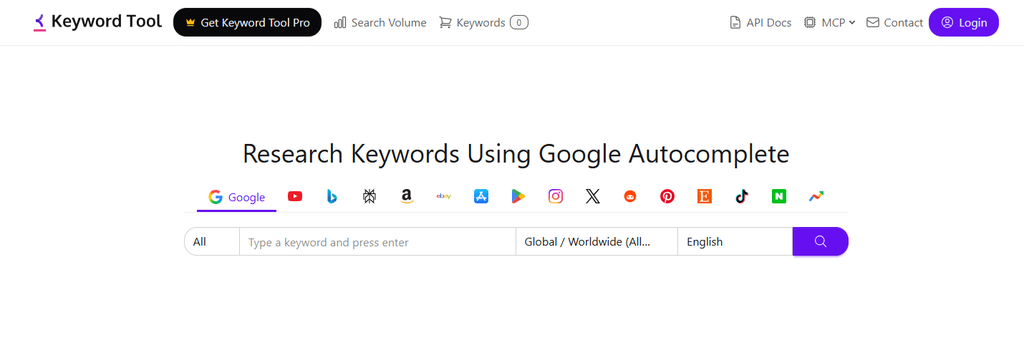
KeywordTool.io generates keyword suggestions from Google, YouTube, Bing, Amazon, Instagram, Twitter/X, and the App Store, all from one interface. .
It’s built specifically for content creators and marketers who optimize across multiple platforms, not just Google search.
Unlike Keywords Everywhere, which is Google-centric, KeywordTool.io is particularly strong for YouTube keyword research and Amazon product keyword discovery, two areas the typical blogger-oriented SEO tool completely ignores.
Key Features
- Question keywords generated from Google, YouTube, Bing, Amazon, Instagram, and more
- Long-tail keyword generation using platform-specific autocomplete data
- CPC and trend data available on paid plans
- Beginner-friendly interface with clear organization by platform and question type
How KeywordTool.io Helps You
For content creators who publish across multiple platforms rather than just Google, KeywordTool.io provides a single research interface for question keywords on YouTube, Amazon, and Instagram alongside Google. This broader platform coverage is a meaningful advantage over Answer The Public, which only mines Google and Bing autocomplete data.
Pros:
- Multi-platform coverage that no other tool on this list matches
- Beginner-friendly with clear platform selection and organized output
- Useful for YouTube channel keyword research alongside blog content planning
- E-commerce keyword research on Amazon and Etsy makes it versatile
Cons:
- Expensive relative to the depth of SEO data provided
- Free version is too limited for regular professional use
- No in-depth competitive metrics like backlink analysis or site audit
Pricing:
- Pro Basic: $69/month
- Pro Plus: $79/month
- Pro Business: $159/month
Best for: Content creators who optimize across multiple platforms including YouTube, Amazon, and Instagram alongside traditional Google search, and need question keyword data for each platform in one tool.
10. Wordtracker
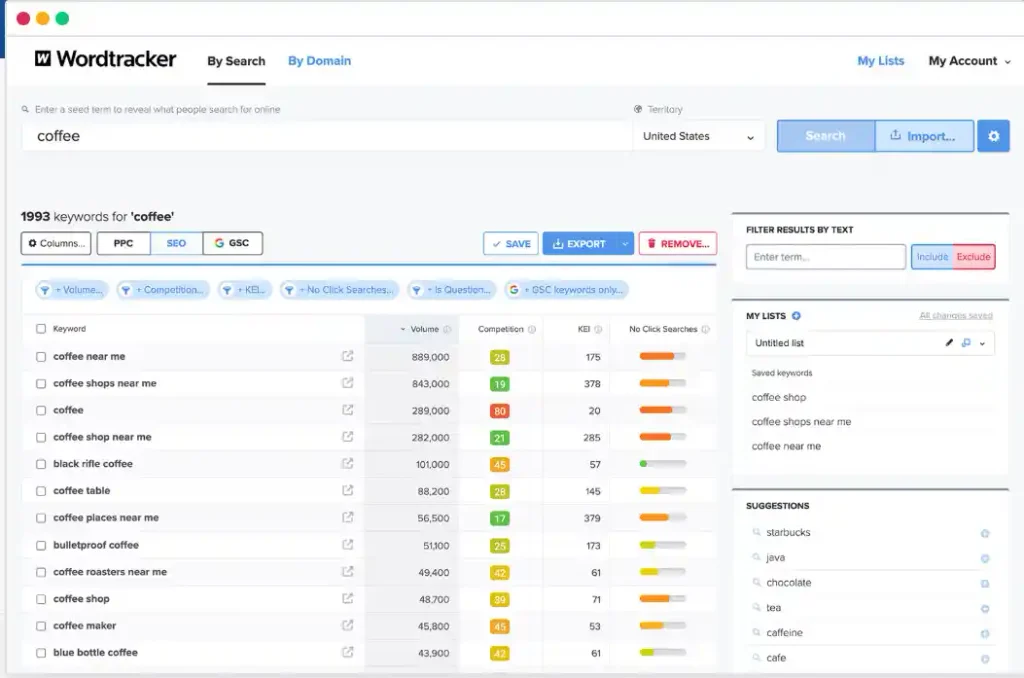
Wordtracker is a keyword research tool that has been active since 1998, making it one of the longest-running keyword platforms in the SEO industry.
It focuses specifically on keyword research and competitor analysis without the additional complexity of rank tracking, site auditing, or backlink tools, which makes it significantly simpler to navigate for beginners.
Its most distinctive feature is the KEI (Keyword Effectiveness Index), a proprietary metric that automatically calculates which keywords offer the best combination of high search volume and low competition, removing the need for manual opportunity evaluation that beginners often find difficult.
Key Features
- 3.5 billion keyword database with volume and competition data
- Question keyword filtering to isolate question-format keywords
- KEI (Keyword Effectiveness Index) metric that identifies high-volume, low-competition keyword opportunities automatically
- Competitor analysis tools for evaluating what keywords rival sites rank for
- PPC keyword research for advertising campaign planning alongside organic content
How Wordtracker Helps You
Wordtracker’s KEI metric is what sets it apart from other beginner tools. Instead of requiring you to manually evaluate search volume against keyword difficulty to find opportunities, KEI calculates a combined effectiveness score that surfaces the best opportunity keywords automatically.
Pros:
- Beginner-friendly interface without the complexity of enterprise tools
- KEI metric surfaces high-opportunity keywords without manual calculation
- Affordable entry price at $27/month
- Question filter available for specifically targeting question-format keywords
Cons:
- Not a complete all-in-one SEO solution, requiring additional tools for rank tracking and site audit
- Database size is smaller than Semrush, Ahrefs, or SE Ranking
- Limited competitive research depth compared to premium tools
Pricing:
- Bronze: $27/month
- Silver: $69/month
- Gold: $99/month
Best for: Beginners, affiliate marketers, and bloggers who want straightforward keyword research with question filtering and a built-in effectiveness metric that simplifies opportunity identification.
11. Google Search Console
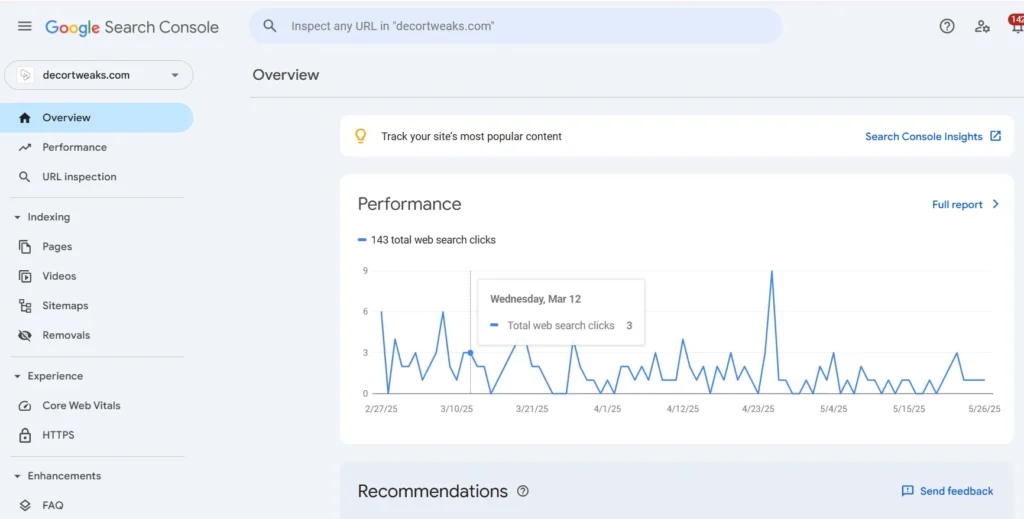
Google Search Console is a free tool provided by Google that gives website owners direct access to performance data about how their site appears in Google search results.
Unlike every other tool on this list, which estimates keyword data from third-party databases, Google Search Console shows you the actual queries real users typed into Google before clicking through to your specific website.
It reports impressions, clicks, average click-through rate, and average position for every search query your site appears for, giving you a dataset that no competitor, keyword tool, or SEO platform has access to because it is generated exclusively from your own site’s interaction with Google’s search index.
Key Features
- Actual search queries real users typed to find your specific website
- Impressions, clicks, CTR, and average position data for each query
- 100% free with no search limits or subscription required
- Unique data that no competitor, keyword tool, or third-party platform has access to
How Google Search Console Helps You
This is the only tool on this list that shows you the exact question keywords real people typed to reach your specific website. No keyword research tool, regardless of how large its database is, has access to this data.
Go to the Performance tab, set impressions high and clicks low, and you will find a list of question keywords your existing content is appearing for in search results but failing to convert into clicks.
These are your highest-priority optimization opportunities. Google has already decided your content is relevant enough to show for these questions.
All you need to do is improve the title tag and meta description to increase the click-through rate, and potentially update the content itself to better answer the question that is driving impressions.
Pros:
- Completely free with no restrictions on usage
- Unique data only available to the owner of each specific site
- Real search queries from actual users, not estimated suggestions
- Directly actionable for content optimization without requiring additional tools
Cons:
- Only provides data for your own website, not for competitor or topic research
- No keyword difficulty or competitive analysis capability
- Requires an existing website with Google Search Console already set up and verified
Pricing: Completely free.
Best for: Bloggers and SEOs who want to find content optimization opportunities based on real query data from their own website, particularly for improving pages that already rank but are not earning enough clicks.
12. QuestionDB
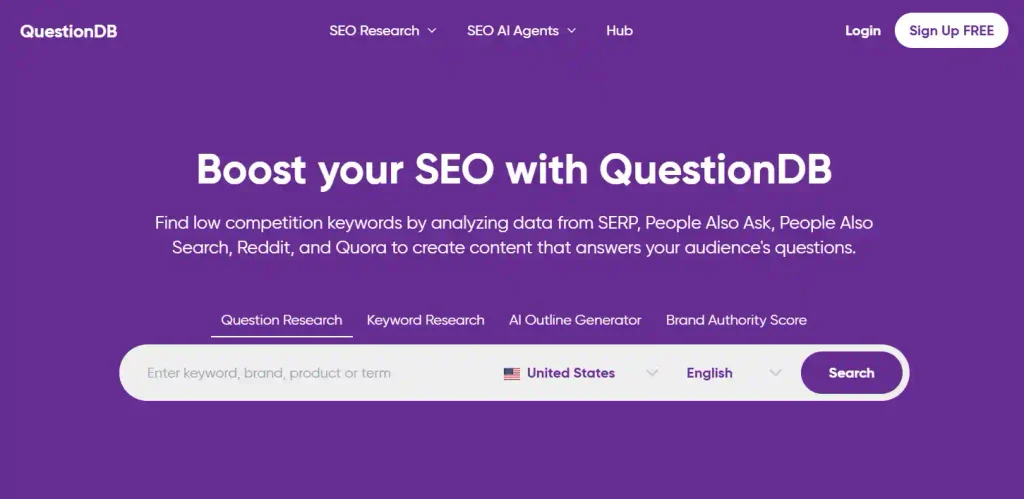
QuestionDB pulls questions from Reddit, Quora, Stack Exchange, and other community forums alongside search engines. This gives you access to raw, unfiltered questions that real people are asking in active communities rather than just questions they have found a search-engine-friendly way to phrase.
Key Features
- Questions sourced from Reddit, Quora, Stack Exchange, and other major forums
- Results organized by topic and question frequency across source platforms
- Surfaces niche questions that autocomplete-based tools miss entirely
- Simple, searchable interface with minimal learning curve
How QuestionDB Helps You
Answer The Public only mines Google and Bing autocomplete. QuestionDB mines real community discussions, which means you get question angles that no autocomplete-based tool would ever surface.
The questions people ask on Reddit and Quora are often more specific, more emotionally charged, and more revealing of genuine audience confusion than the polished queries people eventually type into a search engine.
Understanding what your audience is asking before they have found a search-friendly way to phrase it is one of the most powerful content strategy advantages available.
Pros:
- Genuinely unique forum-sourced data that no autocomplete tool can replicate
- Surfaces niche-specific questions that reveal real audience confusion and curiosity
- Helps you find content angles your competitors are not targeting because they are not visible in search autocomplete yet
Cons:
- No search volume data attached to questions
- No keyword difficulty score or competitive analysis
- Limited to question research only, requiring separate tools for full SEO data
Pricing:
- Free limited tier
- Pro: $15/month
Best for: Content creators and bloggers who want to understand authentic audience questions before framing them as search-optimized content, particularly for building authority content that addresses genuine confusion rather than just search-optimized surface questions.
13. Ubersuggest
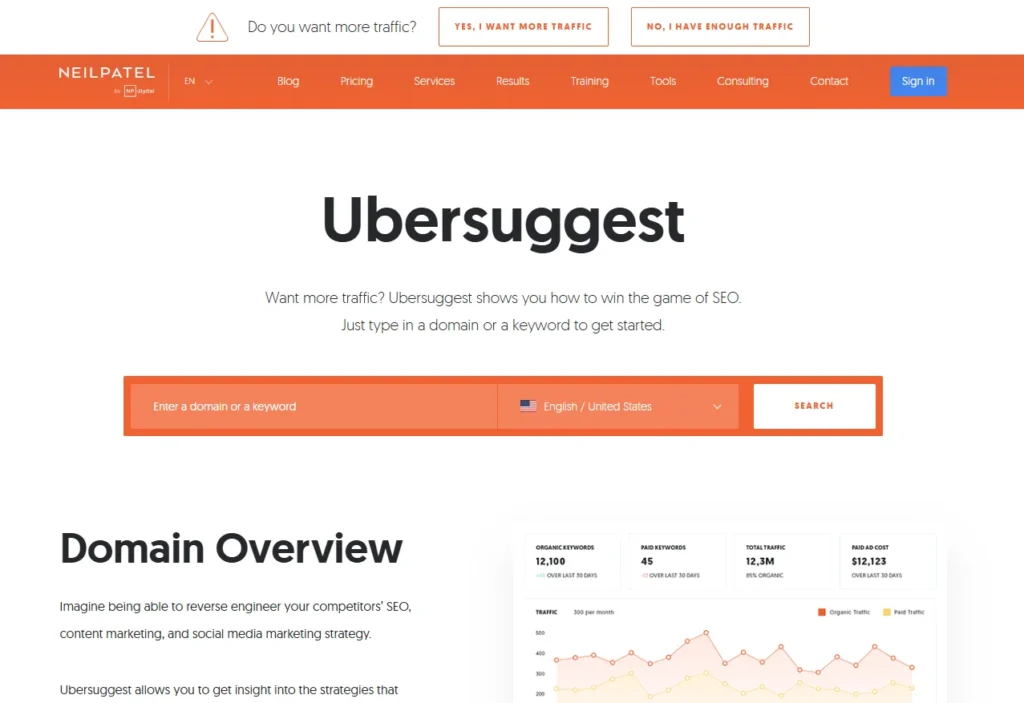
Ubersuggest from Neil Patel is the most accessible entry point in this list for bloggers and affiliate marketers who want the core KWFinder experience at a lower monthly cost.
At $12 per month for the Starter plan, it undercuts Mangools Basic by more than half while still covering keyword research, basic site auditing, and rank tracking in a clean interface that does not require any SEO background to navigate.
Key Features
- Keyword ideas with search volume and keyword difficulty for each suggestion
- Content ideas section showing top-performing articles on any topic for content gap analysis
- Site audit, rank tracking, and basic backlink data included in one subscription
- AI search visibility report added in 2026 for tracking brand presence in AI-powered search results
- Lifetime deal option available for users who want to avoid recurring subscriptions
How Ubersuggest Helps You
Ubersuggest is the most affordable all-in-one tool on this list that goes beyond question keyword research to provide the broader SEO functionality that Answer The Public never offered. At $12/month for the Starter plan, it covers keyword research, content analysis, site audit, and rank tracking at a price point that anyone can justify.
Pros:
- Most affordable all-in-one SEO tool on this list
- Beginner-friendly interface with clear data presentation
- Lifetime deal availability makes it cost-effective long-term
- Content ideas feature shows what already works in your niche
Cons:
- Data accuracy is not as strong as Ahrefs or Semrush for competitive research
- Backlink database is limited compared to premium tools
- Some advanced features require higher-tier plans
Pricing:
- Free limited tier
- Starter: $12/month
- Business: $20/month
- Lifetime deal available
Best for: Bloggers and beginner affiliate marketers who want more than question keywords and need a basic all-in-one SEO suite at the lowest possible monthly cost.
Also Read: Best SEO Tools for Agencies (Free & Paid Picks for 2026)
What Are Question Keywords?
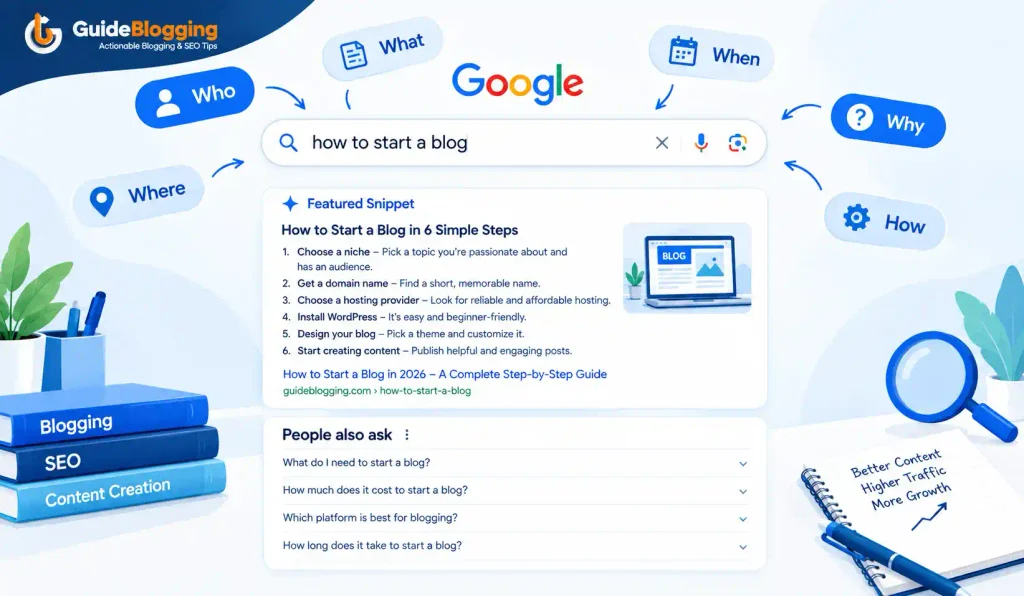
Question keywords are search queries that begin with or contain question words such as who, what, when, where, why, how, which, can, does, is, and are. They represent a specific type of user intent, almost always informational or problem-solving in nature, where the searcher wants a direct, clear answer rather than a product or a list of options.
Why Question Keywords Matter for SEO in 2026
Question keywords have become increasingly important in 2026 for three converging reasons.
First, they match exactly how people phrase queries to voice assistants and AI search interfaces. As voice search and AI-powered search continue to grow, question-format content that provides direct answers is structurally positioned to capture this traffic.
Second, Google’s People Also Ask boxes appear in a significant percentage of search results, and the questions in those boxes are essentially a public list of the most valuable question keywords for any topic. Creating content that directly answers PAA questions is one of the most reliable paths to SERP feature placement.
Third, Google AI Overviews frequently pull from content that directly answers specific questions in structured, concise blocks. The same content format that earns a featured snippet is the format most likely to be cited in an AI Overview response.
Which Answer The Public Alternative Should You Choose?
| Your Situation | Best Pick |
|---|---|
| Want a completely free unlimited tool | Answer Socrates |
| Want People Also Ask data specifically | AlsoAsked |
| Need keyword data with search volume and KD on a budget | KWFinder |
| Want the most comprehensive all-in-one keyword research tool | Semrush |
| Need keyword data while browsing Google without switching tools | Keywords Everywhere |
| Want to research what your own site already ranks for | Google Search Console |
| Researching for YouTube, Amazon, and Instagram too | KeywordTool.io |
| Looking for questions from forums and community discussions | QuestionDB |
| Starting out on a tight budget and need basic SEO suite | Ubersuggest |
| Need question keyword data alongside professional SEO analysis | Ahrefs |
FAQs About Answer The Public Alternatives
Is there a free alternative to AnswerThePublic?
Yes. Answer Socrates is the best free AnswerThePublic alternative. It is completely unlimited, requires no account, and organizes question keywords by who, what, when, where, why, and how with no daily search cap. Google Trends and Google Search Console are also completely free tools that serve related but distinct research needs.
Is AnswerThePublic free?
AnswerThePublic is now a freemium tool. The free plan limits you to three searches per day, which is insufficient for any professional content planning workflow. Paid plans start at $5.99 per month (Individual) and go up to $99 per month (Expert). It is no longer genuinely free in any practical sense.
What are similar websites to Answer the Public?
The most functionally similar tools are Answer Socrates (free, unlimited question mining from Google autocomplete), AlsoAsked (Google People Also Ask data with visual branching maps), and KeywordTool.io (autocomplete-based questions from multiple platforms). For more comprehensive SEO data alongside question research, Semrush Keyword Magic Tool and Ahrefs Keywords Explorer both include question keyword filters with full SEO metrics.
What is the best free alternative to AnswerThePublic?
Answer Socrates is the best overall free alternative with no search limits. For different research angles at no cost: Google Trends for trending topic validation, Google Search Console for your own site’s actual query data, and Ahrefs’ free keyword generator for basic keyword results.
Is it worth paying for AnswerThePublic in 2026?
For most bloggers and SEOs, no. The alternatives above offer better value at every price point. Answer Socrates is free and unlimited for the same core function. Paid tools like KWFinder and SE Ranking provide question keywords with actual search volume and difficulty data that Answer The Public cannot provide at any plan level. The only reason to pay for Answer The Public specifically is if you want the visual wheel presentation format or the historical trend data in the higher-tier paid plans.
Which tool is best for bloggers on a tight budget?
Answer: Socrates for free question research combined with Google Trends for trend validation and Google Search Console for your own site’s query data creates a completely free research setup that covers the core needs of most bloggers. For the first paid upgrade that adds search volume and keyword difficulty data, KWFinder at $29.90 per month is the most affordable meaningful step up.
Final Though
Every tool on this list solves a specific limitation of answer the public alternatives, whether that is the daily search cap, the missing volume data, the lack of difficulty scores, or the absence of competitor analysis.
Start with Answer Socrates for free question research and AlsoAsked for PAA data, which gives you a solid zero-cost foundation.
Then upgrade to a full-suite tool when your site is generating enough traffic and revenue to justify the investment in data that helps you make better strategic decisions.
ALSO READ:
- 20 Off-Page SEO Tactics That Actually Work in 2026 (Complete Guide)
- Google Penalty Checker: How to Check, Fix & Recover from Google Penalties (2026)
- How to Sell Digital Products Online in 2026 (Complete Guide + Best Platforms)
2 thoughts on “13 Best Answer The Public Alternatives in 2026 (Free and Paid)”